

SEO add-ins for Excel: optimizing and editing all in one

Effective search engine optimization (SEO) is the be-all end-all when it comes to making sure your website remains visible on Google, Bing, Yahoo! etc. The better you optimize your website’s subpages - in terms of both structure and content - the better your site will be evaluated by search engines. Eventually this optimization will pave way to a higher rank in the search engine result pages (SERPs). The goal of search engine optimization is to increase the reach of your product, brand, or business and so to ultimately drive up turnover. Microsoft Excel is a great option for running different types of SEO data analyses. But despite the fact that there are plenty of browser-based SEO tools on the market, only very few of them can be connected and synchronized directly with Excel. For this reason, those looking to process SEO data need special extensions (add-ins) that have been created specifically for Excel. These enable a direct connection between the tool and Excel’s spreadsheet calculations.
- Store, share, and edit data easily
- Backed up and highly secure
- Sync with all devices
How SEO tools in excel work and who they work best for
It’s worth carrying out analyses on performance factors or KPIs (key performance indicators) in order to implement the best-possible online marketing strategy for your website. The most important KPIs for on-page and off-page SEO are the insights on a domain’s visibility, reach. To be included in the KPI analysis are the popularity of the domain itself as well as its various subpages. User metrics, like the number of page visitors, the length of time spent on a site, and conversion rates are of particular interest for companies to know. But without an appropriate auxiliary program, processing such data with SEO analysis tools proves to be both a cumbersome and time-consuming affair. How then, does one take values from SEO tools and synchronize these directly into Excel without having to spend unnecessary time converting CSV files and importing or exporting datasets? This is where SEO add-ins for Excel come into play: businesses, small companies, online marketers, and web analysts are all able to maintain an overview, while also controlling the SEO performance of their pages. In the following paragraphs, we’ll present a selection of the most useful SEO extensions for excel.
SeoTools for Excel — the all-around add-in
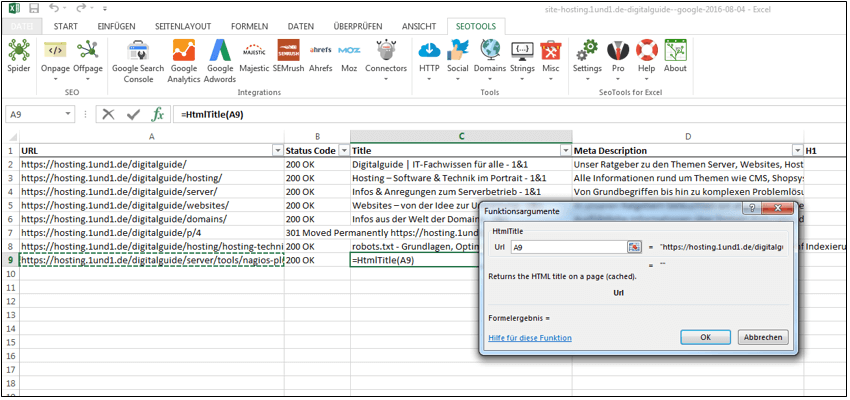
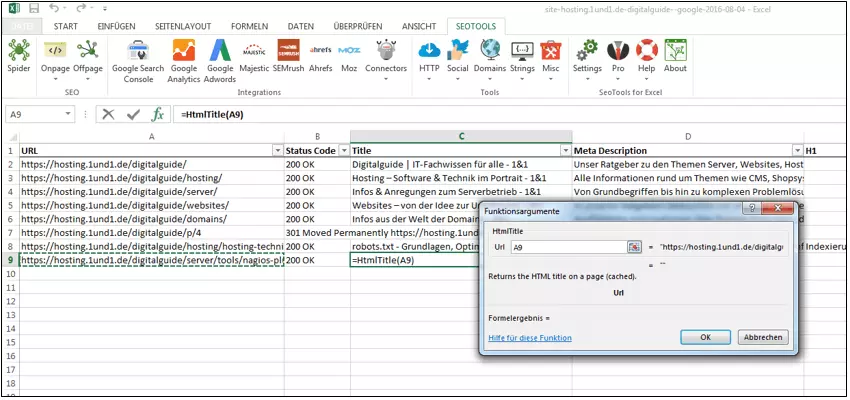
When taking a universal approach to SEO, the fee-based add-in SeoTools for Excel by Niels Bosma will have you covered for multiple SEO integrations. The tool offers different programing interfaces or APIs (application programming interfaces) for typical SEO analysis tools. These include Ahrefs, Google AdWords, Google Analytics, Majestic, Moz, Searchmetrics, SEMrush, SISTRIX, and SEOlyitics. Through its toolbar, the add-in allows users to access the program’s individual components and determine via commands the CELL functions for analyzing SEO data. The tool can be downloaded free of charge upon registering on Seo-Tools-for-Excel’s website. But the complete, ad-free version is only available to users who first purchase the fee-based Pro version. For help with installation, there’s a tutorial video on the product’s website. SeoTools for Excel allows semantic labeling (page titles, headlines, meta descriptions, and keywords) to be clearly displayed in Excel. This provides users with a compact overview of the content structure of their own website.
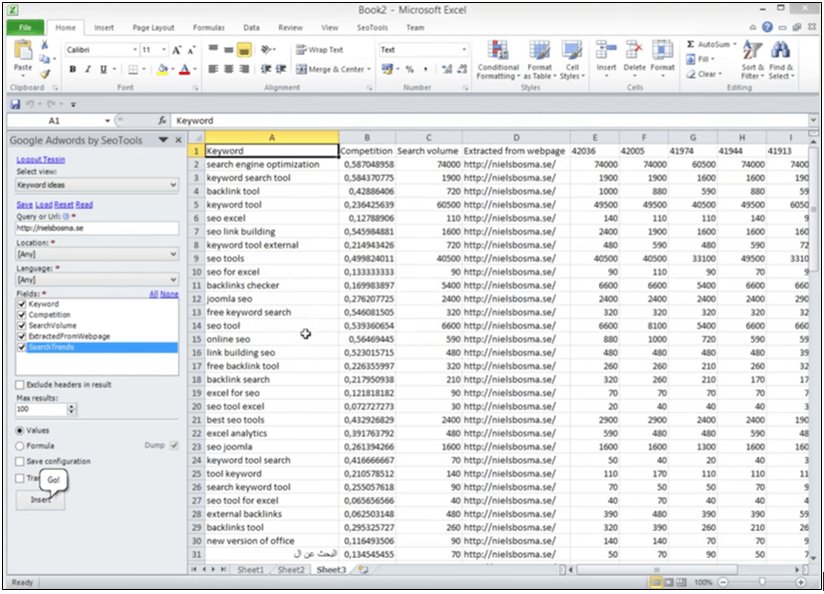
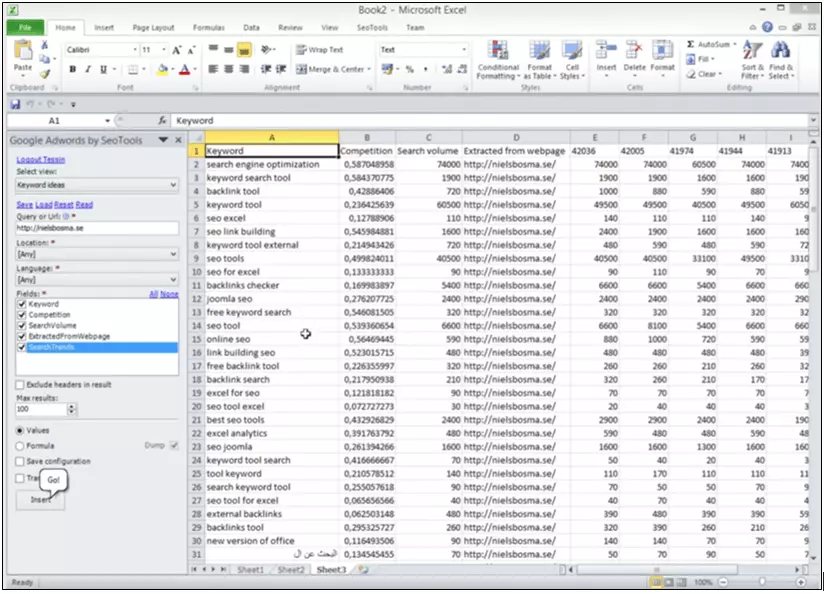
The API from Google Adwords also makes it possible to run keyword analyses within your own website.
SeoTools for Excel also offers a practical backlink and page rank check, which is helpful for carrying out off-page related tasks. This allows users to check how solid and natural their backlink structure is and what effect this has on the domain popularity. With the ‘Spider’ option the program’s main functions are bundled into a page crawler. This allows you to evaluate your site’s indexing and check for the presence of any undesired URL errors.
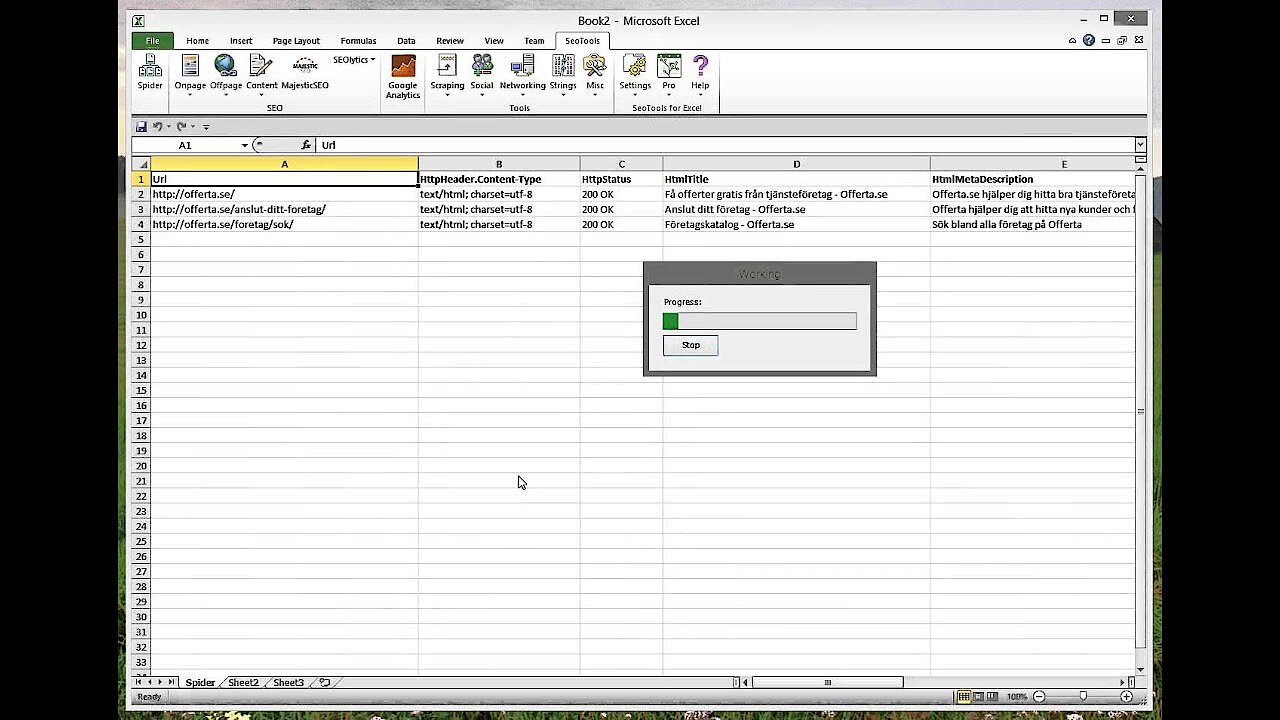 To display this video, third-party cookies are required. You can access and change your cookie settings here.
SeoTools for Excel is perfect for carrying out extensive SEO measures. The one downside is that it’s only compatible with Windows and Excel. Mac and Linux users will have to find solutions elsewhere.
SEO gadget – analyzing metrics and backlinks
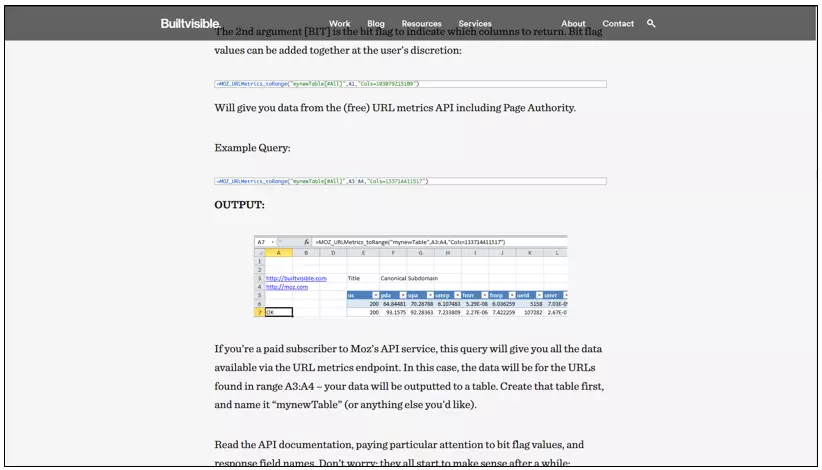
The add-in SEO Gadget provides a good free alternative to other fee-based options. While it is also based on Windows, Mac and Ubuntu users aren’t without options here, as the program can also be installed via extensions like Paralles or Virtualbox. SEO Gadget uses the programming interface of analysis tools like Moz, the link database Majestic and the keyword tool GrepWords to evaluate SEO data. While the add-in is offered as a freeware, some costs may still apply, depending on how the tool is used. Once you’ve finished installing the program via the API key (more exhaustive instructions on this can be found on the SEO Gadget website, the connection can be directly used. SEO Gadget allows users to read out URL metrics directly in their own Excel table. With the help of the Moz API, this allows you to determine the quality of your own domain, subdomains, external links, and backlinks (backlink analysis). What’s more, anchor text data can also be evaluated in order to obtain more information about the semantic connection between anchor texts and linked content.
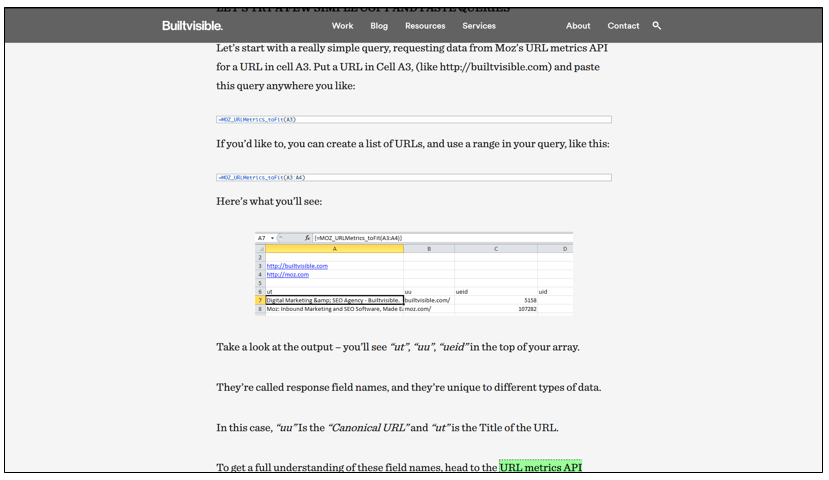
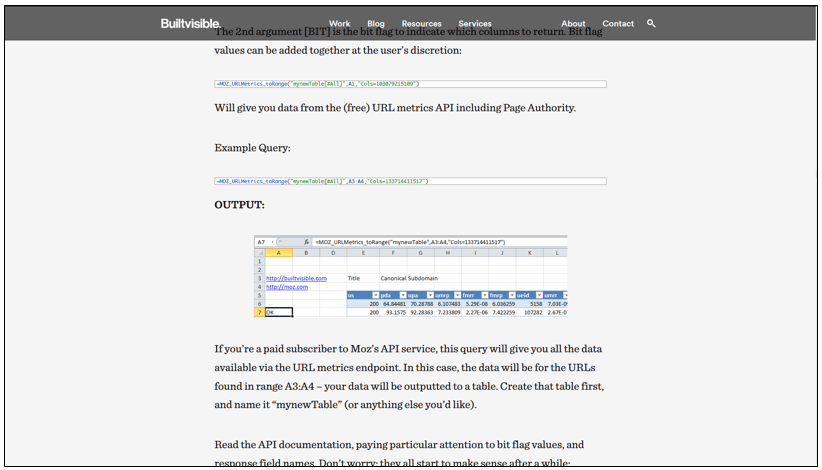
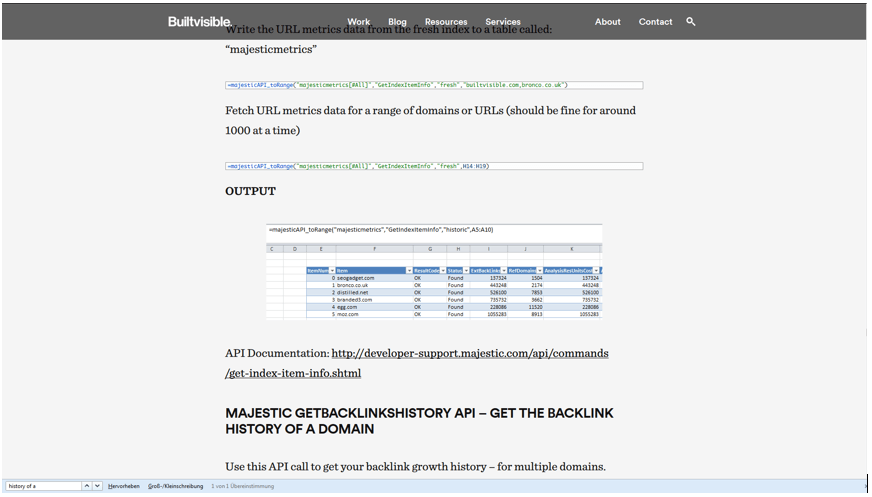
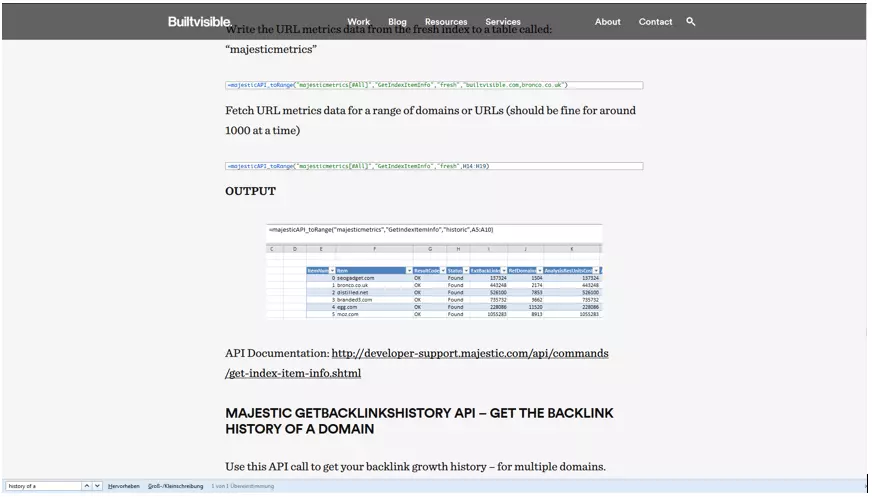
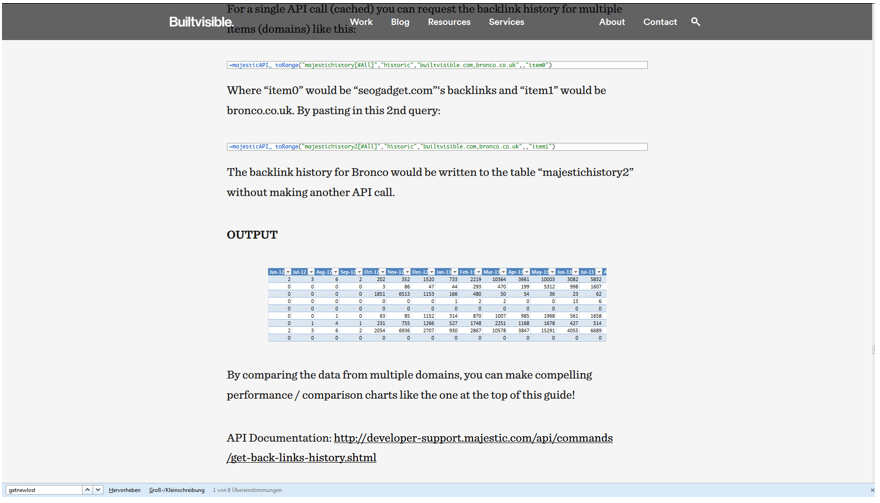
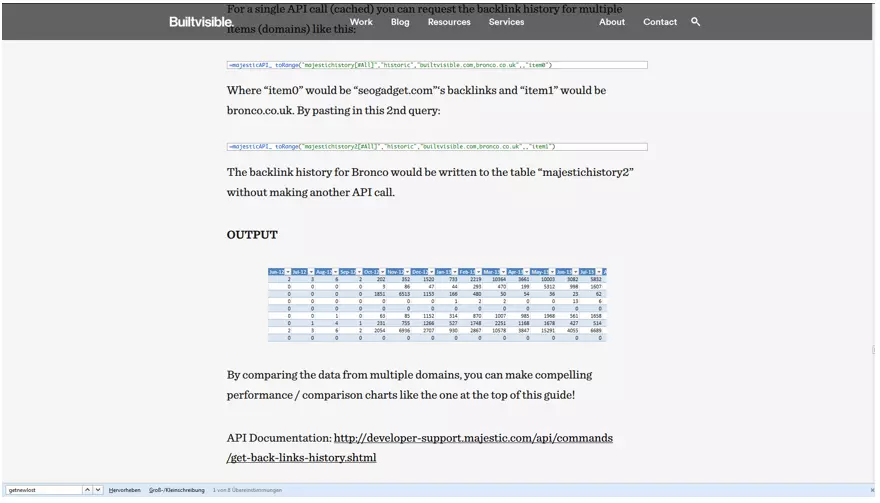
The Majestic API gives users access to important index statistics from the Majestic data base; this includes information on backlink history, as well as domains that refer to one’s own website.
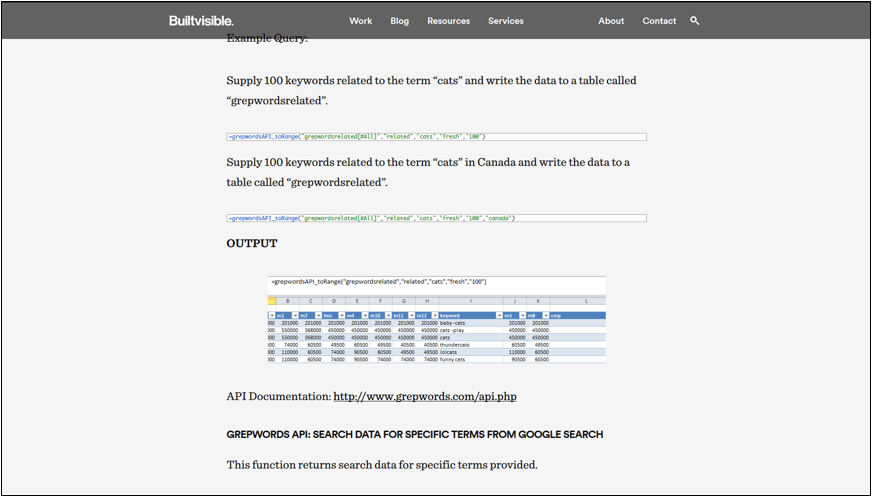
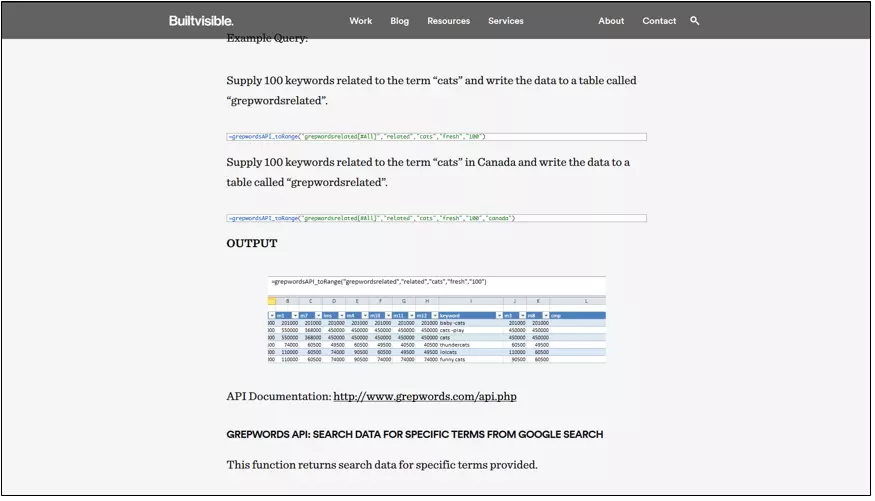
As a keyword research tool, the GrepWords integration offers useful tips on how to create more complete search terms when looking for suitable long and short-tail keywords.
Addtional add-ins for excel
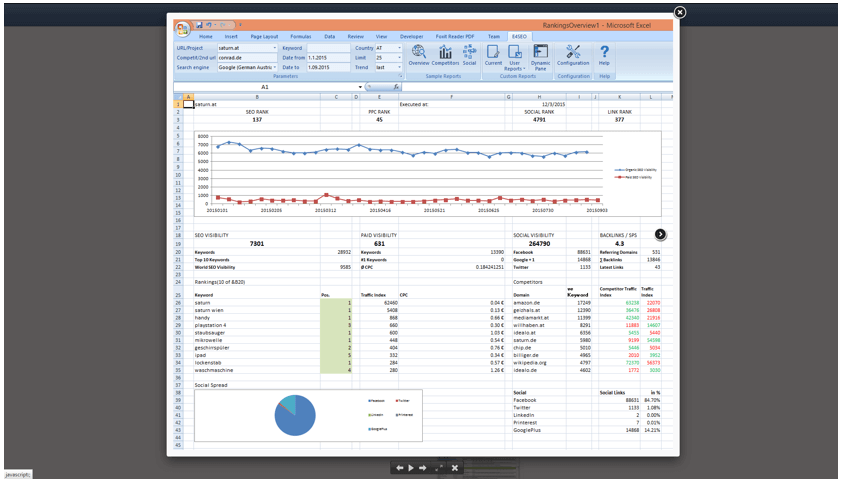
In addition to the extensive, universal Excel add-ins, there are also alternatives available for additional SEO areas: The fee-based add-in e4seo connects Excel with Searchmetrics data in order to create SEO reports; this feature also includes graphical display options. A 30-day test version is available for download on the e4seo website.
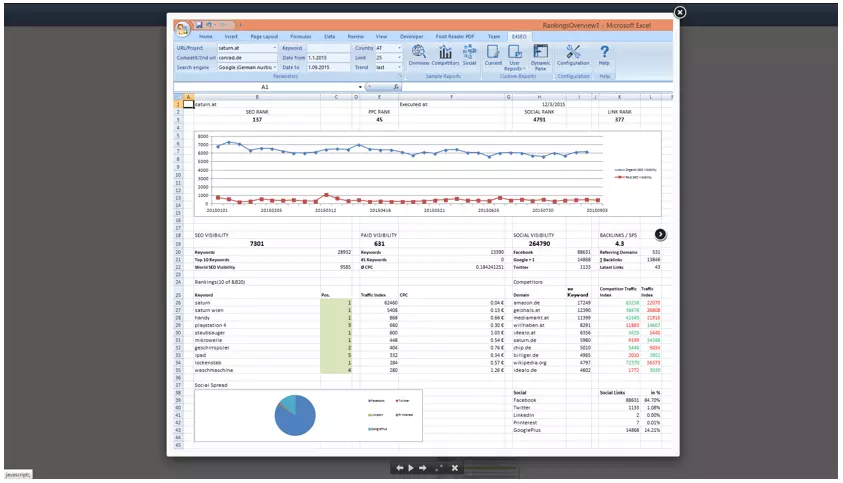
The simply designed Analytics Edge Basic add-in on the other hand, is free-of-charge and is able to connect Excel with SEO data from Google Analytics. Connectors in the Excel toolbar allow unlimited requests to take place; furthermore, they enable Google Analytics data as well as the social share counts (like and share data) of pages like Facebook, Pinterest, and Google+ to be directly updated. A video introduction on the website explains the application.
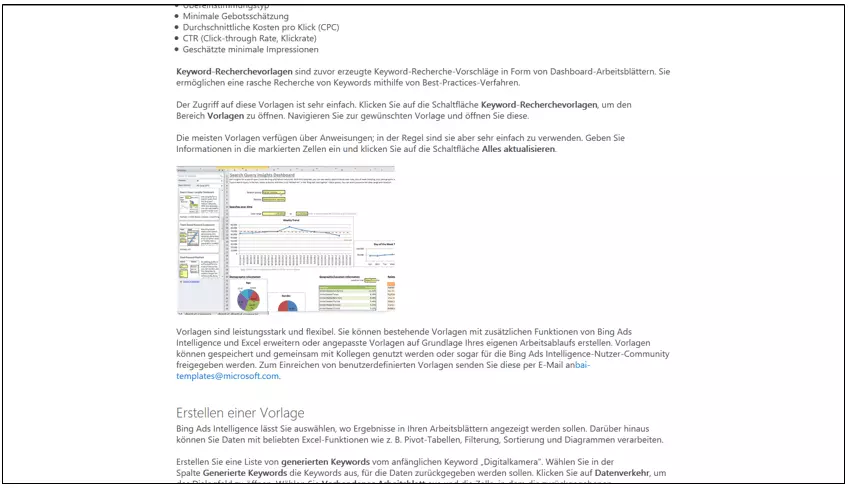
And when it comes to keyword research, there are alternative SEO plugins for Excel. Those who prefer using Bing instead of Google and wish to dock their data in Excel can use Microsoft’s free extension Bing Ads Intelligence. Besides an Excel version from 2007 or later, Microsoft Visual Studio Tools for Office is also required. This tool allows users to plan and optimize their own keyword campaigns via the Bing Ads database. What’s more, Bing Ads allow users to check the daily, weekly, and monthly traffic of their search requests, as well as the performance of specific keywords (among other parameters such as clicks, impressions, and costs). They can then connect this data with existing Bing Ads campaigns. Research options for search processes can also be aligned with specific user data, such as user location and age groups.
Conclusion: pros and cons of SEO plugins for Excel
The discussed selection of SEO plugins for Excel shows their advantages for SEO analysts. The simple integration of these tools into Excel’s toolbar makes it possible to quickly and easily access the most important analysis data. At the same time, it saves users from the hassle of wasting time manually carrying out these steps. However, it’s important to take some of these programs’ disadvantages into account as well. Extensive SEO plugins for Excel, like SeoTools for Excel, are not free and are often not compatible with non-Windows operating systems. In addition, the set-up of these tools, especially for SEO Gadget, requires a bit of technical know-how. Despite all of this, SEO tools still have one major advantage going for them: there’s no easier or more effective way to process SEO data.
- Store, share, and edit data easily
- Backed up and highly secure
- Sync with all devices
Author

Sebastian Mews
Sebastian Mews is an experienced SEO expert with over 15 years of professional experience. Since March 2022, he has been Head of SEO at IONOS, a leading provider of web hosting and cloud services. In this role, Sebastian is responsible for optimizing the company's search engine performance and increasing its online visibility.
Reviewer

Melissa Senn
Melissa Senn has been with IONOS since 2016 and focuses on the areas of websites, e-commerce, social media, and AI in the Digital Guide. As a digital strategist, she draws on her extensive SEO and GEO experience to translate complex technological trends into practical content.