

What is the CTAP (Client to authenticator Protocol)?

For decades, we’ve used the classic security system with a combination of both password and username. If you want to log in somewhere on the Internet – whether at a social media portal or a web-shop, you simply enter your account name and a secret password. However, it has since emerged that this technique is not as perfect as it once was. Users often choose passwords that are too simple or use the same password for many different accounts, making themselves vulnerable to attacks. That’s why the FIDO Alliance has teamed up with the World Wide Web Consortium (W3C) to develop a system that is both more secure and more convenient than previous password protection.
The results of the collaboration can be found in FIDO2 and WebAuthn. Another mechanism commonly mentioned in connection with the new online protection is the Client to Authenticator Protocol (CTAP). But what exactly is behind the term?
What is CTAP?
FIDO2 and Web Authn are intended to replace normal passwords. Biometric data, like a fingerprint, will back up your online accounts. A hardware token, like a USB stick, can be used for authentication. These devices are referred to as authenticators in the context of FIDO. Communication between this token and the user’s system is regulated by CTAP. Therefore, the protocol determines how the two components must communicate with each other in order to successfully authenticate and log-in to work on the web.
CTAP is available in two different versions. The first version of the protocol was also known as Universal 2nd Factor (U2F) and refers primarily to two factor authentication. CTAP2 is used for innovation surrounding FIDO2. The new protocol, in combination with WebAuthn, makes FIDO2 work. WebAuthn regulates the connection between the user’s system and the website where the person needs to identify themselves. CTP, on the other hand, regulates the connection between the authenticator and the user’s PC or laptop – or the browser on the platform, since the user is responsible for authentication.
How the Client to Authenticator Protocol functions
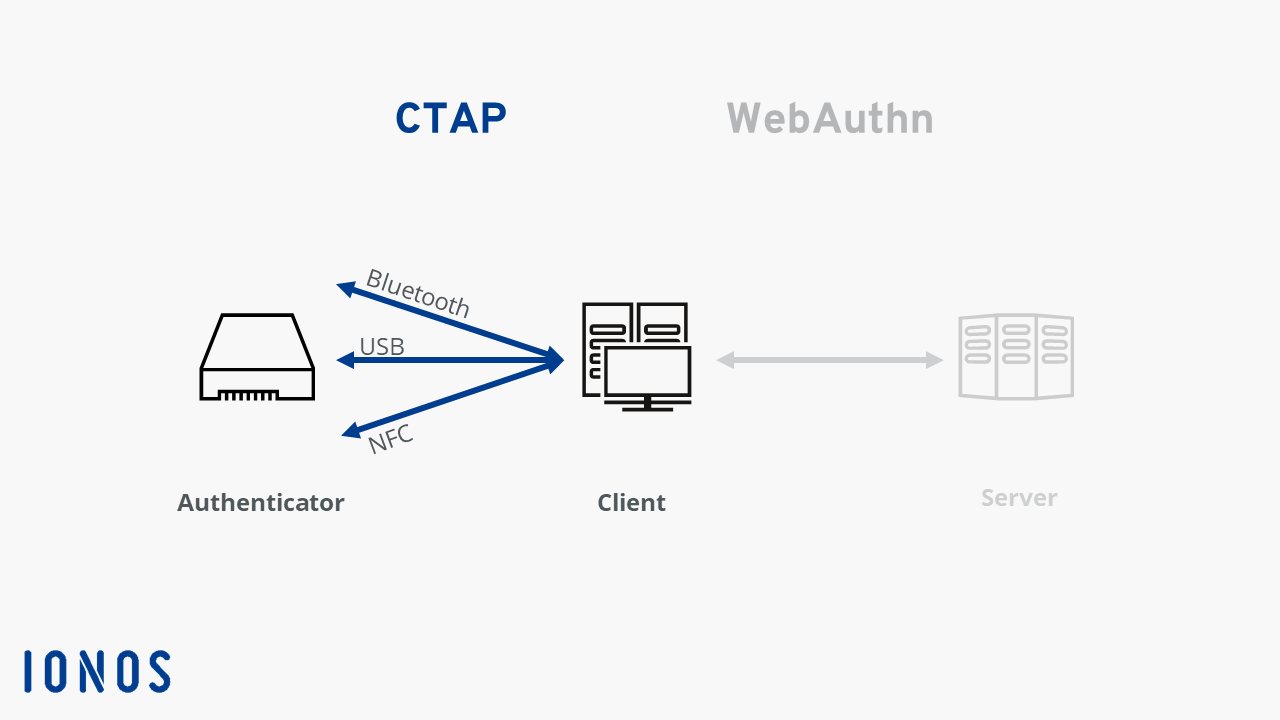
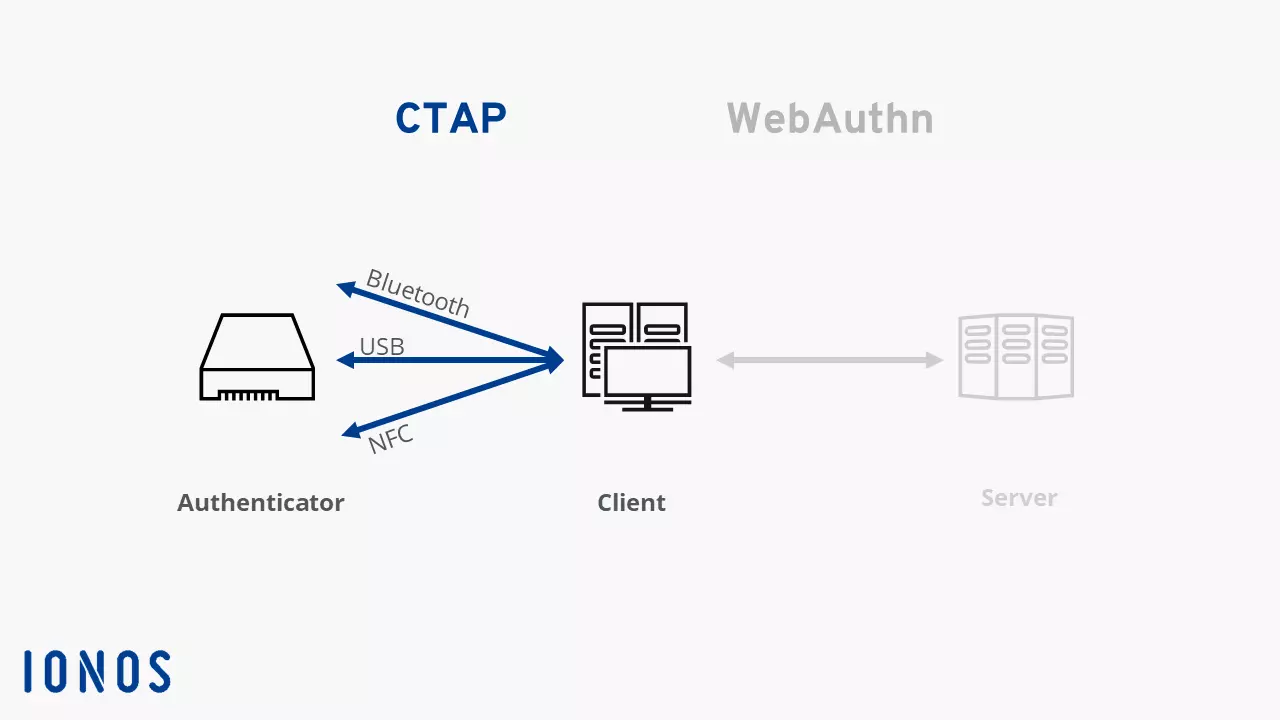
To ensure that only authorized individuals can log into an online account, there must be some form of authentication. FIDO2 allows you to use an additional device to identify yourself as a user. These tokens are intended to replace impractical, sometimes insecure passwords. The idea is that the authenticator connects through USB, NFC or Bluetooth to the actual device you want to use. For CAP, WebAuthn and FIDO2 to work, the browser you use should support new standards. However, the current versions of market leaders have already implemented FIDO2.
There are other forms of authenticators that are installed directly in your PC, laptop or smartphone. These are primarily tools for capturing FaceID or TouchID – i.e. fingerprint scanners of cameras with facial recognition. Since this hardware is not external, the hardware components do not require a separate communication protocol.
Communication through CTAP follows a specific pattern. First, the browser (or any other responsible software) connects to the authenticator and queries about the information. The system determines what authentication option the external device is offering. Based on this information, the system is then able to send a command to the authenticator. The authenticator will send either a response or an error message if the command doesn’t match the devices capabilities.
The authentication data, like the fingerprint for example, never leaves the user’s access area with this method. All sensitive data remains in the system. The browser only sends confirmation through WebAuthn that access is permitted. This transfer, in turns, works through a public key procedure. Phishing attacks don’t work with CTAP, WebAuth and FIDO2: If users no longer need to provide passwords or usernames, then these can no longer be stolen through scams.
An authenticator can be implemented as FIDO2 security key. This is a small UCD stick that works like a key. By owning the security key, the user proves they have permission to access the online account. In this instance, the key and system communicate with each other through the Client to Authenticator Protocol.
Reviewer

Christian Heldmaier
Christian Heldmaier is an experienced online marketing and SEO specialist from Karlsruhe. He has been working as an SEO Manager at IONOS since July 2020.