

How do you create your own Twitch overlay?

Having your own professionally designed Twitch overlay not only ensures that other users watch your stream for a longer time but also helps you to build your own community. In addition, a fitting Twitch overlay ensures high-recognition value and sets your profile apart from others. Fortunately, creating your own overlay for your stream isn’t difficult. Find out how to create one below.
What is a Twitch overlay?
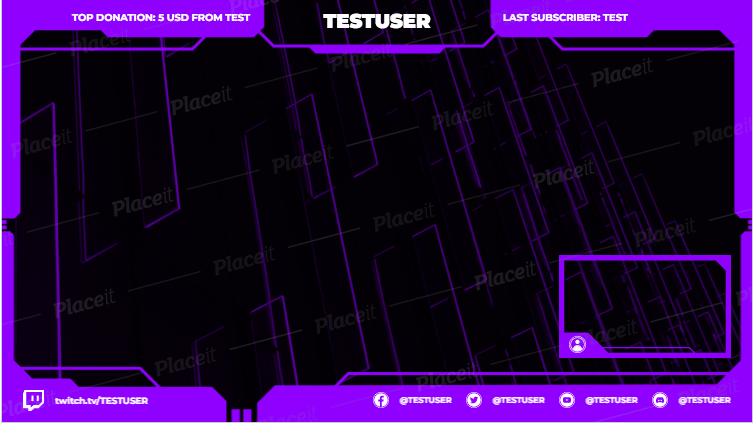
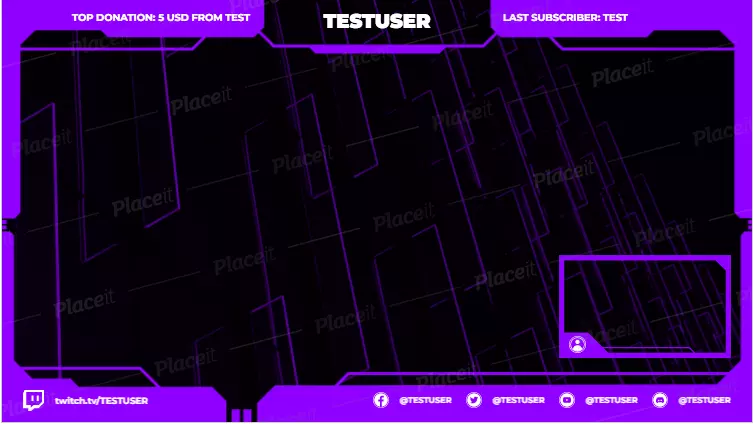
If you have already been on Twitch, you have certainly noticed the frames on the channels of different streamers that can be seen next to the respective game during their broadcast. These animations or graphics are known as a Twitch overlay. An individual Twitch overlay makes the channel unmistakable, simplifies interaction (and possibly monetization) and thus ensures a closer bond between streamer and viewer.
Would you like to become a streamer yourself? Are you looking for help with getting started? In our Twitch streaming tutorial, you will find many tips to help you get started on the platform.
The right programs
If you have already taken your first steps on Twitch or have maybe even started to build a community and now want to create your own Twitch overlay, you will need an image editing program such as Adobe Photoshop or the free alternative GIMP. Regardless of the program, it is helpful if you take a screenshot of your preferred game or video format for better orientation. You can use this as a basis and immediately see how the finished Twitch overlay will later fit into the context at every step.
It is particularly easy to create your Twitch overlay using a template. They already have the right dimensions and can then be adjusted to your taste. You can find suitable templates from Adobe Spark, for example.
What should your Twitch overlay contain?
Before you start working, decide what features you want your Twitch overlay to include. Do you prefer to use static graphics or are you set on animations? Do you want to prominently display new subscribers or generous donations? Do you want to integrate your social media channels? You also have the option of integrating your own webcam, logo, or chat into your Twitch overlay. The decisive factors are what you would like to show most and what is most beneficial to the actual content.
Please keep in mind, however, that too many side scenes can potentially be annoying and distract from the actual program. Having a well thought-out and uniform color scheme and restricting yourself to a few fonts will also give off a more professional look and avoid unnecessary confusion. It helps if the design of your Twitch overlay matches the stream you are presenting to your followers. For example, a suitable overlay for CS:GO clearly differs from a frame for a relaxed farming simulator.
What do I need to do?
Even if there are basically no limits to your imagination, there are still a few things that you should be aware of. The visible streaming area is 1920 pixels wide and 1080 pixels high, which is why you should also create your layout in an image editing program with these dimensions.
Set the background to transparent so that the actual content can be seen later in addition to the Twitch overlay. Using the screenshot of your game or video, you can control how much space you have to plan for around the edges and then gradually insert the elements that your followers will see during the stream.
Remember that fonts and images should quickly attract attention and should therefore not be too small. Now you can start creating your very own Twitch overlay. Take your time and try out which design you like before introducing it to your fans and new viewers. When you have found your perfect overlay, save it in PSD and PNG formats. With streaming software such as OBS or XSplit Broadcaster, you can then easily integrate it into your Twitch streams.
What alternatives are there to creating a Twitch overlay?
Even if you don’t have the time or the right ideas to make your own Twitch overlay, there are still options. For one, you can use a professional graphic designer and have an overlay made exactly according to your ideas. However, since this is quite costly in comparison, this approach is more suitable for professional streamers.
But even if you don’t want to invest any money into your overlay, you don’t have to go and immediately delete your Twitch account. Providers such as Placeit provide free templates that you can adapt in a few simple steps without an image editing program.
Reviewer

Melissa Senn
Melissa Senn has been with IONOS since 2016 and focuses on the areas of websites, e-commerce, social media, and AI in the Digital Guide. As a digital strategist, she draws on her extensive SEO and GEO experience to translate complex technological trends into practical content.