

How to block someone on WhatsApp

In your WhatsApp settings, you can block unwanted contacts and look for certain signs to tell if you’ve been blocked yourself. However, if you plan to block someone on WhatsApp, it’s important to understand what this means and how to unblock contacts later if needed.
How to block a number on WhatsApp quick guide
Step 1: In the chat, navigate to the profile name of the contact you wish to block.
Step 2: Scroll down in the profile information to “Block (contact).
Step 3: To remove a contact, the “Block” option is sufficient. If the number seems malicious or you consider it spam, “Report and block” is recommended to block the contact from the WhatsApp servers too.
- Store, share, and edit data easily
- Backed up and highly secure
- Sync with all devices
How to block WhatsApp contacts via “Privacy”
When there’s no active chat containing the contact you wish to block, you can block it via “Privacy” in your profile settings. This method works on both Android and iOS. Proceed as follows:
Step 1: In WhatsApp, tap the three-dot menu in the top right corner and go to “Settings”.
Step 2: In your profile menu, go to “Account” and select “Privacy”.
Step 3: Scroll down in the Privacy menu until you see “Blocked contacts”. Tap on it.
Step 4: Under “Blocked contacts” you’ll see a list of all previously blocked contacts (if any). To add an existing contact to the list of blocked contacts, tap the person icon with the plus sign in the top right corner and select the contact in question from the list.
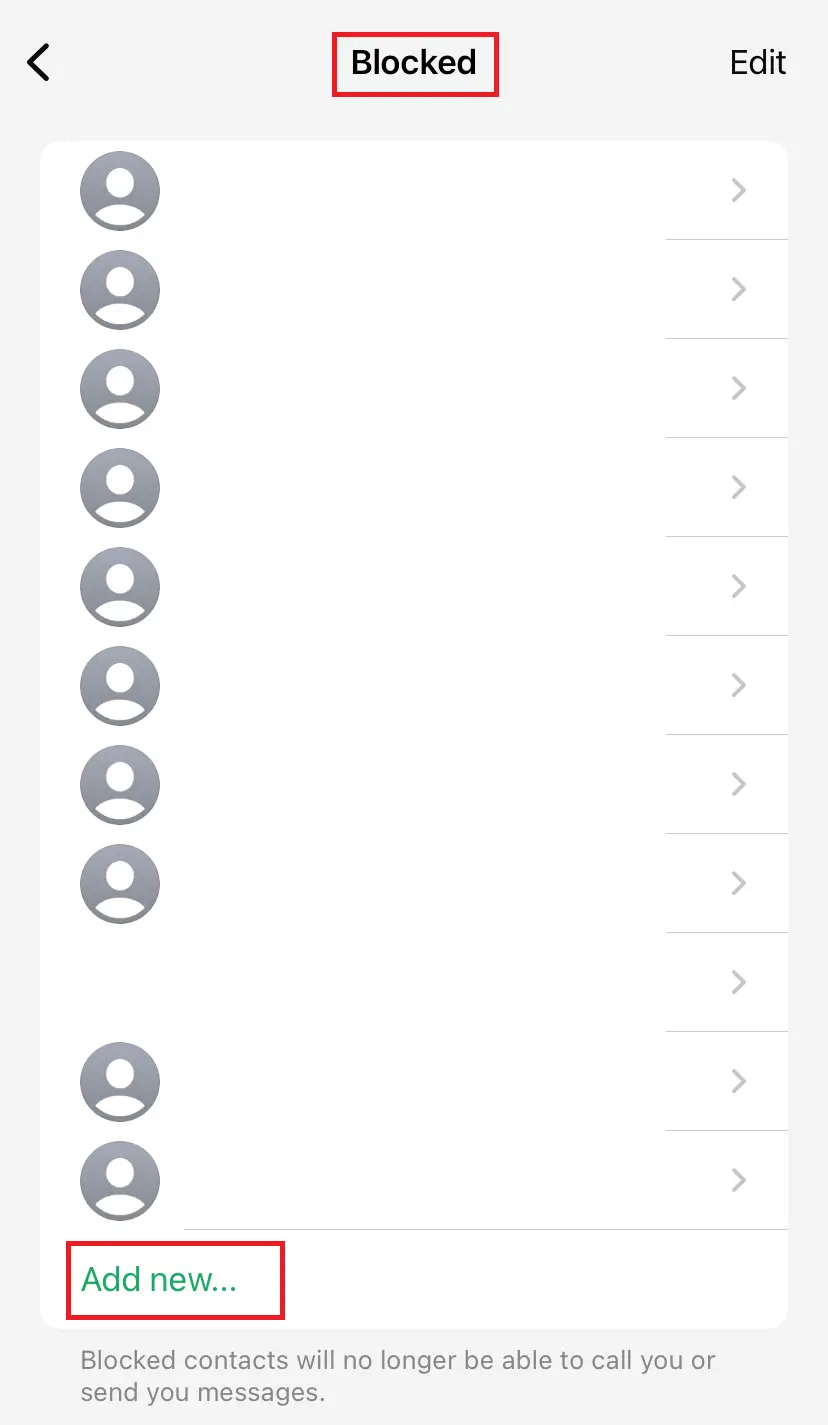
If you’re using an iOS device, go to “Privacy” in your WhatsApp settings. Tap on “Blocked”, then add the contacts you want to block by selecting “Add new…”.
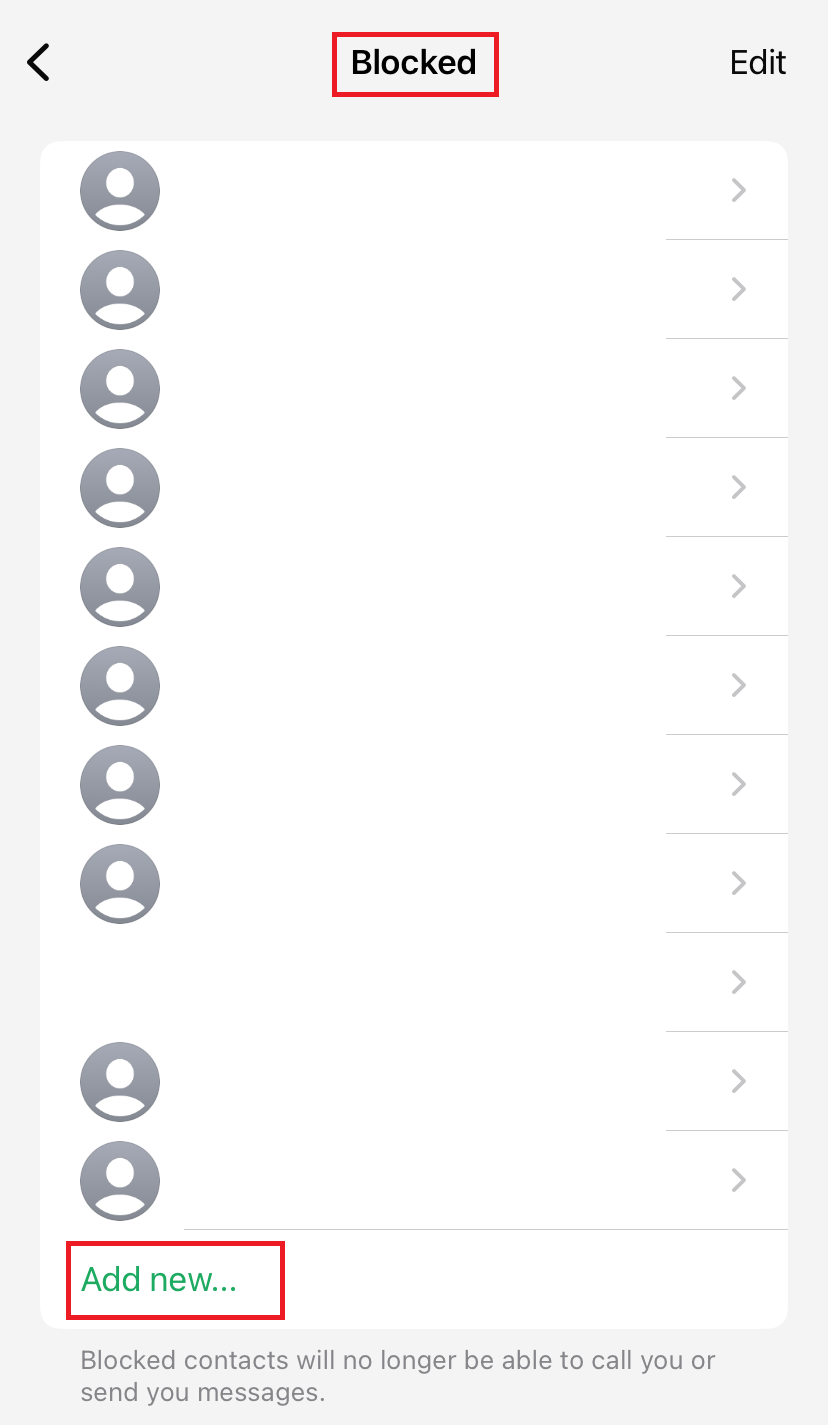
Step 5: This only enables you to block contacts, not report them. To report a contact to WhatsApp, navigate to the respective chat and contact profile, as described above.
There are many reasons why you may want to block a WhatsApp number. Perhaps someone’s pestering you or you keep receiving spam or malware from an unknown contact. However, you should be aware of the consequences of blocking WhatsApp contacts and know how to restore WhatsApp contacts or recover a WhatsApp chat if needed.
What happens after blocking a WhatsApp contact?
After you block an unknown number on WhatsApp, you will no longer receive any messages or calls from them in the future and will be protected from harassment or scam attempts. If you block an existing and known contact on WhatsApp, the following happens:
- A blocked contact can neither send you a message nor call you.
- Information such as your online status (“last seen today at…”), status updates or profile picture changes are no longer visible to a blocked contact.
- Contacts blocked on WhatsApp will still remain part of your contact list and must be deleted separately from the phone’s address book.
- Chats before blocking remain on the WhatsApp account of the blocked contact.
- A blocked contact can continue to send messages to your number, but they won’t be able to reach you (sent messages will be visible with a single check mark).
- If you and the blocked contact are part of the same WhatsApp group, you should leave the group, because your messages and theirs will remain visible to the group.
- Free Wildcard SSL for safer data transfers
- Free Domain Connect for easy DNS setup
How to unblock a blocked contact
If you want to unblock a contact, go to “Blocked contacts” in your WhatsApp account as described above. There, you can unblock the contact at any time.
On iOS devices, follow the same steps as above, swipe left on the desired contact under “Blocked”, and tap “Unblock”.
If you accidentally block a chat or contact—or simply change your mind—it’s always a good idea to have a WhatsApp backup in place for recovery.
Want to back up your contacts, chat history and other WhatsApp data? HiDrive Cloud Storage from IONOS comes with an automated backup function and reliable data security.
How to know if you’ve been blocked on WhatsApp
If you’ve been blocked on WhatsApp, you won’t receive a notification about it. However, there are a few signs that may indicate you’ve been blocked by a contact:
- You can no longer view their status updates nor online status.
- You’ll no longer see the contact’s profile picture.
- You can’t add the person to a WhatsApp group.
- Sent messages receive only a single check mark.
- You can no longer call them.
- Build trust with email matching your domain (you@yourbrand.com)
- Free domain included to get your brand online instantly
- Work smarter with AI writing support
Reviewer

Jeanna Raffa
With over 18 years of experience in online marketing, Jeanna Raffa possesses extensive expertise in digital marketing. Since 2020, her focus has been on providing practical information regarding email, office, and cloud storage solutions.