
How do you buy a domain name? A guide


To ensure users find and access your web project, you need a memorable, suitable web address. Thanks to professional providers, you can quickly buy and register your own domain name.
How to buy a domain name quick guide
- Choose a reputable domain provider.
- Use your provider’s domain checker to see if your domain is still available.
- Choose a domain; your provider’s suggestions can also be helpful here.
- Complete the payment through your provider.
- Verify yourself with your provider using the link received via email.
Step 1: Choose a reputable domain registrar
Since 1998, the assignment of all available domain endings has been the responsibility of ICANN (Internet Corporation for Assigned Names and Numbers). The organization manages all established as well as new top-level domains and sells the rights to registries, which work with domain registrars (also known as domain providers). So if you want to acquire a precise address for your website, the first step is to choose a suitable registrar. In doing so, you should not only consider the costs but also ensure that the desired top-level domain is available.
Step 2: Find the appropriate domain name including top-level domain
The name plays an important role in the success of your website. A memorable and appropriate combination of an ending (top-level domain) and domain name (second-level domain) is crucial, so visitors can find your site not only through links but also through simple search engine entries. Furthermore, search engines like Google directly take the domain name into account when determining the ranking in search results.
When it comes to the second-level domain, you have a variety of design options: Names with up to 63 characters made up of letters, numbers, and hyphens are possible. However, the most popular domain endings are often already taken or reserved in various combinations. Our comprehensive guide with the most important tips for domain registration provides more information and assistance on the way to finding the right domain name.
If you’re lacking ideas for a suitable domain, that’s not a problem. The AI domain name generator from IONOS can help you find the perfect name for your web project.
The .com domain is often the favored option for internet addresses, but there is no shortage of excellent alternatives to the .com domain.
Step 3: Check the availability of the address with a domain checker
Once you have one or ideally several options for your website name in mind, it’s time to check their availability. Nearly all major domain providers offer access to special tools for verification, commonly known as domain checkers. Typically, you simply enter your desired domain into the tool’s search bar and then start the search.
After a short wait, you will receive the result of the check: If the address is still available, the tool confirms its availability. Otherwise, you will be notified that the desired domain is already taken or registered. In many cases, providers automatically offer you suggestions for alternative top-level domains or revised second-level domains.
Step 4: Order or register the domain
For purchasing domains, it’s also beneficial to use the domain checkers provided by each provider: Once you’ve checked an address, the tools typically offer buttons that take you directly to the purchase and registration process. Press this button for the desired domain or for all domains you wish to buy.
At IONOS, you also have the option to select a suitable product at this stage. Alternatively, simply click the button if you are only interested in the domain.
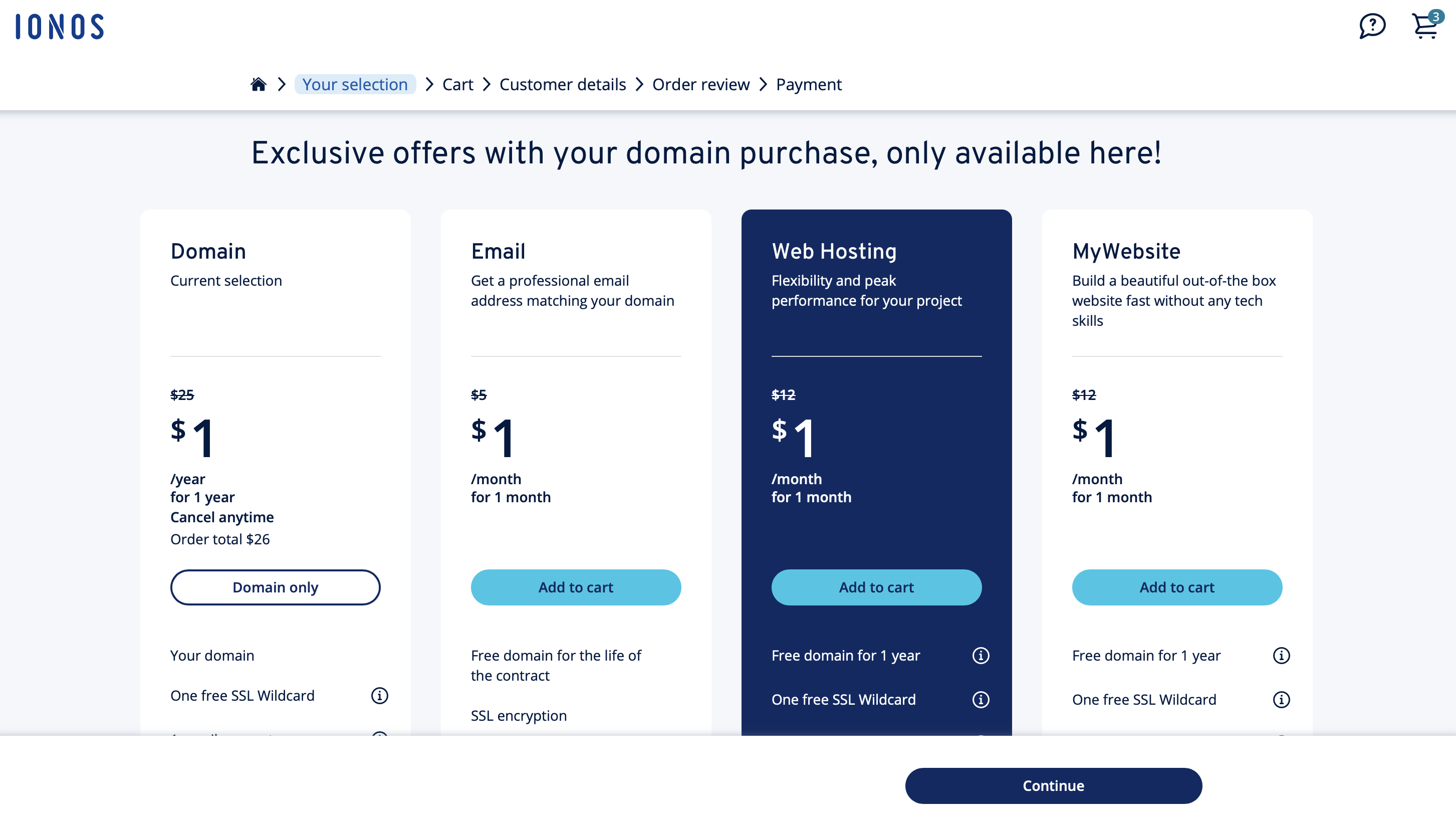
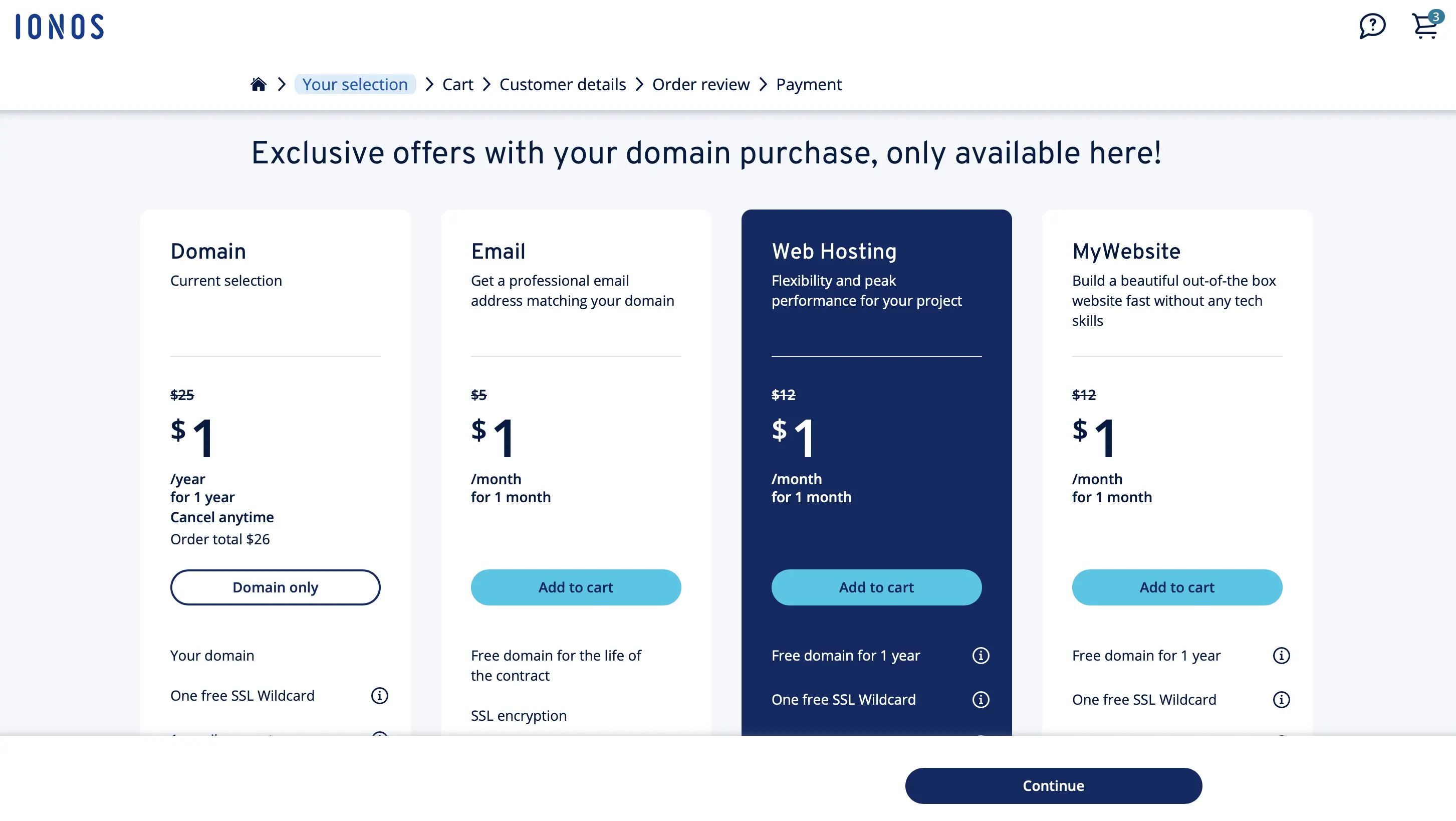
You can secure a free domain with no ads through IONOS when you purchase a hosting plan or a website builder kit.
You will now receive a list of the monthly costs for all currently selected domains (including options for contract duration):
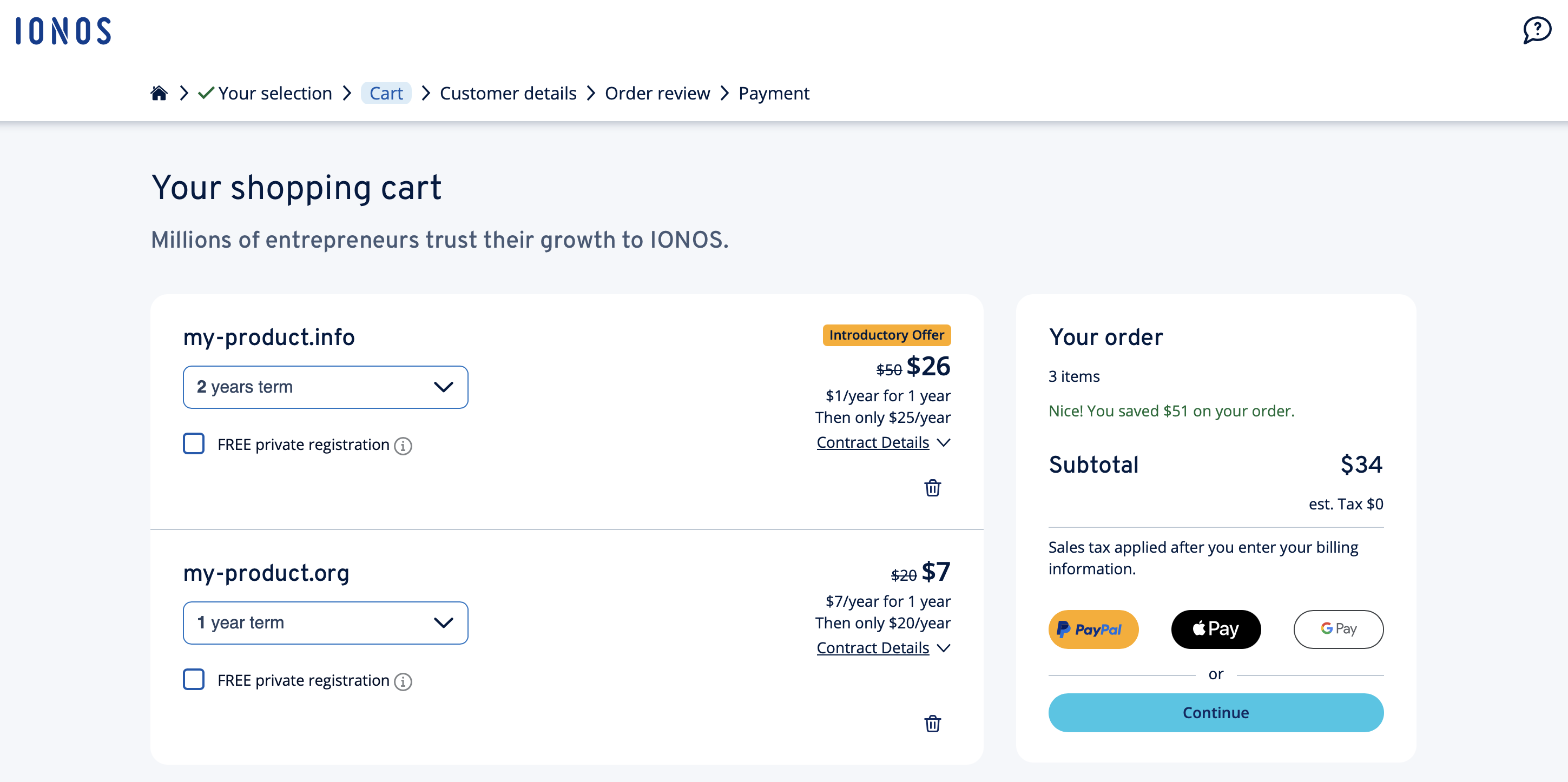
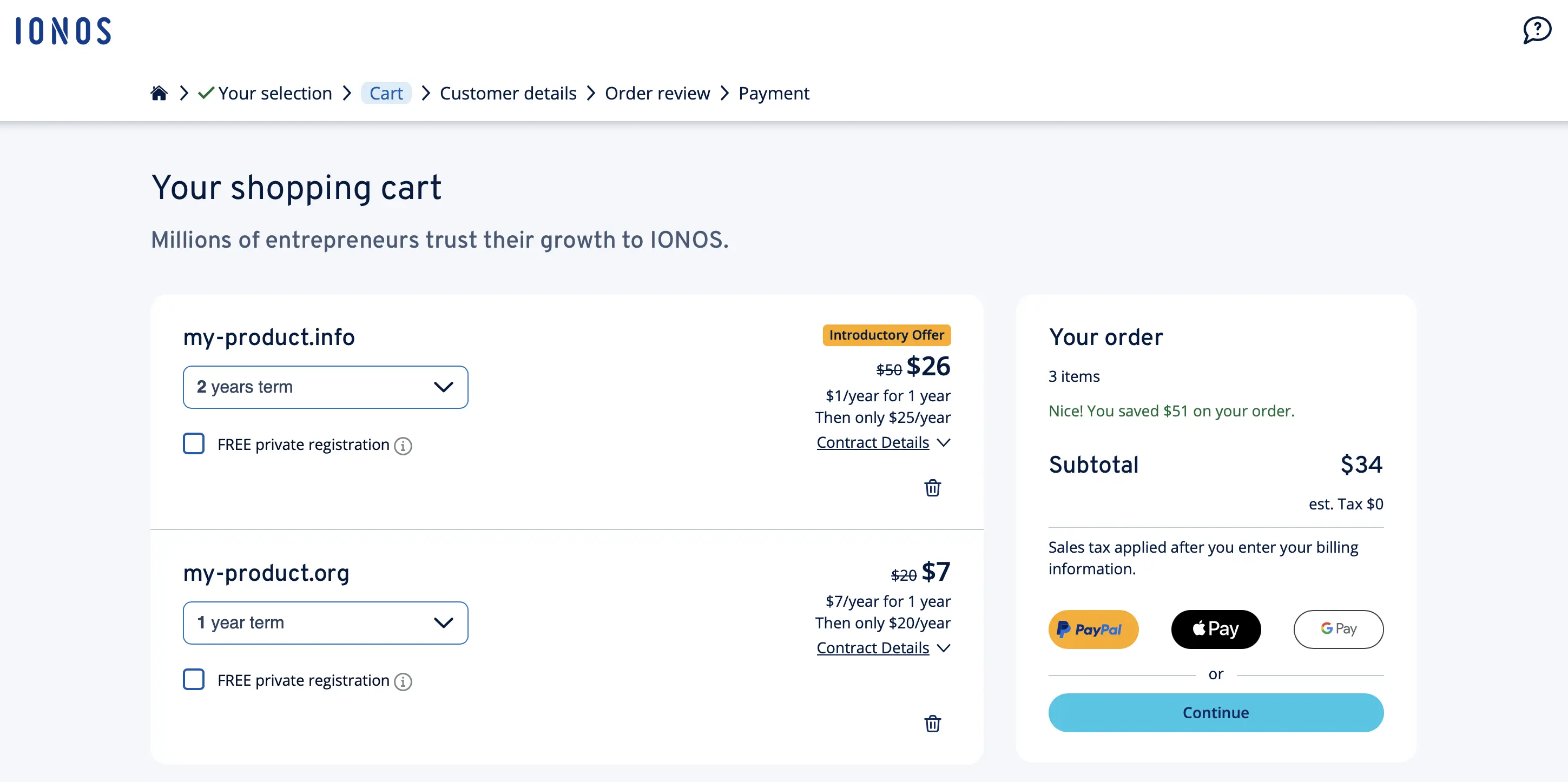
For some top-level domains, IONOS offers the option of a free “private” registration. If you choose this option, your data will not be published as part of the WHOIS registration: IONOS acts as a representative!
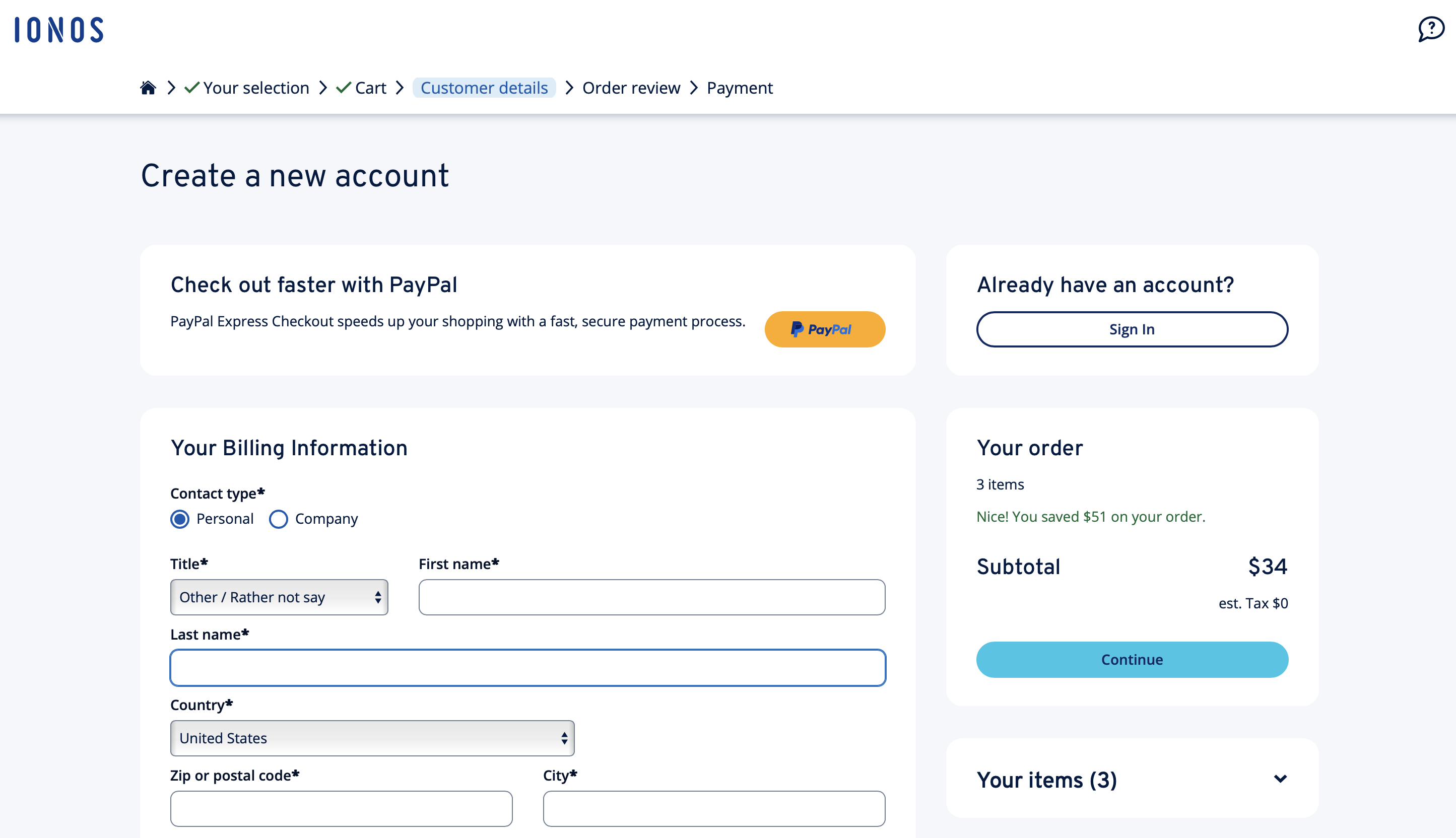
After clicking “Continue”, create a IONOS account or log into your active IONOS account to proceed with the payment processing. You can also pay for your domain(s) directly via PayPal, Apple Pay, or Google Pay.
The cost of buying a domain for your web project depends on various factors such as the domain type or the popularity of the desired extension.
Step 5: Verify ownership of the new domain
According to an ICANN regulation, domain providers are required to verify the contact information of domain buyers for authenticity. This applies to both new and traditional generic top-level domains. Following the purchase of a new web address, providers will send an email to the contact address you provided during registration.
Even during a domain transfer, your provider must verify the authenticity of the contact information via email.
A central component of the mentioned email is a verification link, through which you can confirm your ownership within 15 days. If the 15-day period is exceeded, the provider deactivates the domain.
How to secure a domain?
The new TLDs are in high demand, but are released gradually by ICANN. If a domain does not yet have release approval at the time of the availability check, you cannot buy the desired address with this TLD. However, you can secure or reserve the domain with the provider of your choice. At IONOS, proceed as in Step 4 (order or register the domain), but instead of a cost overview, you will find a contact form. Here you can pre-order the domain for free.
Protect your domain or domains with SSL/TLS certificates from IONOS. This security procedure encrypts all communication paths of your web project—whether form entries, comments, or user logins—ensuring maximum protection of transmitted information from third parties.
How to buy a domain that is no longer available?
If your desired domain is already taken, you generally have no way to buy it from the provider—even if the address is not actively used. However, you can try to locate the domain owner (via a WHOIS query in the relevant registry database) to make them an offer to purchase the domain.
The most important tips for buying a domain
Your web address should be carefully considered as the showcase of your website or online store. Take enough time to find a satisfactory combination of top and second-level domain. Below, we’ve summarized some tips to help make this process as successful as possible.
- Analyze the market: Find out which top-level domains are particularly in demand in your industry and combine them with a meaningful name that suits you and—if possible—includes important keywords.
- Respect trademark rights: Ensure that your desired domain does not violate trademark rights and does not contain protected terms. Avoid strong similarities to registered trademarks as well.
- Avoid long domain names: Visitors should remember your web address—whether they’ve heard of it or already visited the site. Therefore, look for a memorable, preferably short name.
- Limit numbers and hyphens to a minimum: There are many possibilities for designing a domain name. However, you should limit numbers and hyphens as much as possible.
- Include typo domains: Misspellings or other typos can prevent access to the intended website. By also registering domain names with common errors and redirecting these domains to your website, you can counteract this issue.
- Get feedback: Discuss your ideas for suitable TLDs and domain names with others. Suitable people for this can include not only colleagues and experts but also friends, acquaintances, and family members who, as potential target audiences, can provide valuable input.
Are you looking for the right solution to bring a web project to life? Use the Website Design Service from IONOS and have your custom website created by our experts.
Reviewer

Julia Hertler
With over 18 years of experience in content marketing, Julia Hertler has deep expertise in digital communications. For the past 10 years, she has specialized in the areas of domains and hosting at the IONOS Digital Guide, making complex technical topics easy to understand.