

What is structured data?

Data structures are the bones of every website and an integral part of HTML coding since tags are used to assign various settings and features to text segments. Among other things, such adjustments allow web developers to define paragraphs, titles, lists, hyperlinks, graphics, tables, videos as well as put fonts in bold lettering or italics. Programs that read out the code receive detailed information on the structure of HTML documents as well as their depictions as defined by the tagged elements. The content supplied by these tags isn’t captured when the code is automatically read out. As seen in the example below from a news article, the left depiction shows which information is registered by a program, while the right one displays how a human reader would interpret the text:
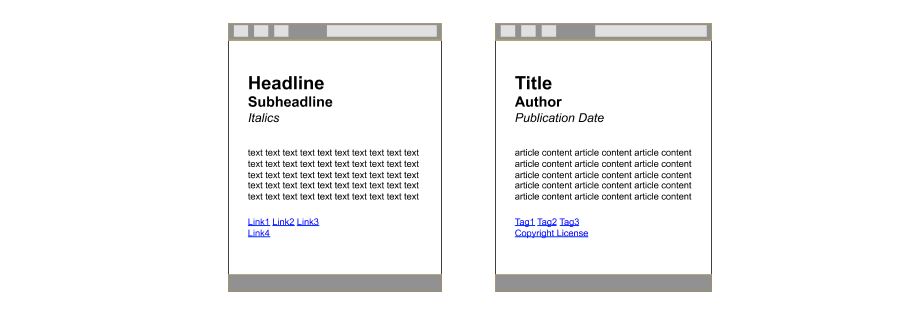
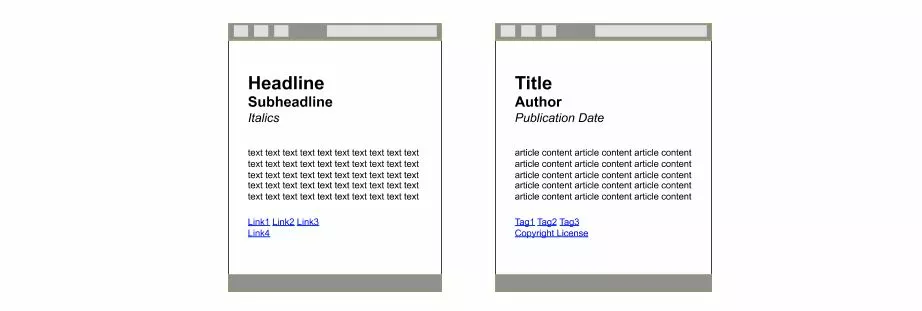
While human internet users can infer that the headline is to be understood as a title, and the subheadline is the author’s name, etc., programs can only interpret information that has been labeled (or tagged) in HTML code: headline (<h1>), subheadline <h1>, italics <i>. Such issues are relevant when search engine web crawlers are at play; these are responsible for determining a website’s relevance based on search queries. This is why many website owners enrich their HTML documents with machine-readable semantic information, which defines the meaning of individual content. This is known as structured data.
Why is structured data needed?
The idea of structuring website data so that programs can process information shaped by human language comes from the concept of the semantic web. When properly used, structured data enables website content to be machine readable. This is particularly relevant for text-based search engines like Google, Bing, or Yahoo! When provided with corresponding tags, these Big Data giants are able to read and evaluate semantic information and process it into various display forms, such as the Knowledge Graph or Rich Snippets in the SERP (search engine result page). The latter aspect is especially important for website owners.
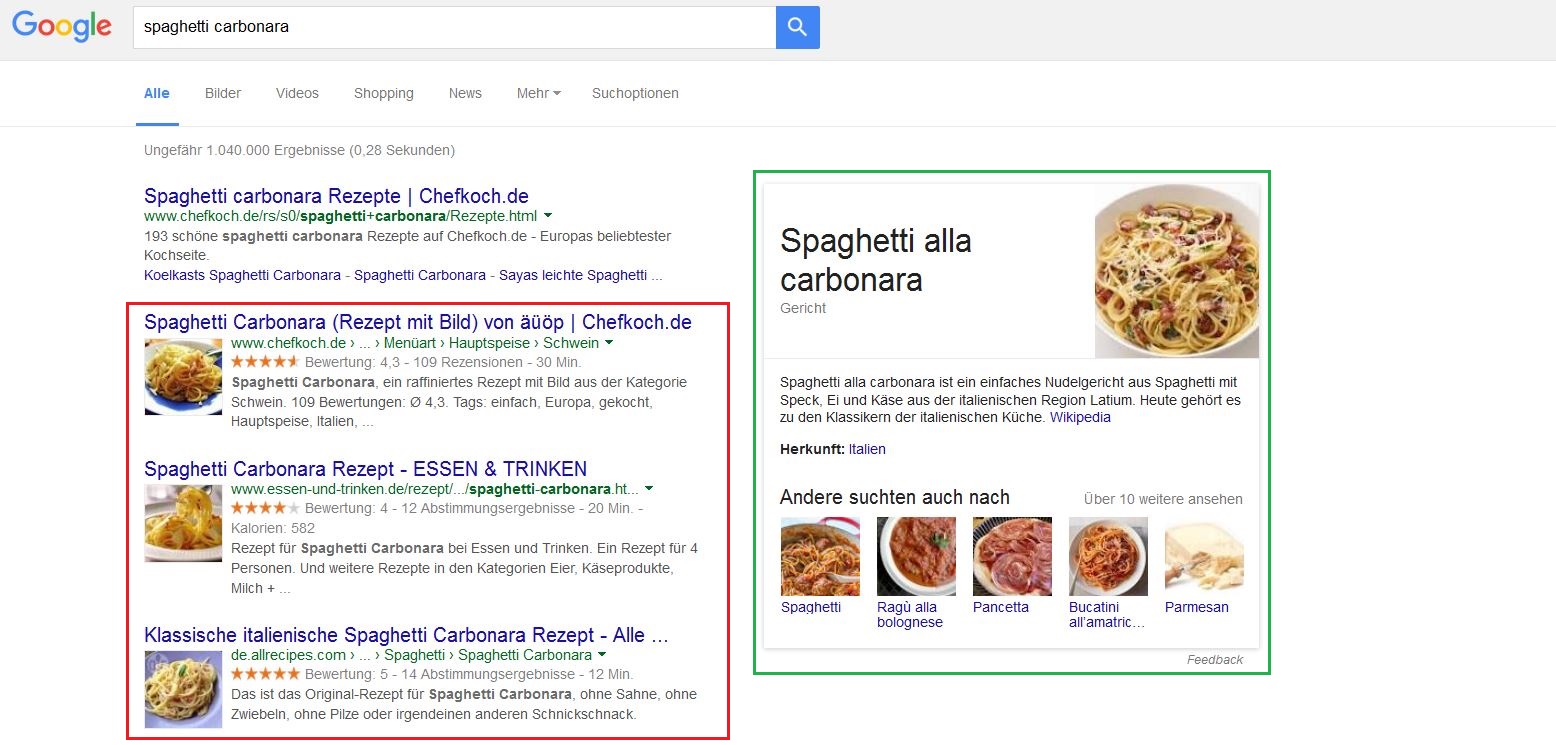
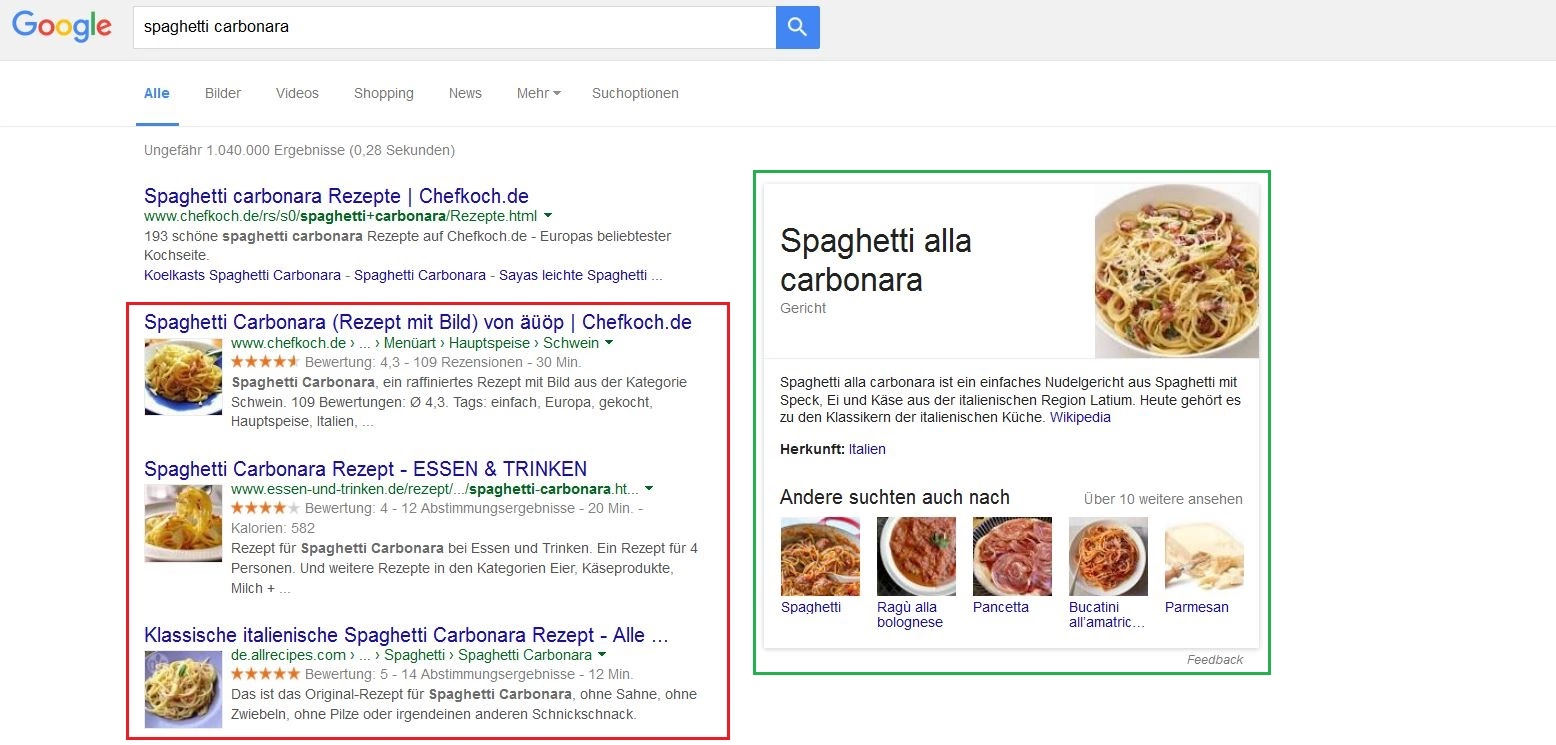
Rich Snippets are excerpts from web content that display basic information (URL, title, and description) in the SERPS. For this information to be displayed, all relevant content needs to be tagged in the HTML code and assigned a certain information type by the website owner. Currently, the market leader, Google, processes structured data in order to display Rich Snippets for the following data types:
- Product information: price, availability, reviews and user experiences
- Recipes: pictures, preparation time, calories, and reviews
- User experiences: restaurants, movies, stores and businesses
- Events: musicals, concerts, exhibitions, or festivals, including duration
- Software: reviews, price, user experiences
- Videos: description and image preview
- News articles: title, publication date, author details, and picture
For website owners, Rich Snippets have the advantage of taking up significantly more space in the SERPS and sticking out more, which leads to a higher click rate. Search result displays can be expanded using breadcrumbs (a graphical control element) and the sitelinks search box.
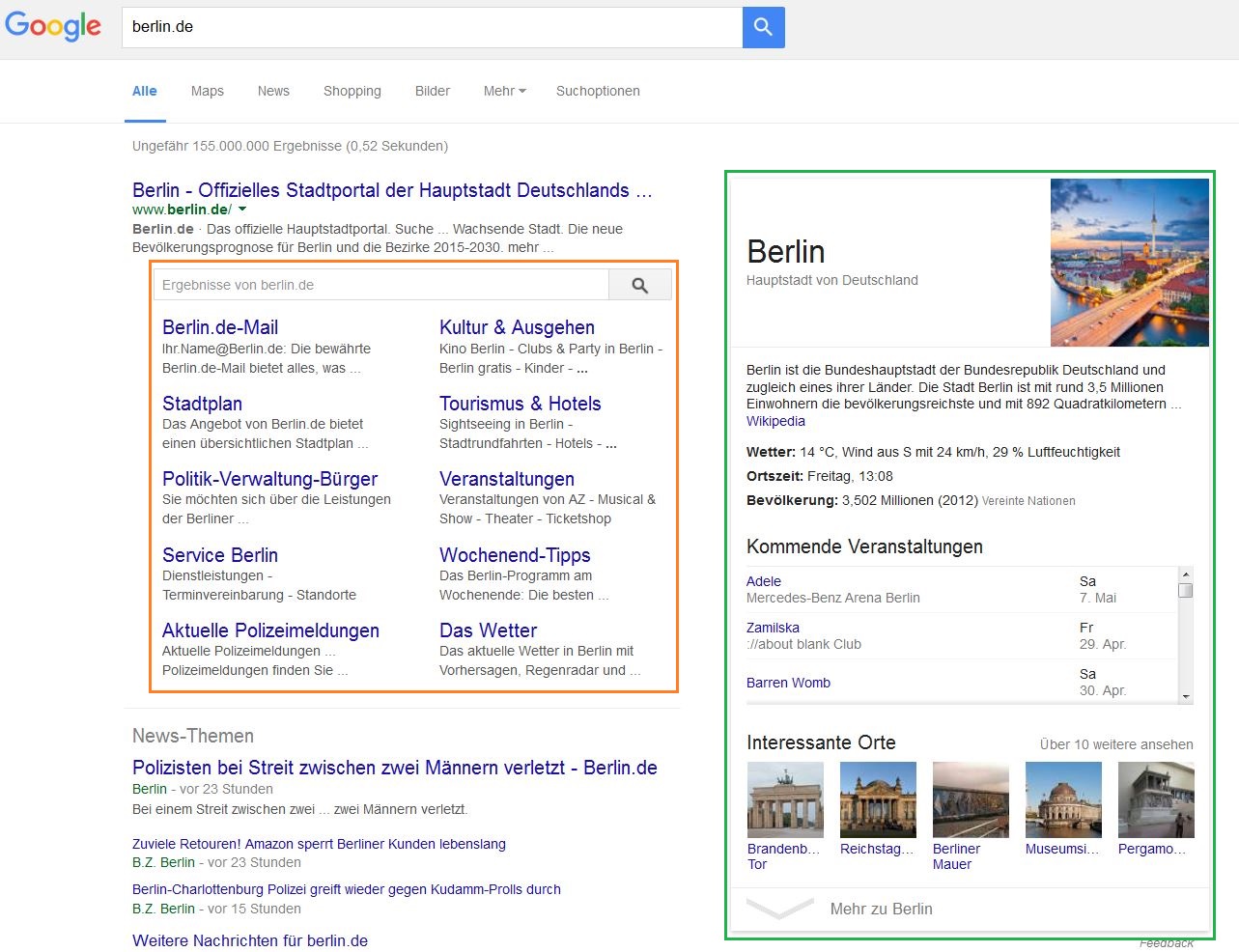
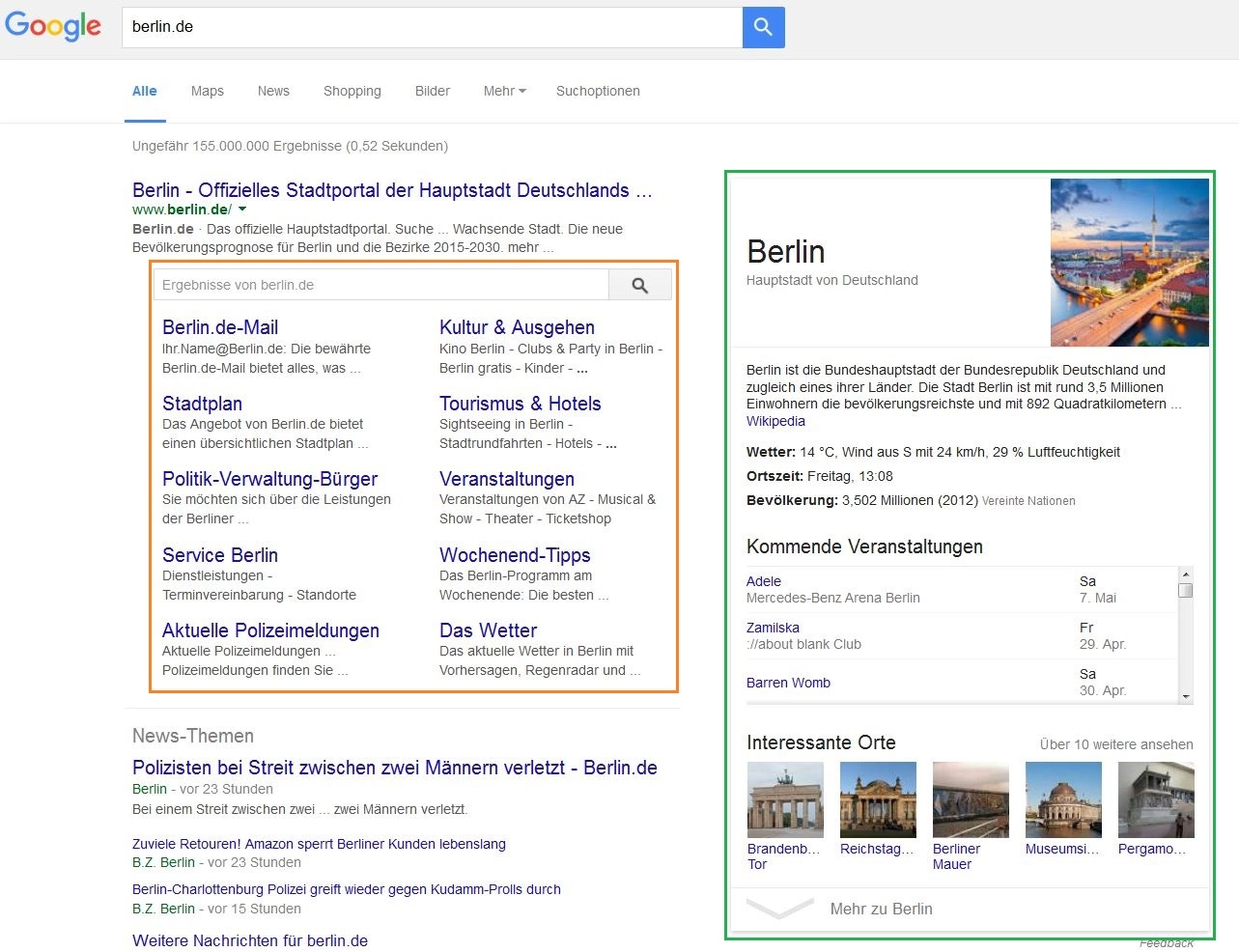
Google displays the sitelinks search box for navigational search requests. This happens when the desired website can be derived from the user’s search query, but its subpage can’t; this usually occurs when users search for brands. This process enables internet users to browse through websites directly in the SERPs, sparing the need of accessing individual sites. For site owners, sitelinks and search boxes again have the advantage of gaining more attention through the proportionately large amount of space this feature occupies in the SERPS. Breadcrumbs display the position of a search hit within the structure of a website and help search engine users orientate themselves.
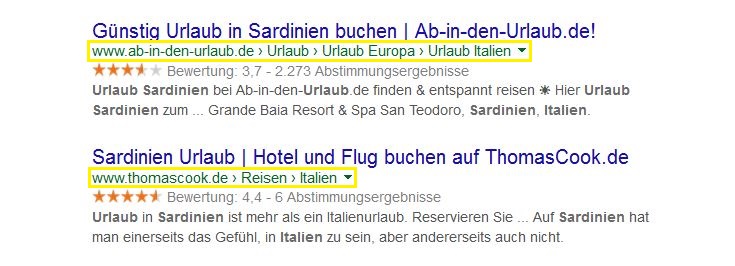
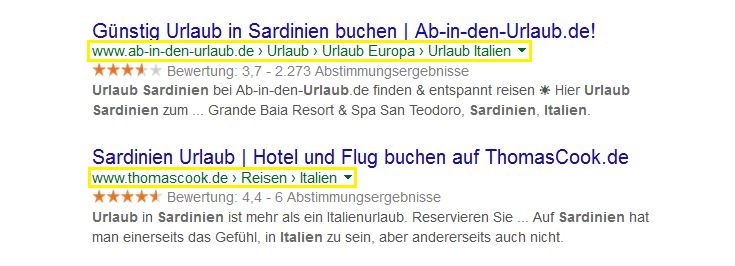
Exactly which search results are expanded with this feature depend on the different criteria search engines use to determine their relevance. This is why it’s important to tag your website accordingly; search engines need structured data in order generate Rich Snippets, breadcrumbs, or a sitelinks search box.
Structuring data on your own website
There are several standard formats that site owners follow in order to ensure that content with structured data is machine readable. These include microformats, RDFa, and microdata. All three formats for data structuring are based on semantic tagging, which is entered directly into the HTML code. Depending on the format, either traditional HTML attributes or new labeling elements can be used. The data format JSON-LD has become increasingly popular over the past few years; this option makes it possible to annotate a web page within a script.
Microformats
The labeling format microformats is used for semantically tagging HTML and XHTML documents. Well-known HTML attributes, like class, rel, and rev are extracted from the website code, enabling programs like web crawlers to read out semantic information. A typical use case would be to label contact information with the microformat hCard, which is integrated in the HTML code as class=’vcard’:
An example of common labeling for contact information in HTML:
| 01 | <div> |
| 02 | <div>first name last name</div> |
| 03 | <div>company</div> |
| 04 | <div>phone number</div> |
| 05 | <a href="http://website.com/">http://website.com/</a> |
| 06 | </div> |
Tagging contact information with the microformat hCard
| 01 | <div class="vcard"> |
| 02 | <div class="fn">first name last name</div> |
| 03 | <div class="org">company</div> |
| 04 | <div class="tel">phone number</div> |
| 05 | <a class="url" href="http://website.com/">http://website.com/</a> |
| 06 | </div> |
While the contact information in pure HTML markup is tagged as a div element, integrating the microformats hCard via the HTML attribute class=‘vcard’ enables distinct semantic annotations for specific bits of information—like names, organizations, or telephone numbers—to be incorporated. The advantage of this type of labeling is the easy application of known HTML attributes. Doing this limits the options of semantic annotations with microformats to a few predefined elements. Using class attributes can also lead to conflicts with CSS. An API for extracting data is also not supported by microformats.
RDFa
RDFa stands for ‘resource description framework in attributes’. The W3C recommends this format for embedding RDF statements in HTML, XHTML, and other XML dialects. Instead of having to rely on common HTML attributes, RDFa introduces new attributes that enable complex semantic annotation. The following example shows contact information as structured data in RDFa format:
Auszeichnung von Kontaktinformationen mit RDFa
| 01 | <div xmlns:v="http://rdf.data-vocabulary.org/#" typeof="v:Person"> |
| 02 | <div property="v:name">first name last name</div> |
| 03 | <div property="v:affiliation">company</div>. |
| 04 | <div property="v:tel">phone number</div> |
| 05 | <a href="http://website.com" rel="v:url">www.website.com</a>. |
| 06 | </div> |
Before tagging data with the RDFa format, the corresponding XML namespace has to be defined. The attribute typeof specifies which data type the subject of an RDF statement is associated with. The attribute property determines the predicate of a statement and also specifies characteristics for an element’s content. The advantages of data structuring with RDFa include its high flexibility and possibility to define custom vocabulary. Prefixes also help keep the code compact. RDFa supports a DOM API (document object model application programming interface) that extracts a website’s structured data and can also be used for interactive applications. A disadvantage is the focus on XML and XHTML, even though RDFa can also be embedded into HTML5. A detailed guide on schema.org can be found in our tutorial on the topic. For standardized vocabulary of RDFa annotations, consult the official website.
Microdata
Microdata is a separately defined HTML5 module that can add attributes to existing markup language; these attributes are used for carrying out semantic annotations. As is the case with microformats and RDFa, this format also uses simple attributes in HTML tags for assigning item features. The microdata syntax is based on a vocabulary that allows items to be described as name/value pairs. This gives the markup format a compromise between moderate complexity, flexibility, and expandability. Microdata supports a native JSON export for transferring data and saving structured data as well as Microdata DOM API. Microdata is compatible with schema.org vocabulary.
JSON-LD
JSON-LD is the newest standard for semantically labelling website data. The acronym stands for ‘JavaScript object notation for linked data’ (in other words, the JSON-based serialization of linked data). Google considers JSON-LD to be the simplest markup format, but doesn’t yet support all data types. Unlike microformats, RDFa and Microdata, JSON-LD isn’t based on attributes in HTML tags. Instead, a block with JSON data is incorporated in a script of HTML code at a location of your choosing.
The project Schema.org
Initiated by market leaders Google, Bing, Yahoo!, and Yandex, the collaborative community Schema.org sets out to standardize the semantic annotation of website content. Browsing through the website, users will find a uniform set of schemes for structured data. Schema.org supports the data formats RDFa, Microdata, and JSON-LD.
Tip: testing structured data with Google
Labeling HTML documents through semantic annotation requires a high level of tact. Avoiding mistakes is best done by extending a page’s source code step by step and validating tags slowly as you go along. For this, Google provides a free structured data testing tool. Here, site owners are able to check individual code excerpts or enter the URL of a web page to check the source code for errors. The search engine giant also offers a tool, Data Highlighter, which lets users tag data directly on a web page in the browser. Relevant areas are marked with the mouse and then provided with a keyword. This method of semantic annotation doesn’t allow any direct labeling in the source code. The tagged areas can only be read Google and can be used for additional display forms. Other search engines like Bing or Yahoo! don’t offer users the option of gathering such content.
Author

Vladimir Simovic
Vladimir Simović has been building web projects with WordPress since 2004. He was one of the first German-speaking WordPress bloggers and has published several specialized books as well as over 60 expert articles, and has managed well over a hundred WordPress projects.
Reviewers

Sven Ignor
Sven Ignor is a TYPO3 web developer with over 15 years of experience and specialises in bespoke solutions based on TYPO3. He is happy to share his knowledge and is committed to TYPO3 and the community

Melissa Senn
Melissa Senn has been with IONOS since 2016 and focuses on the areas of websites, e-commerce, social media, and AI in the Digital Guide. As a digital strategist, she draws on her extensive SEO and GEO experience to translate complex technological trends into practical content.