

The best alternatives to Facebook Messenger

Facebook's official messenger app is the obvious way for many smartphone users to chat and share content with their social media contacts. Since Facebook deactivated the messaging feature within their mobile app, users appear to have no choice but to switch to the separate Messenger app. This becomes especially annoying when you realize that the app always runs in the background, consuming both battery power and data. This should also ring alarm bells when it comes to data protection. Facebook Messenger constantly scans internal data such as contacts, browser history, calendar info, and even GPS data.
There are now numerous alternatives to Facebook Messenger on the market. However, a distinction is made between multi-messaging apps, which combine many different messaging services in a single app, and so-called wrappers. The latter are apps that read Facebook's website and 'repack' the data for you. We have compiled both the best wrappers and multi-messaging apps, which can be used as Facebook Messenger alternatives on Android or iOS.
Wrapper
Metal for Facebook (Android)
Metal is a small wrapper tool (approx. 3 MB) that reads Facebook and displays the information in its own browser. In addition to this, Metal also brings together Facebook and Messenger in one single compact app. The interface is very clear and easy to use – Facebook users should have no problem at all using Metal. The app also scores points with its extensive energy saving options and by being completely ad free. Messaging is straightforward and efficiently done, however viewing and saving shared images can be slightly cumbersome. An example of this is the fact that you cannot enlarge received images.
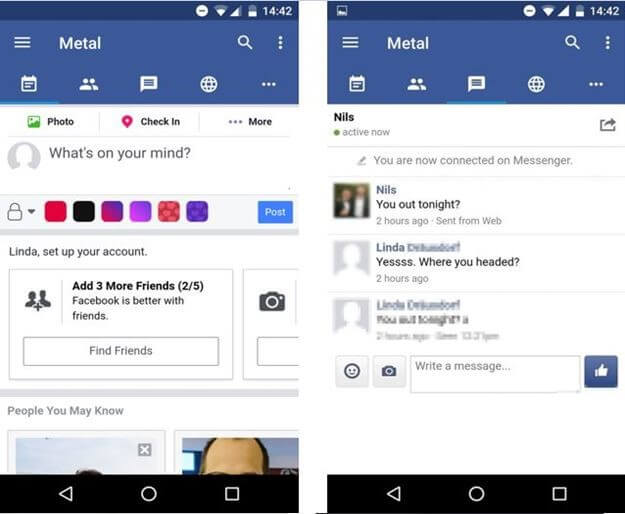
The free version of Metal contains all of Facebook’s features. On top of this, Metal supports Twitter as well. The pro version ($2.49) offers additional designs and is geared more towards developers than anything else.
Metal is a very efficient app that makes the Facebook app, the Facebook Messenger app, and even the Twitter app superfluous. Metal saves battery and data, it does not spy on your data, and is also very easy to use. For the everyday regular user, there is very little difference between the free and the Pro version. All in all, it is safe to say that it is an accomplished alternative to Facebook Messenger.
Friendly for Facebook (Android and iOS)
For iOS users, Friendly (Android and iOS) is one of the best alternatives alternative to Facebook Messenger. This will most likely be the case as long as Metal and Swipe remain exclusively available for Android. Similar to the above-mentioned apps, Friendly combines Facebook with Facebook Messenger, while also saving considerably more energy. In the fee-based version, Friendly Plus (for Android (as an upgrade) and iOS; $1.99), it's also possible to hide unwanted Facebook ads with the handy keyword filtering feature.
Another notable feature is the quite simple, but very welcome integration of Instagram. Although it must be said that Friendly is still very much centered around Facebook Messenger and has a very appealing slim touch and modern design. One disadvantage when compared with its competitors is the relatively bulky file size of about 18 MB. Additionally, there have also been reports of performance problems: e.g., some notifications are said to arrive quite late. On top of this, iOS 11 users have complained about long loading times.
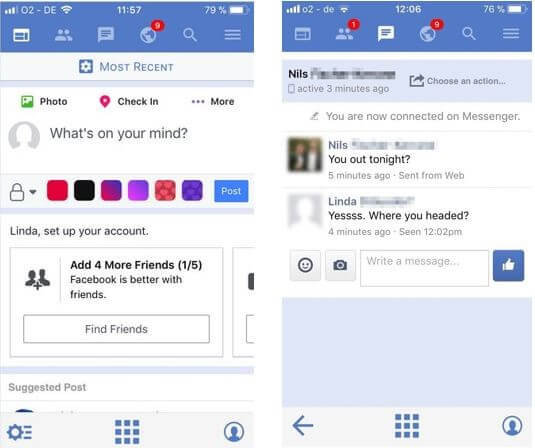
With Friendly, iOS users have access to a decent Facebook Messenger alternative. While the fee-based version scores points with its keyword filters, the free version also provides a solid basis for the first-time migration from Facebook Messenger. Android users are more likely to prefer the more streamlined and consistent Metal and Swipe outlined above.
Multi-messenger apps
With such a plethora of social media platforms and instant messaging apps, it can be very difficult to keep track of everything. Multi-messenger apps bring several services together into one easily accessible app. This is especially handy because it means that you can uninstall multiple apps from different providers, including Facebook Messenger.
One major downside of such apps is compatibility. Because multi-messenger software like this retrieves data from different services, updates to these services can often cause instability, or even incompatibility. It has emerged that some multi messenger apps like IM+ (Android and iOS) had to stop supporting Facebook because of these reasons. As a company, Facebook has also been known to block third-party integration of your apps. This has meant that good quality apps for Facebook, like Social Media Vault and Puffin, have to link back to Facebook Messenger to retrieve messages.
The convenience of apps like this, provided that they work, should not be underestimated. New and innovative apps offer multi-messaging solutions, Facebook included. Users of multi-messaging apps could soon find that they are a very good alternative to Facebook Messenger, as well as other individual apps.
Disa (Android)
Disa, another free app, combines notifications from the two most important messaging services, WhatsApp and Facebook (also Telegram, with other services to be announced). Disa can also be set as the default app for SMS and MMS. It is an app that uses plugins, which can be installed via the app itself. In a nutshell, Disa brings together all chats, both individual and group from all services, in one timeline. You can also go as far as merge multiple conversations from different platforms into the app. This then allows you to share WhatsApp and Facebook history with the same person in one chat.
As it is still in its beta version, Disa is still relatively new. This means that users have to be prepared for several plugin installations and setup wizards when originally setting up the app. For example, to use WhatsApp, you first need to have your phone WhatsApp verified again. You will need to exercise caution though, because as soon as you do this, WhatsApp will become inactive until you start a new verification process. On the other hand, setting up the Facebook Messenger function is very simple. Disa replaces Facebook Messenger without any problems.
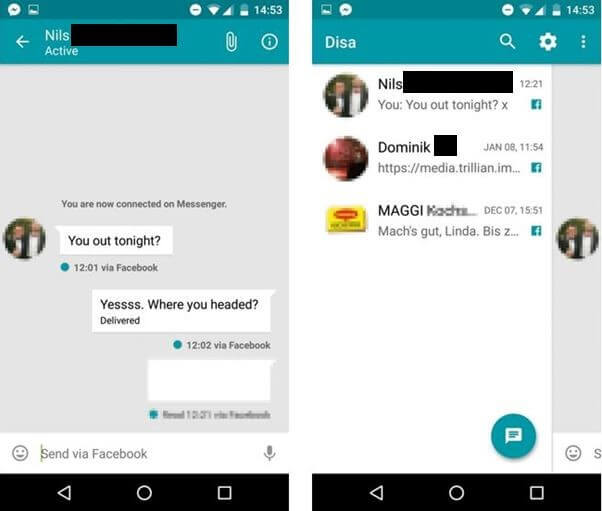
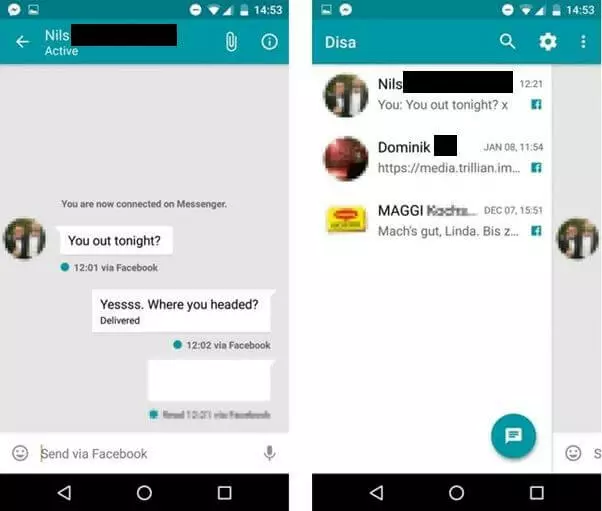
Disa is an exciting tool for the future, as long as it continues to develop and adds to its supported plugins. However, when it comes to data protection, it is definitely worth bearing in mind that this app synchronizes and centralizes an enormous amount of data. Furthermore, it also requires access to a lot of your phone's records.
Disa is a smart and intuitive multi-messenger, however, it is still under development. Without a doubt, its most attractive feature is the combination of Facebook Messenger and WhatsApp.
Trillian (Android and iOS)
Trillian (Android and iOS) is already seen as an established option in the world of instant messaging apps. In addition to Facebook, the mobile app can also be used to set up accounts for ICQ, Google Talk, Yahoo, AIM, and MSN. Trillian combines all platforms into one compact chat history. At first glance, the tool looks extremely minimalistic, however, it is fast and relatively small regarding memory size. One annoying aspect is that you have to create a new account for Trillian.
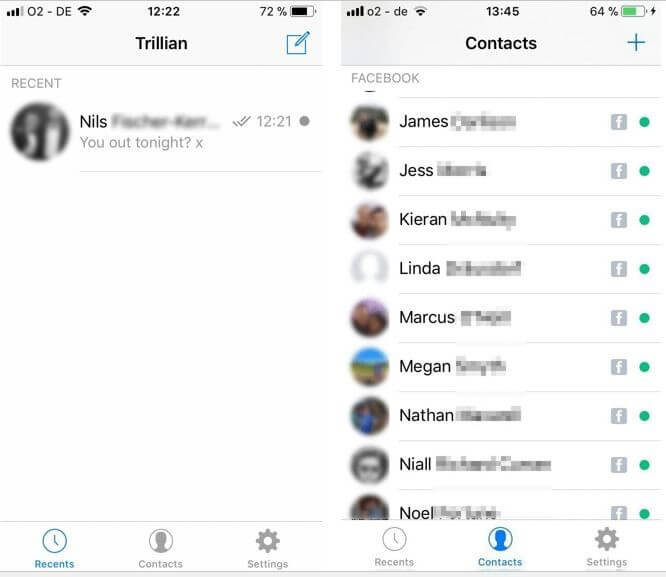
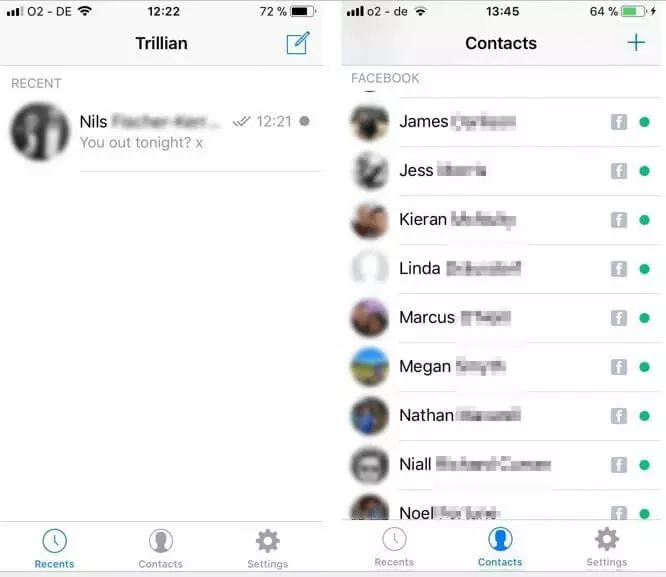
Trilian's minimalist approach means that, as a user, you will have to do without the likes of emoticons, GIFs, and similar types of media. Trillian only allows the attachment of image files. However, the app does allow you to record voice messages hosted on your own servers.
The free version of Trillian contains advertising, but ads are deactivated within the pro version. Additionally, the app's developers work with a chat chronicle, which stores all chat histories online for you. The pro version will cost you two dollars a month or twenty dollars for a year. This makes Trillian considerably more expensive than the competition. One particularly handy feature is synchronization between all platforms, e.g. between the mobile app and the desktop app, which can be done in all versions.
If you are looking for a simple app that has been continuously developed over several years, while simultaneously looking for a Facebook Messenger alternative, then Trilian could be the right choice for you. Apart from the lack of certain chat elements, the biggest shortcoming is probably the registration requirement. Those who are frequent users of Trilian supported services should consider signing up to the app – at least until Disa catches up with the competition. However, you should also bear in mind that WhatsApp is not included in Trillian.
An overview of the best alternatives to Facebook Messenger
| Wrapper apps | System | Pros | Cons | Price |
|---|---|---|---|---|
| Metal | Android | Fast, efficient, and ad free; use of battery and data noticeably lower; energy saving options | Sharing of media not always seamless | Free, pro version – $2.49 |
| Swipe | Android | Fast and efficient; use of battery and data noticeably lower; pro version: energy saving options, message filter, ad filter, multiple designs | Free version has significantly fewer features, shows ads; individual performance issues | Free, pro version – $2.99 |
| Friendly | Android, iOS | Fast and efficient; use of battery and data noticeably lower; supports multiple accounts; individual password security; pro version: keyword filtering blocks undesirable Facebook content | File size (18 MB); only the pro version is ad free; some performance issues, particularly in iOS 11 | Free, pro version – $1.99 |
| Multi-messaging apps | System | Pros | Cons | Price |
|---|---|---|---|---|
| Disa | Android | Fast, efficient, and ad free; combines Facebook Messenger, WhatsApp, and SMS/MMS; brings together chats and contacts from multiple platforms | Relatively complicated setup; uses a lot more battery and data compared to wrappers; currently still in the beta phase; comparably less choice of plug-ins | Free |
| Trillian | Android and iOS | Supports Facebook, ICQ, Google Talk, Yahoo, AIM, and MSN; send audio messages; synchronizes chats across various platforms; free version contains ads | Registration requirement; limited chat features; pro version is comparably more expensive; pro version deactivates adverts and saves chats online | Free, pro version – $2 a month or $20 a year |
If it is the case that you are not just looking for an alternative to Facebook messenger, but want to completely switch to a different social network, our Digital Guide also has plenty of recommendations relating to this.