

The best WordPress alternatives: an overview

According to w3techs, over 50% of all CMS-based web projects use WordPress (as of July 2017). Since its launch in 2003, the open source application has steadily developed into a true all-rounder. Originally created as a basic framework for blogs, WordPress is now a flexible and comprehensive basis for all kinds of websites, from company pages to online shops and community forums. This versatility has come about due to the enormous community of programmers around the world who have developed base codes and an extensive library of plugins offering a diverse range of features.
It’s easy to see why the software is so popular, but there are still valid reasons to look for a reliable WordPress alternative. Read on to find out why it’s worth considering using an alternative to WordPress and which platforms are the most reliable.
- Great premium TLDs at affordable prices
- Simple registration & transfer
Why it’s worth considering a WordPress alternative
WordPress does indeed boast a great number of advantages: not only is it supported by a strong team of developers with many years of expertise, it also has a steadily growing community of users, all of whom are very active in helping to develop the system, with new themes and plugins emerging all the time. Users’ ever-changing requirements are addressed promptly, leading to new functions being implemented. In recent years, developers have improved a great deal of functions, including allocation of rights, mobile support, shop features, SEO functions, and seamless social media integration. Even though most of these new features are not part of the software in its standard format, there are some updates that can be added to the base code. The once relatively primitive base code has become incredibly complex over time.
With the system growing exponentially over the years, it’s now completely oversized for smaller web projects, such as blogs, which WordPress was originally created for. This leads to problems with performance, among other things. Technical problems like this negatively affect the user experience, often resulting from incompatible or incorrectly programmed plugins and themes. Additionally, the use of too many extensions leads to longer loading times, a characteristic that WordPress has in common with just some of the available alternative CMS platforms.
As well as the increased loading time, there are also concerns regarding WordPress’s security measures. The CMS software’s selection of plugins and templates is so huge that it’s not possible for the team of developers to verify all public extensions. Extensions are therefore potential gateways for cyber-attacks, and hackers can exploit the software’s popularity for their own malicious intentions. Free layouts and features often provide a way for hackers to infiltrate systems with their malware.
WordPress’s biggest strength is also its greatest weakness. The open source program is now much more than just a blogging software, and because of this, the platform is now far too complex for simple websites. Furthermore, WordPress’s popularity gives rise to numerous security threats, whereas less commonly used WordPress alternatives are not such a common target for cyber criminals. Another benefit of alternative systems is that they usually focus on one core discipline, rather than directly compete with the all-rounder CMS, WordPress.
4 alternatives to WordPress at a glance
There are, of course, developers who have set themselves the task of programming a system that stands in direct competition to WordPress as an all-rounder CMS. And while WordPress is a very good CMS, it’s worth looking for an alternative that is geared towards a specific kind of web project to fully meet your requirements. These kinds of programs usually provide all the building blocks you need to create a web presence – however, the code framework is mostly a lot more streamlined than with WordPress and other all-rounder programs.
This does not mean to say there is one single best WordPress alternative in 2022. Your choice should ultimately reflect the requirements of your web project. When considering WordPress alternatives, you should always keep in mind what kind of project and target audience they are made for.
IONOS MyWebsite - the modular solution for private individuals and SMEs
At the beginning of 2014, IONOS MyWebsite was released. The completely renovated website construction solution not only received a new, more favorable price structure, but also extensive upgrades when it comes to user-friendliness, functionality, and design selection. As a result of these improvements, the web service based on HTML, CSS, and JavaScript is also characterized by its easy-to-understand menu navigation and versatility. Users can choose from more than 400 available website templates, whose elements can then be moved and adapted easily via drag-and-drop - making MyWebsite an excellent WordPress alternative for creating personal websites or industry-specific company pages.
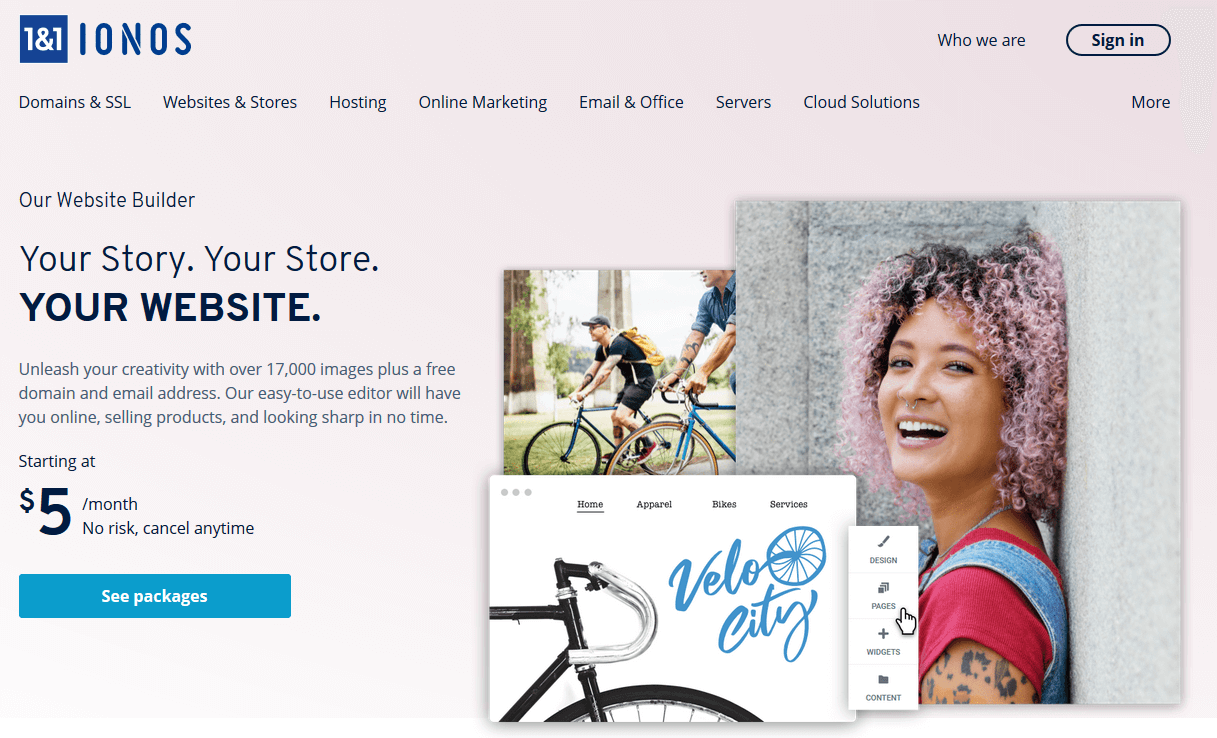
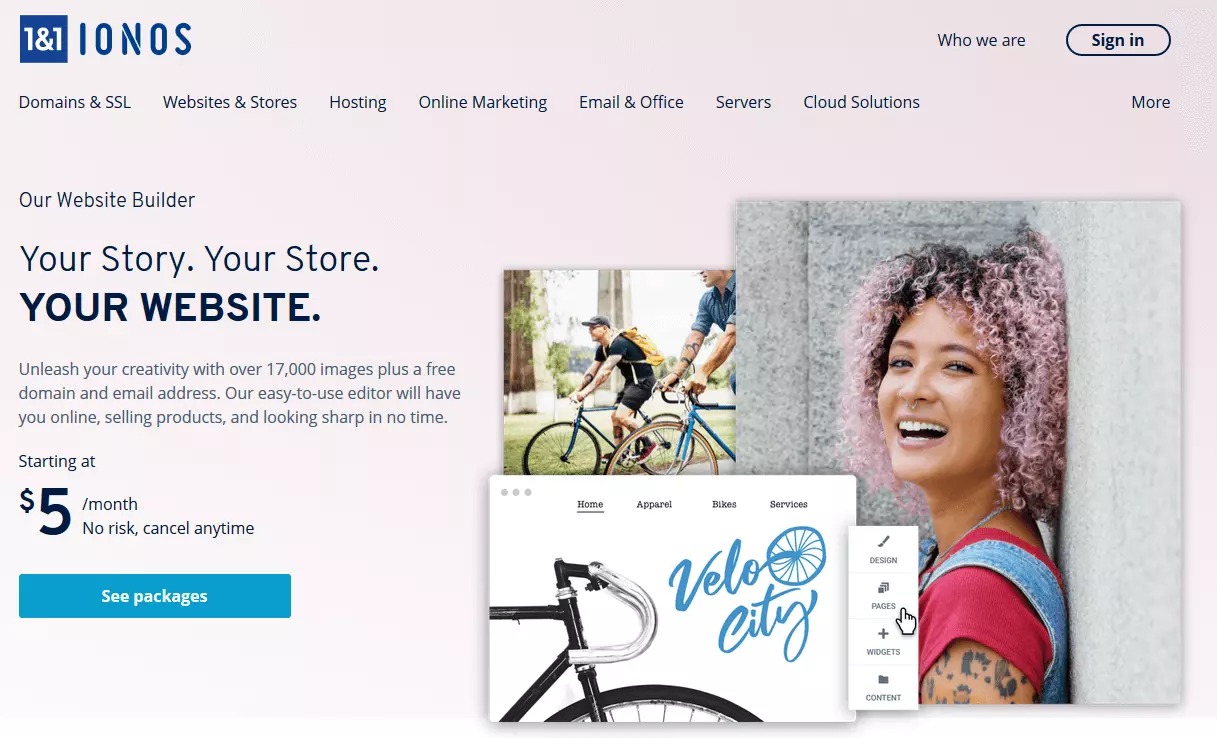
Once you have decided on a design template, you can start working on your own website in the software’s editor: Ready-made page components such as buttons or blocks for text, videos or images can be selected at will and set to the desired position without any programming knowledge. The underlying source code is automatically generated and optimized for mobile devices, so it makes no difference whether visitors access the site on a desktop PC or a mobile device later on. The same applies to the website construction kit itself: If you want to continue tinkering with your own website while on the move, you can do this easily via the browser of your smartphone or tablet. The ready-to-use elements include:
- how to find us
- customer reviews
- photo galleries
- opening hours
- appointment slots
- guest books
IONOS MyWebsite is also a recommendable alternative to WordPress because the website construction kit supports its users comprehensively with regard to data security and data protection. No matter whether it’s a contact form or your website’s small print, all sensitive components are automatically designed to conform to GDPR (General Data Protection Regulation) standards. Added to this are security features such as anti-spam protection, SSL/TLS certification, and regular back-ups. Since all data is stored in the state-of-the-art IONOS data centers, high reliability, and optimal performance of the web project are also guaranteed.
| Pros | Cons |
| Free domain and e-mail inbox included in all packages | Self-hosting not possible |
| High security standards | Many features only available from the Online Store package and up |
Ghost – the simple solution for publishers
Launched in April 2013, the content management system, Ghost started life as a Kickstarter campaign, which raised €200,000 within one month. This WordPress alternative, which, as of July 2017, has been installed 1.5 million times (correct as of May 2019), is a platform for publishing texts and is geared towards writers. Their focus therefore centers on what made WordPress so great. The open source program is made with bloggers, independent journalists, and editors in mind. Ghost is available in desktop versions for macOS, Windows, Linux (Ubuntu), and an app for Android, as well as in a web dashboard version (Ghost Pro), which enables users to edit content and layout.
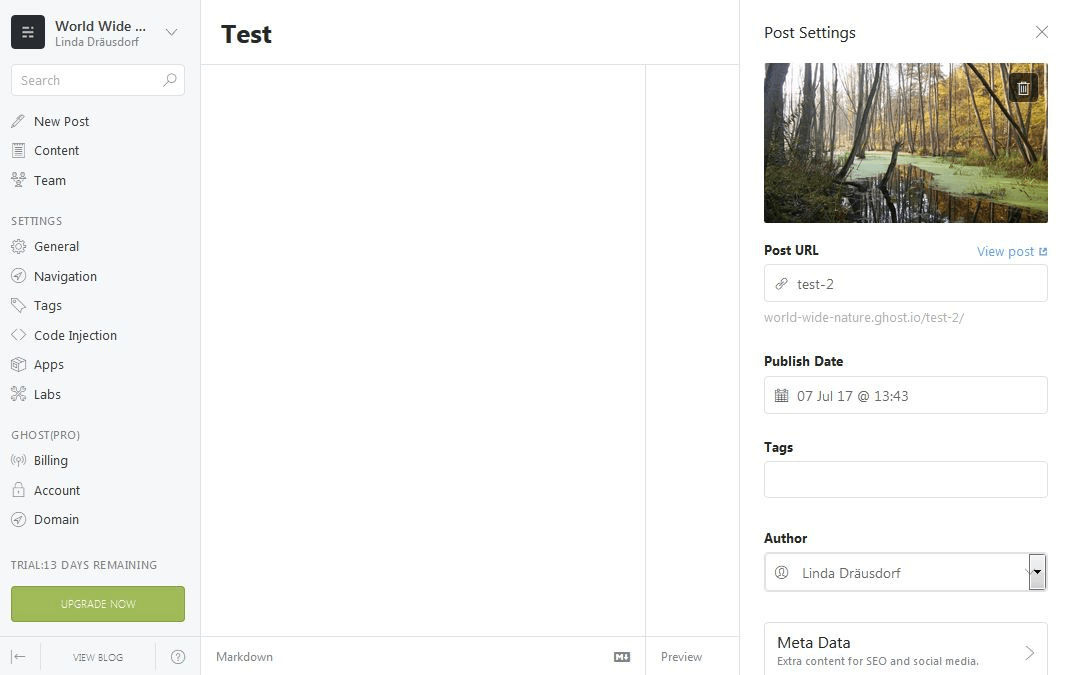
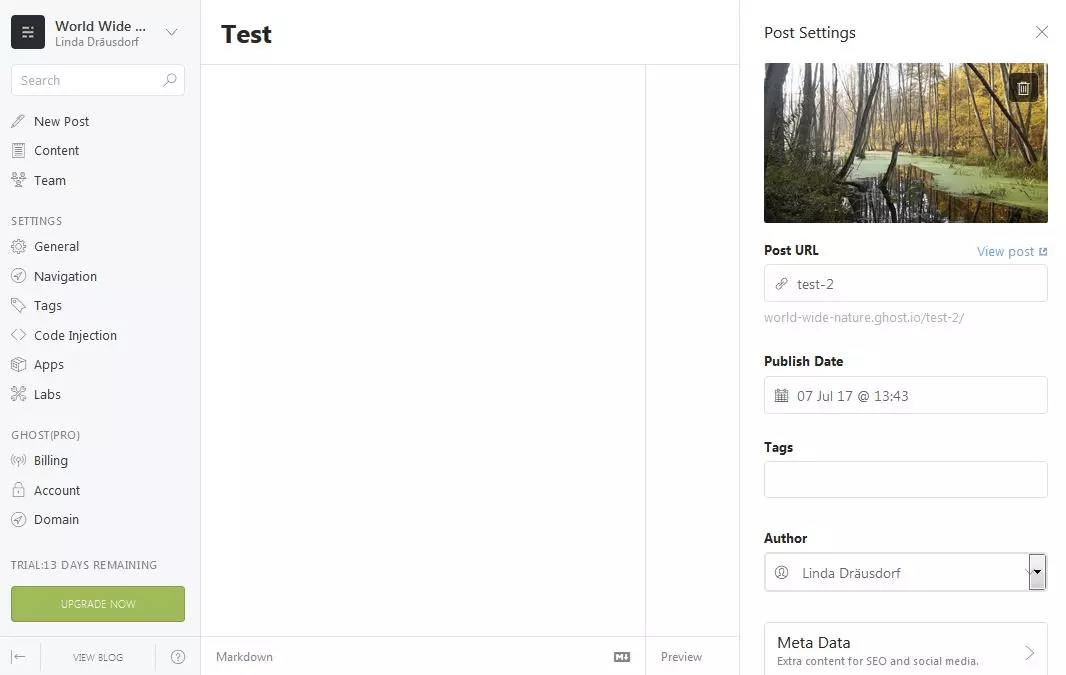
Ghost’s key features are perfectly adapted to meet writers’ needs. Writing and updating content is made even easier by the ‘publish later’ function and the option to edit posts retrospectively. If you want to use the software for an editorial team, you can easily do this as an administrator in the ‘Team’ area. The blogging platform is based on Node.js, unlike WordPress, which uses PHP. It is also characterized by its excellent loading times. The streamlined programming code is especially noticeable when it comes to live performance. The following information can be added to every post to categorize articles and optimize content for search engines:
- URL (manual or automatic)
- Publication date (manual or automatic)
- Tags
- Author
- Title and description (including preview)
Ghost uses the simplified markup language, Markdown, which works together with the integrated WYSIWYG editor to convert the content into HTML code. With responsive web design integrated as standard, Ghost web projects are optimized for all devices so that the pages look perfect on every screen size, from desktops to tablets to smartphones. The responsive adjustments work through themes, which are simple to create using CSS or JavaScript. Alternatively, the Ghost marketplace has a range of ready-made themes available to download or buy. This site can be used as a free WordPress alternative if hosted on its own web space or for a monthly fee with the manufacturer.
| Pro | Cons |
|---|---|
| ✓ First class, beginner friendly operation | ✗ Not supported by every hosting provider |
| ✓ Automatically optimized for search engines and mobile devices | ✗ No plugins available |
Kirby – your own website, without a database
In 2012, developer Bastian Allgaier released his own unique alternative to WordPress. His content management system, Kirby, is compact, quick and easy to install onto a server, easy to operate, and above all, works entirely without the use of a database. All you need to use Kirby is access to a web server (Apache 2, NGINX, LiteSpeed, Caddy) and the scripting language, PHP. To publish a website, it’s also necessary to purchase a license; here users can choose between a personal or a commercial license. Kirby can then be used for a range of projects, including blogs, one-page sites, and simple business websites.
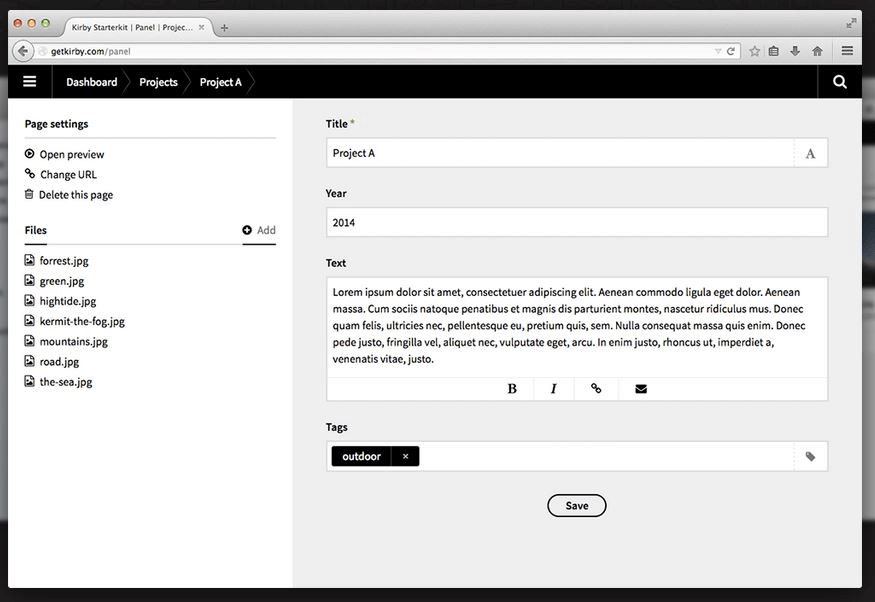
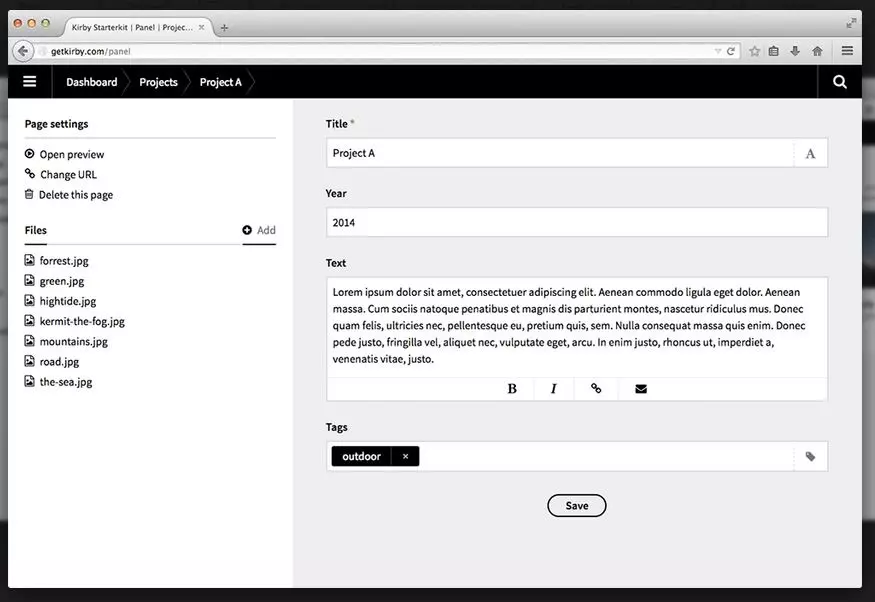
As previously mentioned, Kirby is a great example of a database-free content management system, which stores all files as text documents. Thanks to Kirby’s special Markdown extension, known as Kirbytext, it’s easy to format individual pieces of content. One unique characteristic of Kirby is the addition of Kirbytags, which are comparable to WordPress Shortcodes. These helpful tags aid users to define their content and add special elements. There are also pre-made Kirbytags for commonly used content such as images. The website’s structure is dictated by the folder system. For example, the ‘Content’ folder contains all your published content, meanwhile additional files such as fonts, CSS sheets, or JavaScript snippets can all be found in the ‘Assets’ folder. Kirby’s other key features include:
- Minimal hardware requirements
- Optional web interface (Panel)
- Multilingual websites without installing plugins
- Flexible program interface inspired by jQuery
Kirby is a particularly powerful and beginner-friendly WordPress alternative for simple web projects – and not just because it has no database. The software is characterized above all by its streamlined base code, which covers all the basics without any additional features. However, Kirby is a flexible system, meaning it can be extended using plugins.
For example, GitHub’s unofficial Kirby folder contains a range of extensions including SEO features, social media interfaces, and tracking tools. Based on a mix of PHP and HTML, the template engine can be used to create layouts and designs. You can also purchase premade templates from getkirby-themes.com.
| Pro | Cons |
|---|---|
| ✓ Functions without a database | ✗ Limited range of templates |
| ✓ Minimal system requirements |
Jekyll – first choice for static websites
Jekyll is a powerful tool for Mac and Linux users who want to publish an informative website with static content. Developed by Top Preston-Werner and released in 2008, the program is primarily geared towards developers who want to enjoy comfort and creative freedom when designing a web project. This Ruby-based WordPress alternative does not need a database, as with Kirby. The performance and security advantages (no database demands, no execution of server-side scripts) help to create high quality static pages.
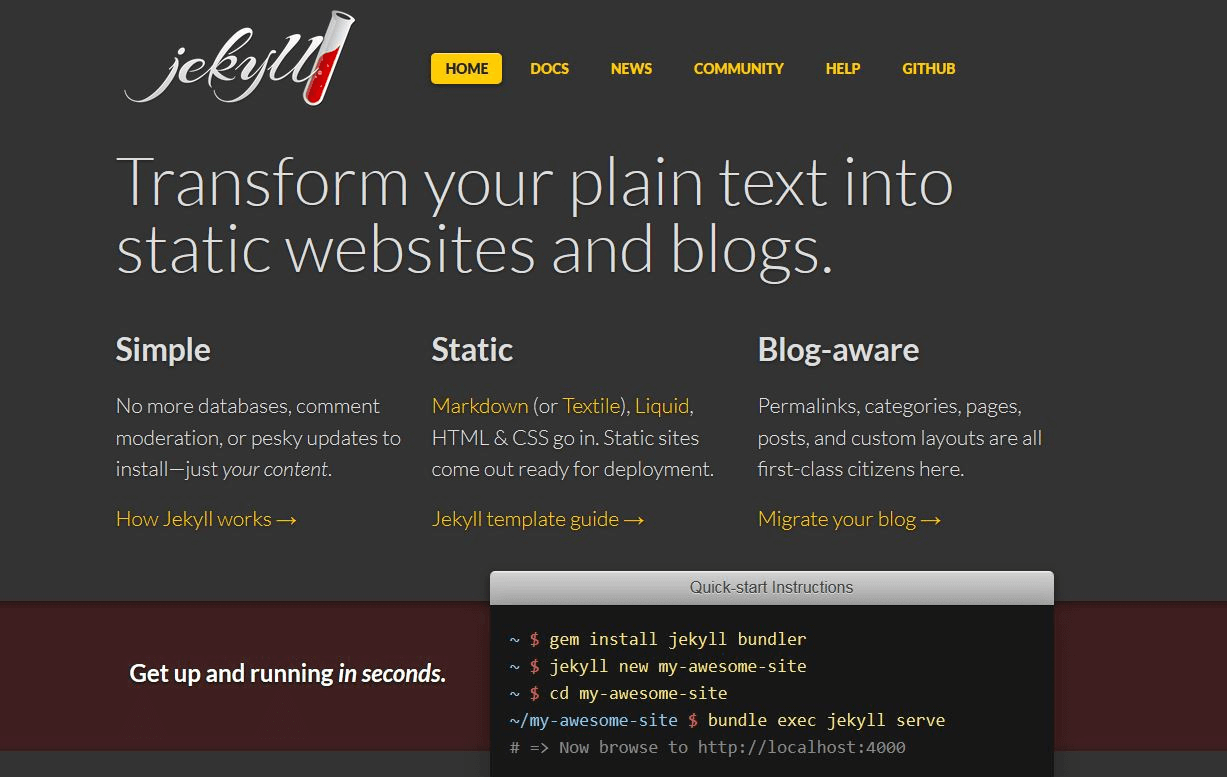
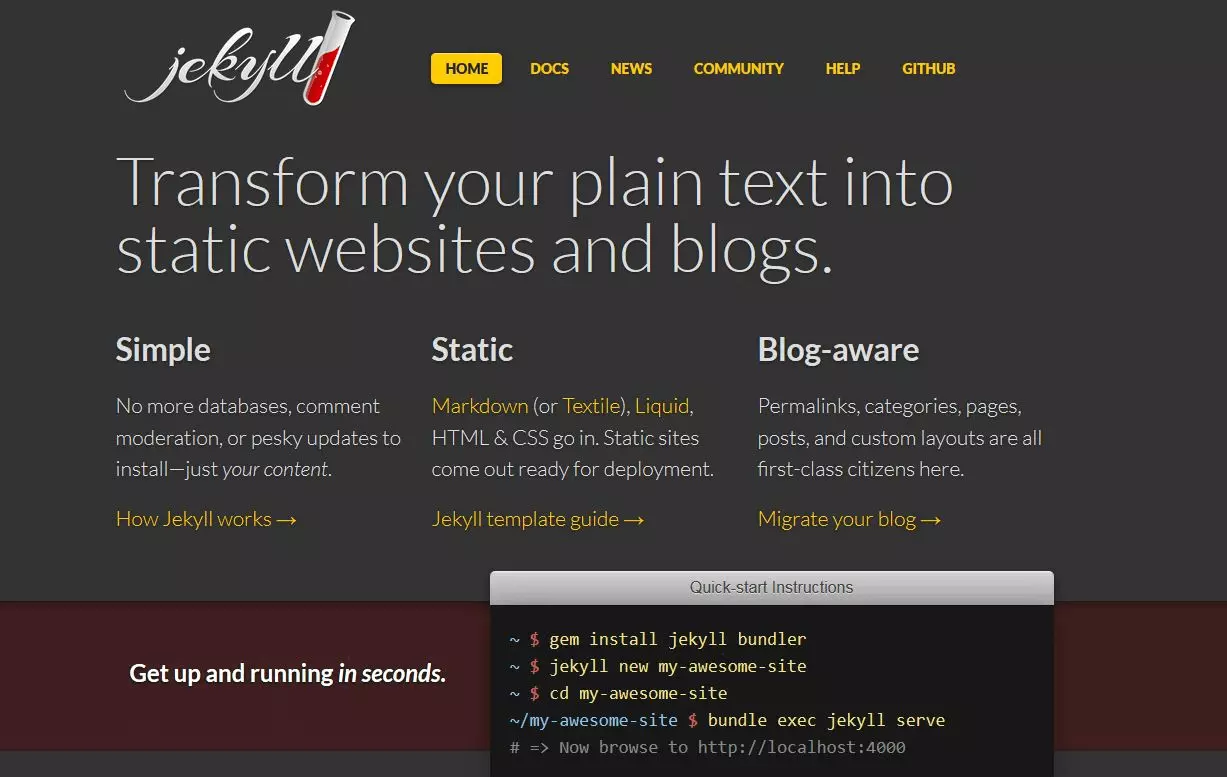
Licensed under the free, open source MIT license, the Jekyll software uses the open source template language Liquid. Therefore, all standard tags and filters of the programming language are supported when creating templates. Furthermore, Jekyll offers a series of additional tags and filters that make working on a new website significantly easier. The tool uses its own development server, which enables users to preview their web projects. For structuring and publishing content, users can choose between the markup languages Textile or Markdown, and the use of PlainHTML is also possible. This minimalistic alternative to WordPress also offers the following advantages:
- Free choice of editors
- Extreme flexibility when designing templates
- Content or website is not tied to a specific environment
- Version control with Git
- Different frontend frameworks supported such as Bootstrap or Semantic UI
- Works with all popular web servers
Users who do not wish to manage a Jekyll project on their own server can host it on GitHub Pages. The in-house hosting service of the development platform, GitHub, is based on the Jekyll engine and is free for any user. GitHub Pages even offers the Jekyll Theme Chooser, a tool with which you can create a web presence directly over GitHub. This versatile alternative to WordPress can be extended with plugins at any point to extend its range of functions. Jekyll distinguishes between 5 categories: generators (rule-based content creation), converters (implementation of new markup languages), commands (subcommands), tags (more Liquid tags), and hooks (fine tuning various aspects of the development process).
| Pro | Cons |
|---|---|
| ✓ Great freedom within the programming process | ✗ No image editing tools |
| ✓ Free, high-performing and secure hosting possible on GitHub Pages |
The best WordPress alternatives in 2022: a comparison
All web development tools presented in this list have their own strengths, whether they focus on marketing features, the presentation of media, or the requirements of editors. Their unique attributes make each of these WordPress alternatives useful in their own distinct areas of application. These content management systems all have something in common: they forego attempting to resemble WordPress and position themselves as strong competitors in the core disciplines. Meanwhile, there is a wide variety of all-round systems that can be used for all kinds of projects – big or small. For more information, check out our CMS comparison.
| WordPress alternatives | Developer | Released | Self-hosting possible? | Suitable for |
| MyWebsite | IONOS | 2014 | No | Websites (personal, SMEs) |
| Ghost | Ghost Foundation | 2013 | Yes | Bloggers, writers |
| Kirby | Bastian Allgeier | 2012 | Yes | Beginners |
| Jekyll | Tom Preston-Werner | 2008 | Yes | Developers |
Reviewer

Julia Hertler
With over 18 years of experience in content marketing, Julia Hertler has deep expertise in digital communications. For the past 10 years, she has specialized in the areas of domains and hosting at the IONOS Digital Guide, making complex technical topics easy to understand.