

What is a browser?

Whether you’re on a computer, tablet, or a smartphone: The way to the internet mostly starts with a browser. As a given, we use Chrome, Mozilla Firefox, or Safari to visit websites or to make purchases in online shops. But what is a browser actually? Here, you’ll find a simple explanation and learn how exactly “the gateway to the world wide web” works.
Browsers: a simple explanation
A browser is an in most cases free software for the graphic depiction of the web. Texts, images, videos, as well as links and other website features are displayed with the help of a browser. The browser designation is derived from the verb “to browse.” In the beginning, browsers were intended for turning pages forward and backward within multi-page text files. With the introduction of hypertext, navigation cross-references were added, so-called hyperlinks. In the meantime, the range of features available in browsers has gotten considerably larger: In addition to images and videos, interactive graphics, audio files, PDFs, and other resources can also be integrated and equipped with features.
How does a browser work?
In order to be able to answer the question “What is a browser?” more precisely, it helps to understand the software’s functionality. If you enter a URL in your browser, this requests the page from the target server. The server responds by returning the content in the form of an HTML code, images, and other resources. In doing so, every resource is clearly identified via an URI (Uniform Resource Identifier). With the help of the particular specifications that are contained in the HTML and CSS files, the browser interprets all content and ensures that we are able to see and use the website on our screen.
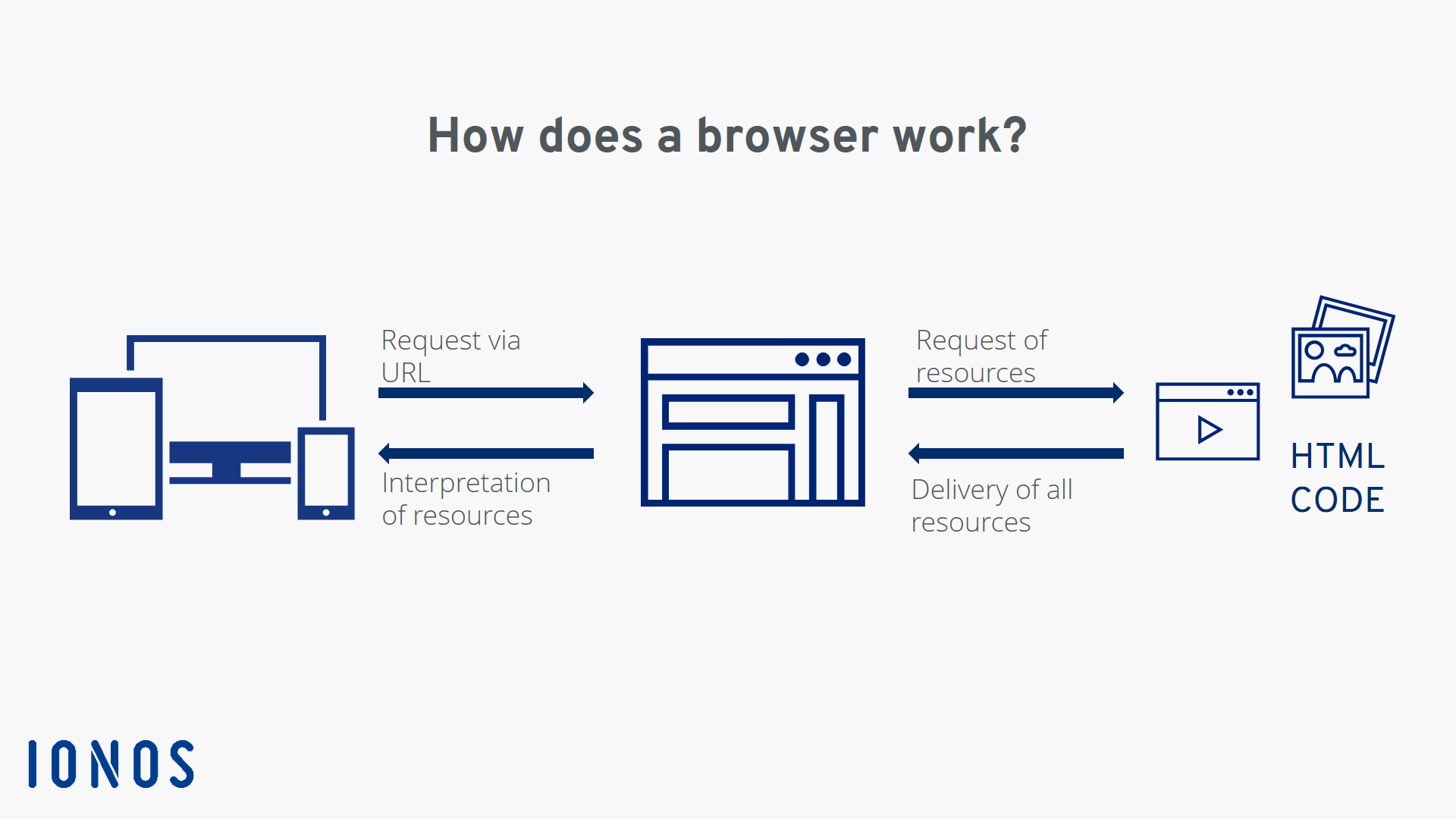
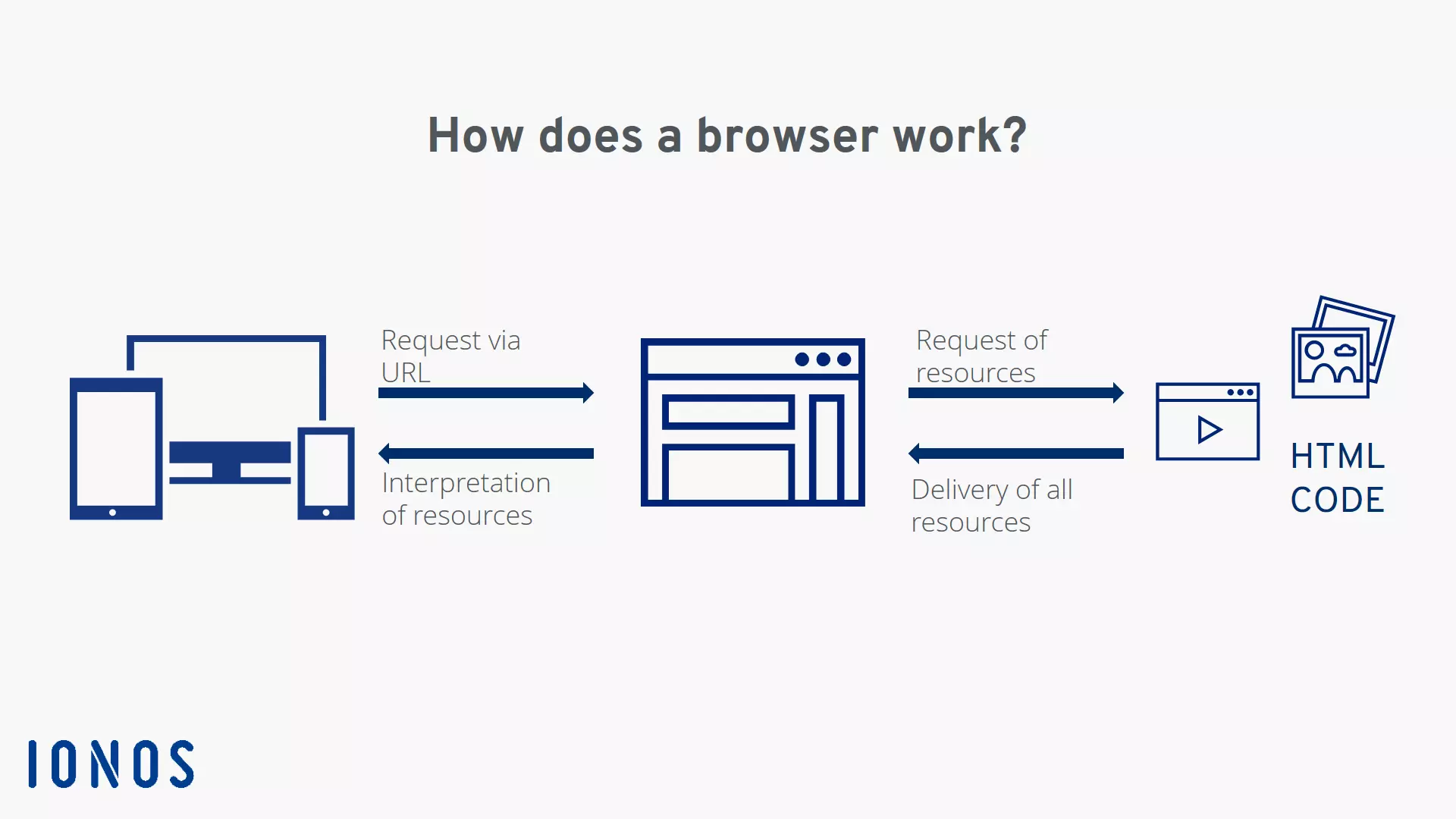
And what does this interpretation mean? Or how does the technology behind a browser work? In order to be able to properly display all resources, various components complete a number of tasks: What we first see behind the browser’s user interface is the browser engine, which serves as an intersection between the user interface and the rendering engine.
The central element in a browser: the rendering engine
This module is the central element for the display of content: By default, the engine can display HTML and XML files as well as images. With the relevant plug-ins, however, other resources are also possible. After a HTML file is requested, for example, the rendering engine parses it. This means that the engine analyzes the HTML data and converts it into a format that the browser can further process. At the same time, the rendering engine creates the DOM structure on one hand – the tag’s content structure – and on the other hand, the rendering structure, which shows the colors and other layout criteria.
Both structures are combined in the following steps: The DOM structure tree or the individual nodal points are initially positioned according to exact coordinates. Lastly, the rendering structure, after being filtered with the help of UI backends, visualizes the website. Appropriately enough, this step is also called “painting.” “UI” stands for “user interface,” which is also called the frontend. In other words, what the user finally sees on the screen.
Additional modules in the browser
In addition to the UI backend mentioned above, which is responsible for the display of fundamental widgets, such as screen windows, another module assumes the network calls via the established protocols, such as HTTP. A JavaScript interpreter parses and runs JavaScript code. Furthermore, data storage is provided as a persistent component that, among other things, locally stores cookies, browser history, and cache on the computer. In HTML5, this stored data is resolved in the browser as a streamlined web database.
Differences in the browser display
Because there are different HTML versions – HTML, XHTML, or HTML5 – and the various browsers don’t interpret these the exact same way, a website in Chrome sometimes looks somewhat different than it does in Firefox. However, the basic features are always the same across text, images, and links – although these might be arranged or displayed somewhat differently. Incidentally, these deviations can also emerge if your browser is not up-to-date. For this reason, it is recommended that you update it regularly.
What types of browser elements are there?
After resolving the question “What is a browser?”, let’s now take a look at the most important elements and features. The basic configuration of every browser includes the following elements:
- Address bar for entering the URL
- Buttons for navigating forwards and backwards, for updating or refreshing, and for stopping a loading process
- Button for the browser homepage
- Feature for creating bookmarks
Other features vary from browser to browser or can be added as needed.
Useful additional browser features
In addition, browsers such as Firefox and Safari allow you to organize your bookmarks, save your passwords, and use incognito mode, often also known as “private surfing.” In doing so, you don’t leave any visible traces on your own device. For example, your browser history isn’t stored and data that has been entered in a form cannot be reconstructed. Furthermore, in the established browsers you’ll typically find everything you need to know about the topics of security und data protection, protection against phishing and malware, as well as ad blockers. These features, however, do not replace the comprehensive virus protection that every end device should have.
If you are lacking specific features, such as the option to take a screenshot in the browser or to be able to display certain content, your browser’s range of features can be expanded through web extensions and plug-ins.
What browsers are there and which one is the best?
Because all browsers essentially operate the same way, one cannot make sweeping statements about which one is the best. A lot more depends on one’s needs and user habits. The most widely-used browsers include:
- Mozilla Firefox: One of the most popular web browsers throughout Europe.
- Microsoft Internet Explorer and Edge: A permanent fixture of Microsoft operating systems since Windows 95.
- Google Chrome: On the market since 2008 and the number one option when it comes to cross-device synchronization.
- Safari: Apple’s counterpart to Microsoft’s Internet Explorer or Edge.
- Opera: Mostly popular on mobile devices.
In a separate article on the subject “Which browser is the best?” we provide a more-in depth introduction to the individual browsers.
Reviewer

Julia Hertler
With over 18 years of experience in content marketing, Julia Hertler has deep expertise in digital communications. For the past 10 years, she has specialized in the areas of domains and hosting at the IONOS Digital Guide, making complex technical topics easy to understand.