

Socratic - The Homework App

Here is a common scenario for students: you get distracted in class, look out the window briefly and before you know it, you’re sitting down at night to start your homework and you don’t know what you should be doing. The app “Socratic” is here to help: the application can solve even complicated equations, answer questions about world history, grammar, and even astrophysics. Is it witchcraft? No, instead it runs on artificial intelligence. This guide will convey just how much the homework app can actually do.
- Great premium TLDs at affordable prices
- Simple registration & transfer
Socratic can help with Homework in almost any Subject
At first glance, Socratic seems to make every student’s wildest dreams come true. All you have to do is take a photo of a math formula, and the app will work it out for you, providing the answers to your homework. But Socratic is more than just a digital cheat sheet. Instead of just displaying the end result, the app also explains the solution and offers extra sources to help you study and understand the process. It answers questions on numerous subject areas: English, history, geography, biology, or physics. Instead of giving a simple answer, it provides extensive explanations. For example, if you ask Socratic about the Medieval Order, the app collects matching search results from the web for you to choose from. The same happens when you give it a complicated equation from a math exam – the app can solve it in no time. The homework app, originally designed for iOS, has increased tremendously in popularity. The reason for this is that the app is now also available for Android devices, and understands multiple languages: not just English, but also German, Spanish, French, Indonesian, and Portuguese.
How does Socratic work?
Socratic helps you find the answers to your homework questions in two different ways: First, you can take a picture of your question or math problem. Thanks to its sophisticated text recognition, the app can even identify math equations with roots and fractions to break down the solution. This works particularly well if the question is typed, rather than handwritten. If you are submitting handwritten questions, make sure your writing is as legible as possible, otherwise the app may confuse similar looking letters like ‘R’ or ‘K’.
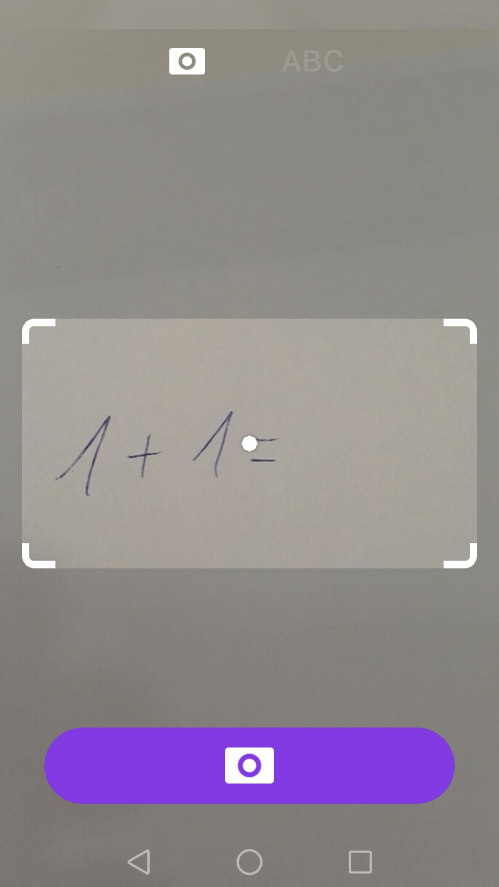
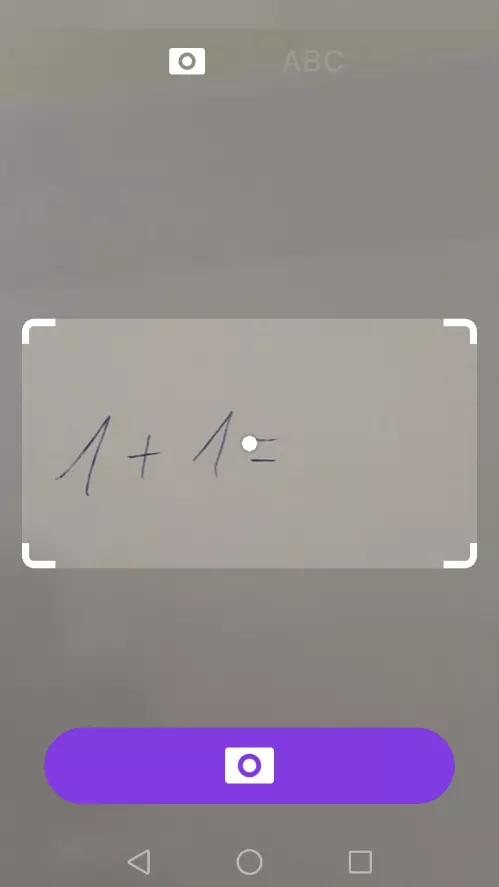
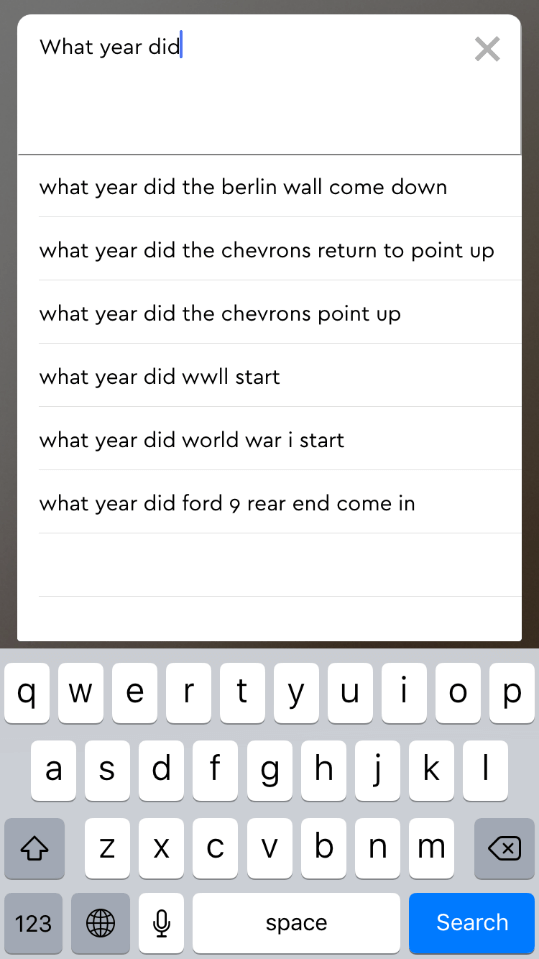
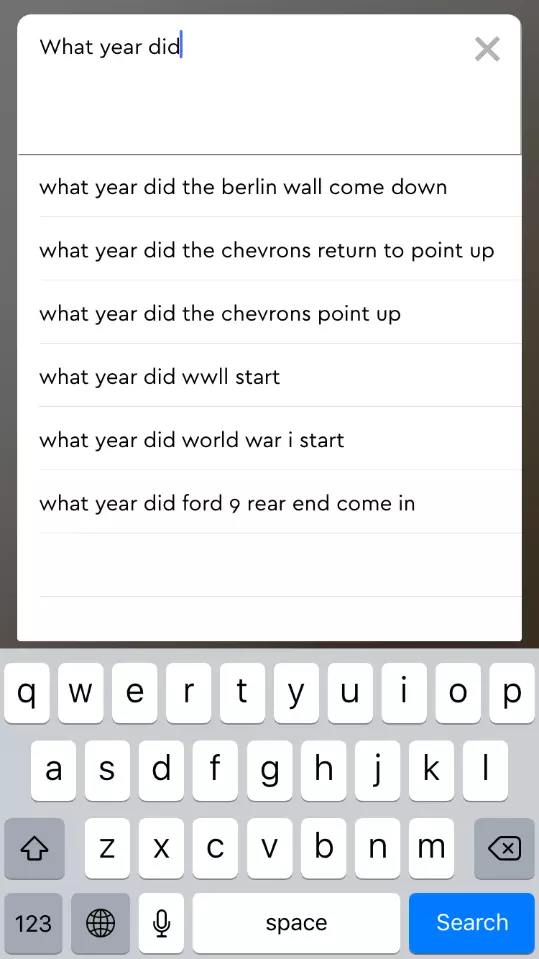
If the app can’t understand your handwritten question, you still have the option of typing it directly into the app manually. This can be a bit cumbersome – particularly with math equations – but it helps if you need help with hastily written notes from classes or lectures.
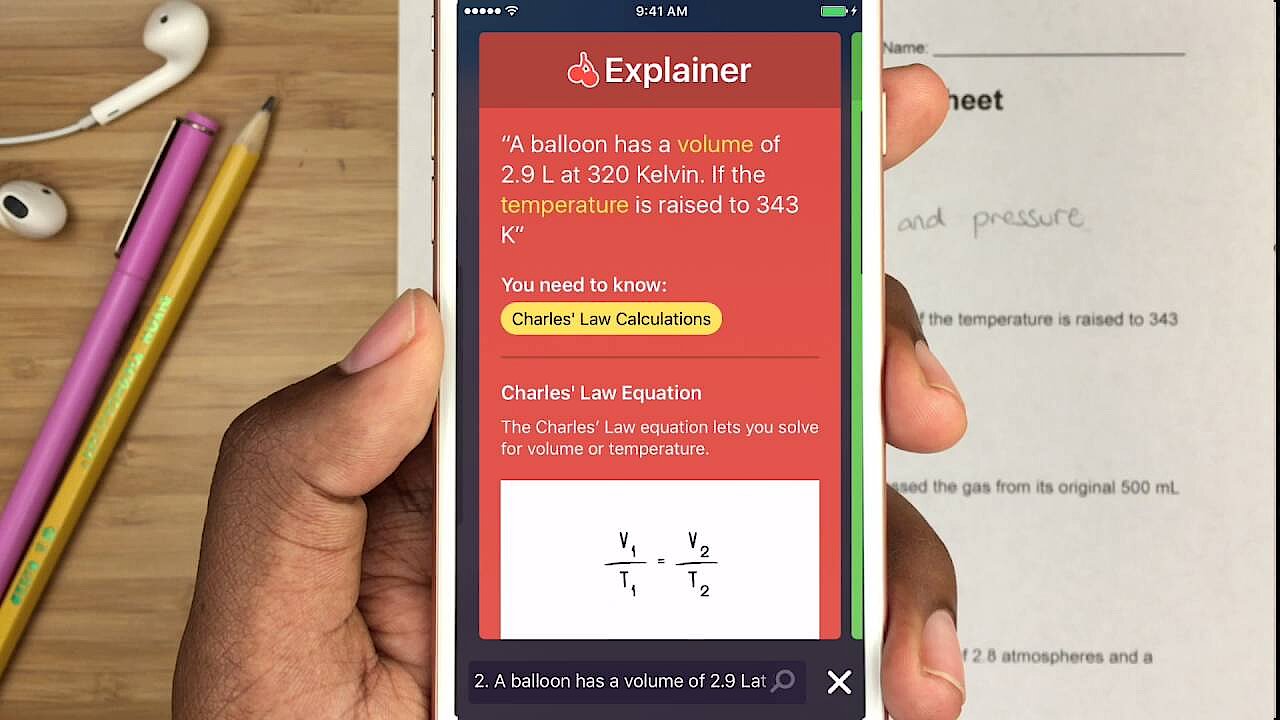
The basis for the app’s artificial intelligence are the countless examples of solved problems that make up the app’s database, and a machine-learning algorithm developed in cooperation with teachers and experts. Using these methods, Socratic breaks down the basic concept that needs answering, and can explain the solution to the user based on examples. The app can even solve mathematical or physical word problems: The calculation is determined by filtered keywords, and presents the user with appropriate values. The following video from the developer illustrates this with an example:
 To display this video, third-party cookies are required. You can access and change your cookie settings here.
Thanks to comprehensive community features, the app is constantly learning new things. This allows teachers and students to actively participate and expand the question-and-answer resources. Meanwhile, according to the developer, there are more than 350,000 questions from 21 subjects or topics that have already been answered. Unfortunately, the Android app lacks a storage and archive function for questions that have already been asked. If you want to go back to a previous question or answer, you will have to take another photo of the problem, or type it again. Here are the results of our detailed test in three subjects that show how the underlying algorithm really works.
Socratic: how well does the app cope with math, history, and English questions?
Mathematics
Maths, a subject feared by many pupils, is one of the most critical subjects that they need assistance with. How does Socratic fare? The app proves that it can solve math homework of all kinds accurately. Whether it is simple addition and subtraction problems, or complex equations, the homework app has solved all tasks in our test correctly and can also provide a detailed description of the steps taken to reach the solution.
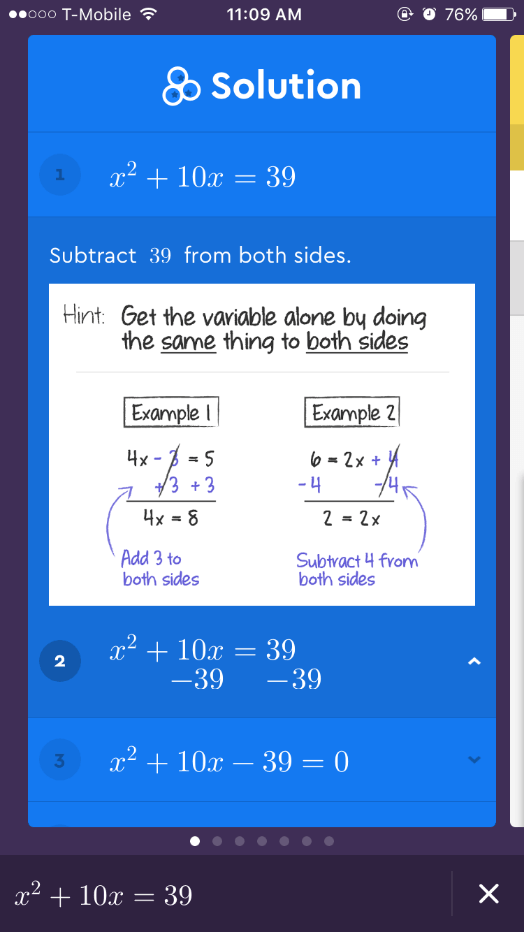
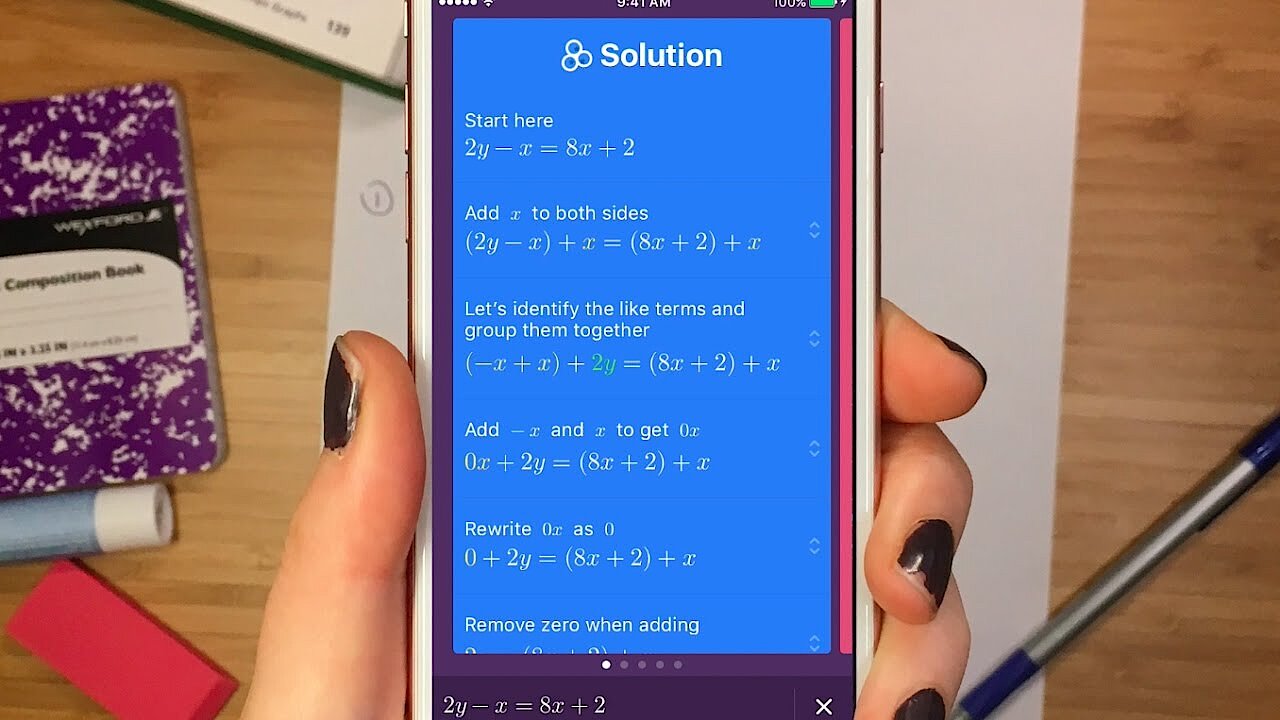
A good way to test the quality of Socratic’s math abilities is to pose one of the medieval mathematician al-Chwarizmi’s (latin version: Algorismi) equations. The term “algorithm” is derived from his name, and as early as 825, the Iranian polymath presented six different types of quadratic roots. One of these is x² + bx = c. We are looking to solve x. Adding in numerical values, the equation could be: x² + 10x = 39. If you photograph this equation with Socratic, you will get the correct solution in just a few seconds: x = 3 or x = -13 and the step-by-step solution to the problem. The following YouTube video, created by the app developers, shows another example, this time using text recognition for handwriting.
 To display this video, third-party cookies are required. You can access and change your cookie settings here.
Socratic is a real math “genius”. From simple calculations to complex equations, the app has passed our math test with flying colors.
History
Following on from math problems, the next area of testing is history. Is the app as proficient in the humanities as it is in math? Socratic comprehends history questions as well as it comprehends math questions, however it takes a different approach to presenting answers. For example, if you ask Socratic when the Middle Ages began, the app searches for a number of different, sometimes reliable sources on its network to find you an answer. Regardless of the quality of its sources, the procedure itself is exemplary: after all, different sources are consulted when undertaking legitimate historical research – it’s never too early to start! Assessing the quality of the sources falls on the user.
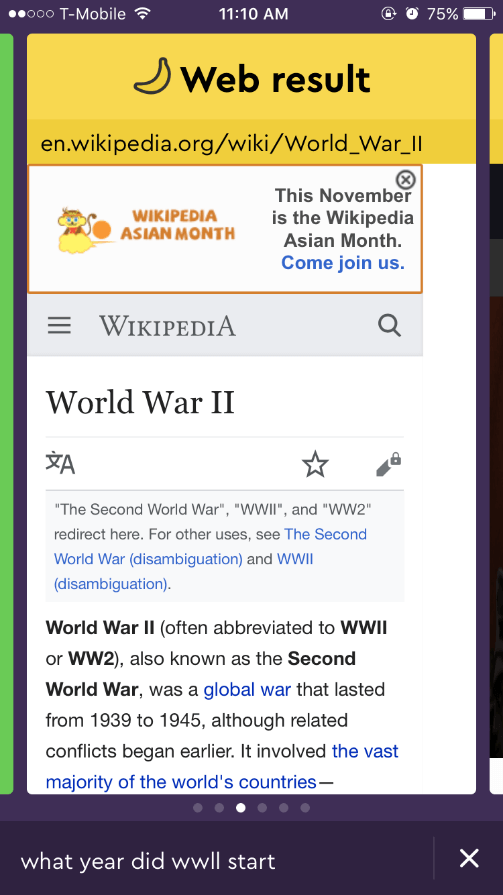
The answers often come from the community platform “Yahoo! Clever” or from Socratic’s own community-based question-and-answer database. The app is also adept at finding relevant Wikipedia passages. Sometimes, there are less useful sources in the selection provided, some of which are not always optimized for mobile device use. This can complicate the search somewhat. If there is absolutely nothing useful, Socratic at least offers a reference to Google and puts the question to the popular search engine, allowing you to continue researching independently from the app.
Socratic can also be used for history, but there are some drawbacks. During our test, the app answered questions more like a search engine with text recognition capabilities – which is still helpful.
Languages: English
The last aspect requiring clarification is whether Socratic can answer language related questions for subjects like English. It will be particularly interesting to see whether the homework app understands tasks and can offer solutions to requests, rather than questions. Here is an example of a typical grammar exercise from a lower grade class:
- In the following sentence, underline the subject (in red) and the predicate (in blue):
Peter bought a new computer yesterday. The results of this kind of task are a little sobering – Socratic treats the request like a search engine would treat an ordinary longtail query. As a result, there are few decent results to choose from. The most useful response was a general article on phrases. When the homework app was asked questions related to grammar rules, Socratic’s first answer was information from the corresponding Wikipedia article.
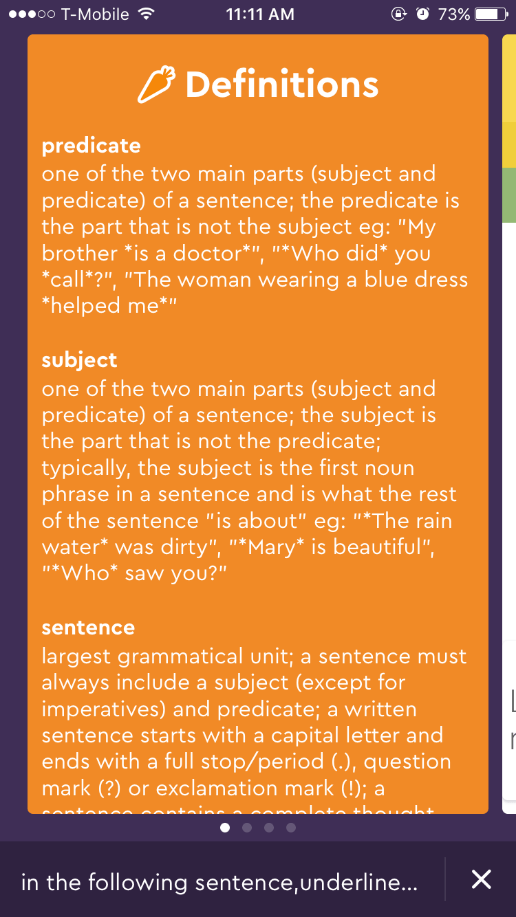
Socratic understands homework in English better than other language versions of the app. Asking it to complete a task such as “underline the verb in the following sentence” results in Socratic bringing up a definition of the word “verb” and a similar question-answer combination from the socratic.org database. This can be helpful in general, but does not help the specific problem posed.
There is a lot more initiative required on the part of the user when using Socratic for homework help with a subject like English, rather than, say, math. The AI understands the questions and halfway provides an answer, but the user still has to filter through the information provided and it may not always be 100% accurate or relevant to the request.
Socratic: an overview of its strengths and weaknesses
These examples from our tests show that Socratic’s AI abilities depend on the question and the subject. While the homework app answers math problems and scientific questions relatively accurately, there is a bit of a hiccup in terms of humanities and languages. That being said, the app provides enough results that someone with a little background knowledge could find the correct answer easily enough. Also, the AI in the app learns quickly thanks to a large community which constantly provides new questions and answers, and closes existing knowledge gaps through machine learning. Having a bit of initiative as a user is key with this app. Socratic, despite the best efforts of developers to provide a comprehensive answer to every question, runs the risk that users will just use the app to find a quick answer rather than taking time to read the whole method behind the answer. On the other hand, Socratic is commendable in that it provides the long-form descriptive answer in the first place.
Parents should teach their children how to use Socratic responsibly. Just writing down the answer without understanding the process will quickly become a problem when students are asked to take a test and it becomes obvious that they don’t actually understand the material. Parents themselves can find use for the app when it comes to checking and correcting their children’s homework at night.
At the end of the day, Socratic leaves a good impression on users. The text recognition function works very well with typescript and even recognizes short, well-penned handwritten questions. The app is also available for Android, allowing the majority of smartphone users access to the app. Check our tabular overview for a list of advantages and disadvantages of Socratic:
| Advantages | Disadvantages | |
|---|---|---|
| ✓ Available for iOS and Android | ✗ Answers are less precise for humanities and language subjects | |
| ✓ Database already includes over 350,000 questions | ✗ App can lead to students cheating | |
| ✓ Currently 21 subjects officially available | ✗ No storage/archive function for previously asked questions | |
| ✓ Good text recognition through the smartphone camera | ✗ There are many unsuitable sources listen in their web results (website offline, not optimized for mobile devices, etc.) | |
| ✓ Additional manual question input is possible | ||
| ✓ Very precise solutions for math problems and scientific questions | ||
| ✓ Large community is constantly providing new questions and answers | ||
| ✓ Suitable for parents as a correction tool |
Reviewer

Julia Hertler
With over 18 years of experience in content marketing, Julia Hertler has deep expertise in digital communications. For the past 10 years, she has specialized in the areas of domains and hosting at the IONOS Digital Guide, making complex technical topics easy to understand.