

Haskell Tutorial

Haskell plays a special role among functional programming languages. Since the release of the first version in 1990, Haskell has been considered a quasi-standard for languages that follow the functional programming paradigm. It is no coincidence that many other functional languages model themselves after Haskell. Initially, learning this programming language can quickly lead to frustration, mainly because the concepts behind functional programming take a lot of getting used to for inexperienced users. However, once the initial obstacles have been overcome, even beginners can successfully dive into the world of Haskell programming.
In the following Haskell tutorial, we will provide you with simple step-by-step instructions on how to install this functional programming language and how programming with Haskell works.
How to install and start using Haskell
As is the case with many other programming languages, you have a variety of options for preparing your system to work with Haskell. GHCi is the most common solution for those looking to learn Haskell and to be able to easily program with the language. It is a ready-to-use interactive development environment that comes bundled together in a package with the Glasgow Haskell Compiler. In addition to the compiler, you also need the Haskell libraries, which in turn require building software such as Cabal or Stack.
The combination of the Haskell Compiler and corresponding development software is also referred to as the Haskell Platform.
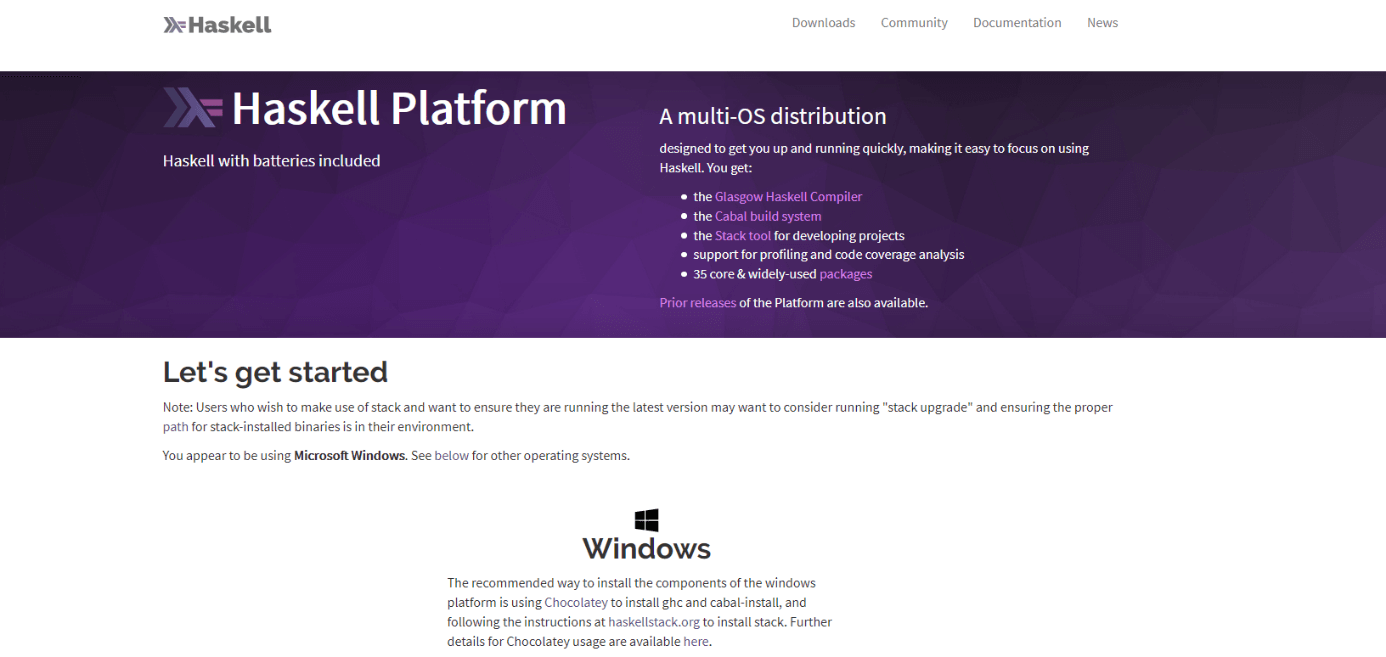
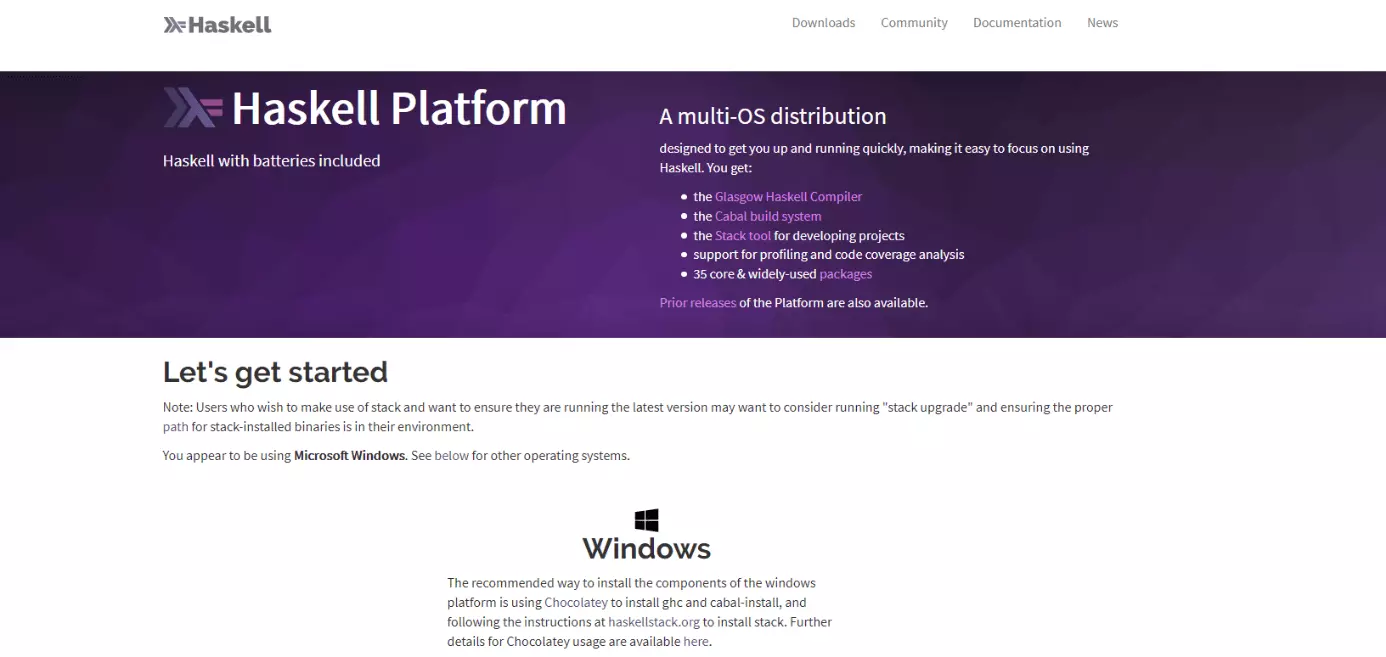
To ensure as smooth a start as possible, install the complete Haskell Platform. Ready-to-use installation files for Windows, macOS and various Linux distributions are available to download (with installation instructions) free of charge. You can find these on the official Haskell project website.
In Linux systems, you can also choose the installation path via the package manager. If you are an Ubuntu or Debian user, type the following command in the console:
sudo apt-get install haskell-platformOnce the installation is complete, you should be able to launch the interactive development environment at any time by entering the command “ghci” in your system’s command line window. In Windows, this is done via PowerShell which is also recommended for installation.
You should keep in mind that the Haskell Platform versions in the package managers are not always up to date. In some cases, it may be necessary to update the installation files.
Learning Haskell: understanding the basic data types
Haskell is a purely functional programming language which makes it much more interactive and intelligent than other programming languages. Data types such as numbers, strings (characters), and Boolean values (logical values) are already predefined in Haskell or are at least intelligently broken down using computer memory.
Numbers in Haskell
Haskell is capable of recognizing natural numbers. This means that you do not have to define in the Haskell code when an input is a number. Once the development environment has been launched, you can simply perform calculations using the usual operators, such as plus (+) and minus (-) signs. As an example, type in “2+2” and confirm the input by hitting the Enter key:
Prelude> 2+2Haskell will then display the result of this mathematical calculation: 4.


Letters in Haskell
Haskell can also recognize letters which we demonstrate below using an example. First, we enter the option “:t” in the command line. This tells the command line to output what data type it is after confirming the command. This option needs to be followed by a space. Then, enter any letter in single or double quotation marks and confirm the input by hitting Enter:
Prelude>:t "a"In this case, the resulting output should be “[Char]” which stands for character.


Character strings in Haskell
Haskell can also recognize character strings without problems. These are better known as simply “strings” in programming speak. Once again, no specific syntax is required. All you need to do is enter the string in double quotation marks. The following is an example of what the code would look like and consists of a string with both letters and numbers:
Prelude>:t "12345abcde"By using the option “:t”, Haskell will output what the data type is. Just like the example using the single letter, the command line will display “[Char]”.


Learning Haskell: introduction to the most important operators
As previously mentioned in the section on numbers, you can use the typical mathematical operators (e.g. addition, subtraction, division, and multiplication) in Haskell without trouble. You can also use the sequence or range operator to easily list sequences of values.
The web development environment Online Haskell Compiler was used to execute and display the following code snippets in this Haskell tutorial.
Addition in Haskell
The addition operator for adding two or more values together is also expressed in Haskell using the traditional plus sign (+). In the following example of code, which we will place in the file main.hs, we will use the expression “let” to define two variables (“var1” and “var2”) which are to be added together. Then, we will use the expression “putStrLn” to tell the command line to present the result in the form of a written message:
main = do
let var1 = 2
let var2 = 3
putStrLn "The two numbers add up to:"
print(var1 + var2)
In the above-mentioned online tool, the input (left-hand window) and output (right-hand window) will look like this:


Subtraction in Haskell
If you want to tell Haskell to subtract one number from another, use the traditional subtraction operator which is expressed using the minus sign (-). The following example of code is basically the same as the previous example used for the section on addition. We just have to replace the operator and slightly modify the output message:
main = do
let var1 = 2
let var2 = 3
putStrLn "The result of subtracting one number from the other is:"
print(var1 - var2)

Haskell also uses the typical characters for its division and multiplication operators. You can tell Haskell to divide numbers using a slash (/) or to multiply them using an asterisk (*).
Listing values in Haskell
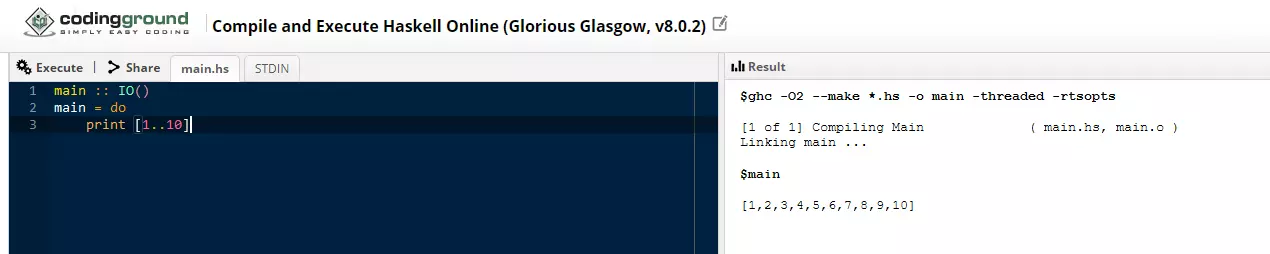
The sequence operator is a special operator in Haskell. It allows you to easily declare a list with a sequence of values. It is expressed by “[..]”. For example, if you want Haskell to display all numbers from 1 to 10, you can use the input “[1..10]” to define this number range. The same applies to letters. For example, you can enter “[a..z]” to tell Haskell to output the full alphabet. The following is a simple example demonstrating how to use the sequence operator:
main :: IO()
main = do
print [1..10]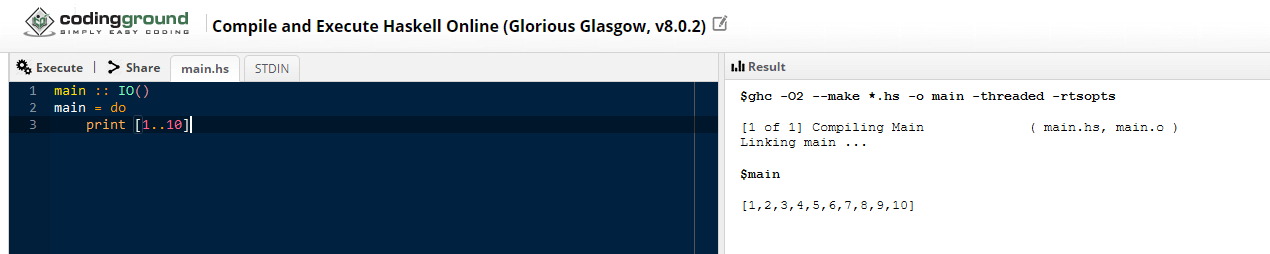
How to declare and define functions in Haskell
Haskell is a purely functional programming language. So, it is no big surprise that functions play an important role when programming in Haskell. As is the case with other languages, Haskell has its own way of declaring and defining functions.
Declaring a function tells the compiler that a specific function exists. This also indicates which parameters are to be expected and what the output should look like. When you define a function, this is the actual inclusion of the function in the code.
The following example of code will show you how functions work in Haskell:
add :: Integer -> Integer -> Integer   --function declaration
add x y =  x + y                       --function definition
main = do
putStrLn "The sum of the two numbers is:"
print(add 3 5)    --calling a function
In the first line of code, the function is declared – all three values of the function (input and output) are integers. In the second line, the function is defined: the two arguments “x” and “y” are to be added together. Using the previously mentioned “main” method, the code is compiled and the result of the function is output for the two input values “3” and “5”.


The following YouTube tutorial for beginners provides a deeper look into working with functions in Haskell:
 To display this video, third-party cookies are required. You can access and change your cookie settings here.
Additional tips for learning and programming with Haskell
Haskell is a very popular language which is why a wide range of support is available for it including online manuals, tutorials, and support forums. We recommend checking out the YouTube tutorial series “Haskell for Imperative Programmers” by Philipp Hagenlocher which covers the most important components of this functional programming language in over 30 videos on a variety of subjects. The community section on the official Haskell homepage provides a comprehensive overview of additional support resources you can find online. If you prefer print materials, you will certainly get your money’s worth from John Whitington’s book “Haskell from the very beginning”.
If you use the interactive development environment ghci, you can also view a complete list of the commands available at any time while learning Haskell. All you need to do is type the following command in the command line and confirm the input by hitting the Enter key:
Prelude>:?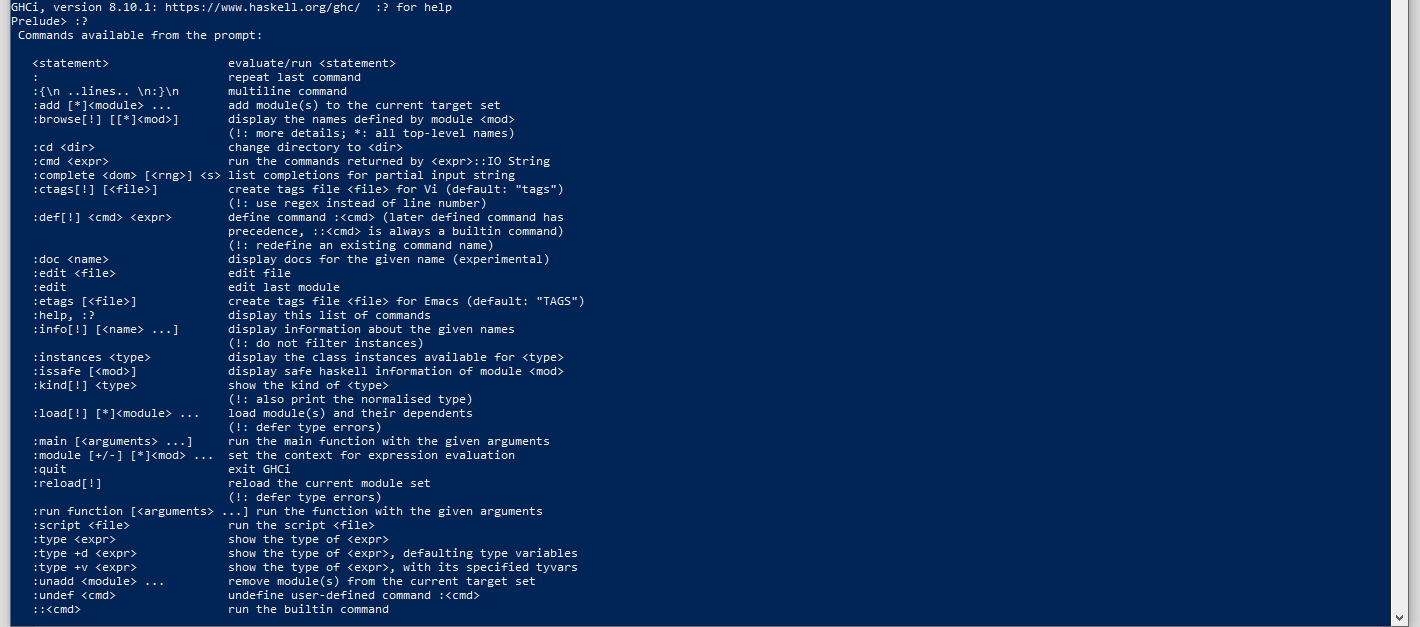
Reviewer

Christian Heldmaier
Christian Heldmaier is an experienced online marketing and SEO specialist from Karlsruhe. He has been working as an SEO Manager at IONOS since July 2020.