

File server: Definition and basics

A file server is a central server instance in a computer network that enables connected clients to access the server’s storage capacities. The term encompasses both the hardware and software needed to implement such a server. As long as they have received the corresponding authorizations, accessing users can open, read, change, and delete files and folders on a file server as well as even upload their own files to the server.
What is a file server?
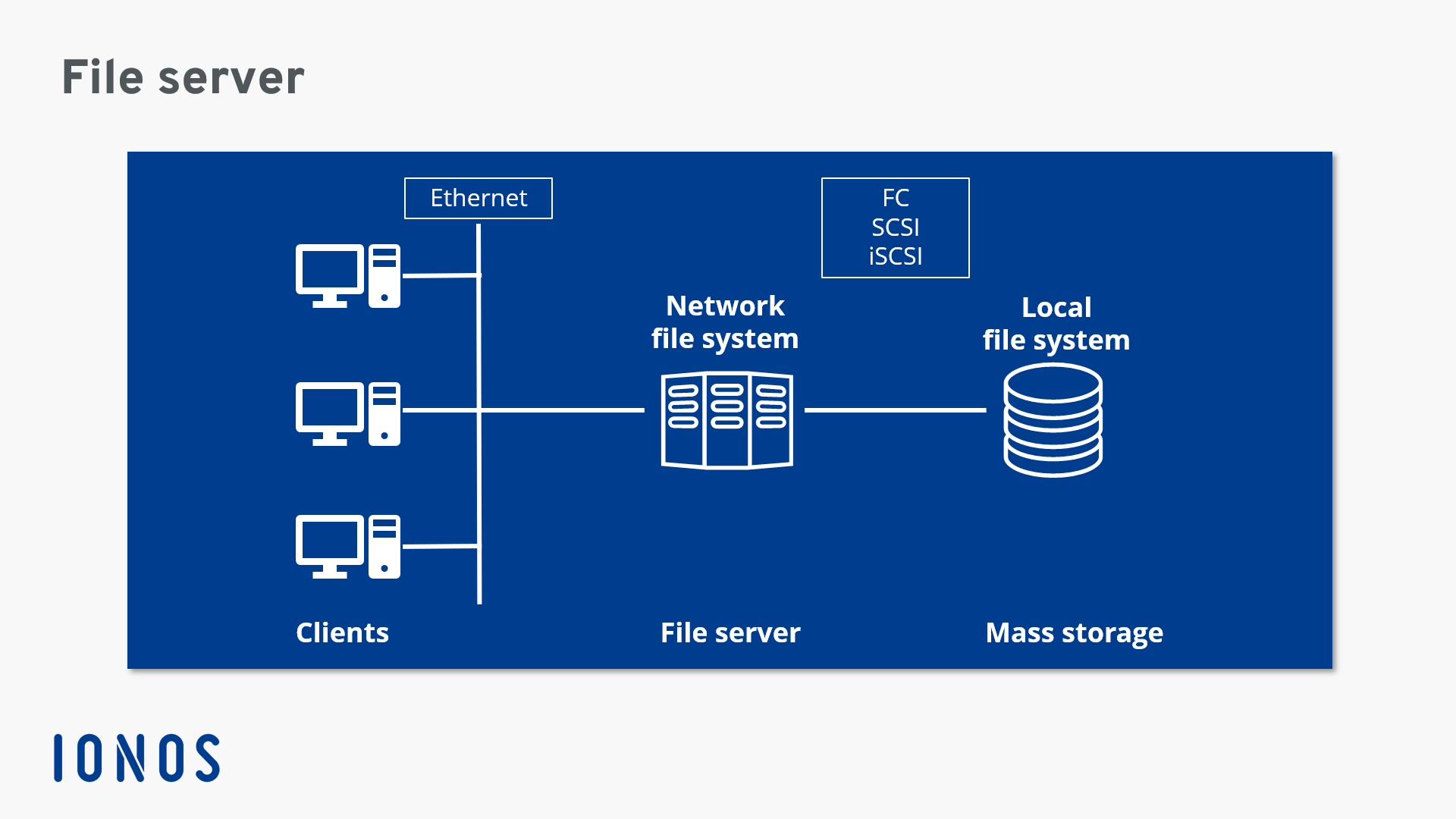
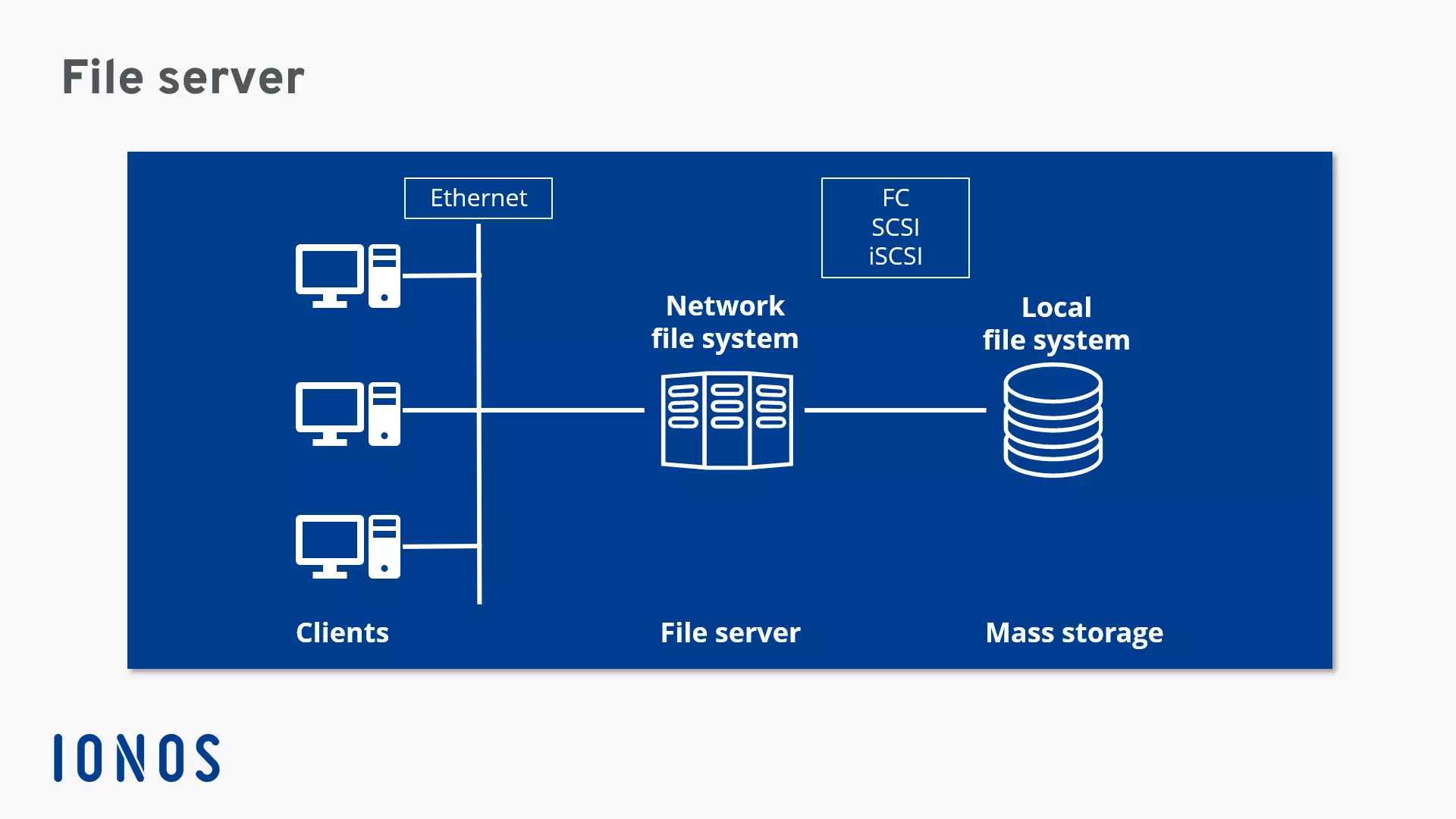
A file server is a central server in a computer network that provides file systems or at least parts of a file system to connected clients. File servers therefore offer users a central storage place for files on internal data media, which is accessible to all authorized clients. Here, the server administrator defines strict rules regarding which users have which access rights: For instance, the configuration or file authorizations of the respective file system enable the admin to set which files can be seen and opened by a certain user or user group, and whether data can only be viewed or also added, edited, or deleted.
With file servers connected to the internet and configured accordingly, users cannot only access the files via the local network but also benefit from remote access. This enables files to be accessed and saved on the file server even when users are on the go. All modern operating systems such as Windows, Linux, or macOS can be used on a file server, although the devices available in the network need to be compatible with the operating system. But file servers are not only used for file storage and management. They are also often used as a repository for programs that have to be accessible to multiple network participants, and as a backup server.
How do file servers work?
The right hardware is the foundation for a reliable file server. Most importantly, of course, this includes the hard drive which needs to offer sufficient space for the files and necessary programs, as well as the respective operating system, and the software for using the clients. The server also needs enough working memory and processing power to process file and program accesses for various users as quickly and faultlessly as possible. Whether the hardware requirements can be fulfilled by a standard PC or whether a special server setup is required primarily depends on the number of users.
 To display this video, third-party cookies are required. You can access and change your cookie settings here.
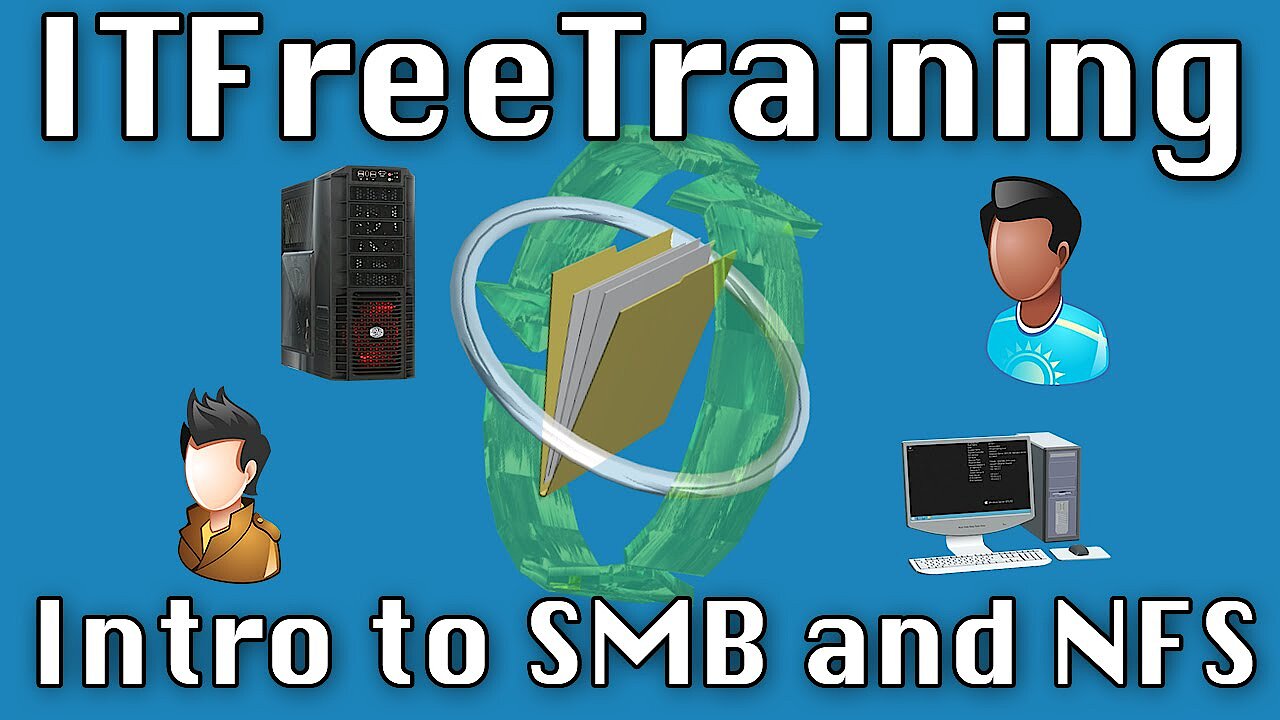
Special network protocols are responsible for communication between file servers and clients: While the SMB protocol (Server Message Block) developed by IBM is used in local networks with Windows and macOS devices, computers with Unix-like systems – such as Linux distributions – largely work with the NFS protocol (Network File System). To combine both protocol types in a single network, clients and file servers based on Unix/Linux must be accordingly equipped with software that implements the SMB protocol in these systems – for example the free software suite Samba.
 To display this video, third-party cookies are required. You can access and change your cookie settings here.
Accessing the file server over the internet typically works with FTP (File Transfer Protocol) or it’s encrypted variant SFTP (Secure FTP). Alternatively, the encrypted SCP (Secure Copy) and HTTP-based WebDAV protocols are also used.
WebDAV uses the same port (80) as HTTP. Compared to alternatives like FTP or SCP, it therefore has the advantage that the port does not usually need to be opened in the client, as it is open as standard – enabling use of the world wide web.
The functions and options of a file server
As already mentioned, the main functions of a file server are to enable multiple users to access the stored files and free storage space for the file repository. For this reason, these servers are especially popular as a central storage place for internal company files that are not only relevant for individual users. In many cases, companies (particularly in the open-source sector) also use a file server as a download server connected to their own web offering. This way, they allow their customers or website visitors to download select content such as programs, drivers, updates, images, or videos with ease.
Central file access via a file server is often also linked to access to the network printers.
The second major application of file servers is data backups. Unlike when saving and jointly managing relevant files, this specifically refers to the creation and maintenance of conventional backups – of system or user files (or both) depending on the need. Storing these backup copies on a file server is both an easy and inexpensive alternative to having to plan and cover the necessary additional storage requirements on each individual client.
 To display this video, third-party cookies are required. You can access and change your cookie settings here.
This works much like when file servers are used to host software and provide access for all authorized users: As the host terminal systems used in the past, computing power and storage capacity are conveniently outsourced, meaning the client devices only have to take on data entry and display.
What are the advantages of using a file server?
For many companies, using a file server is worth considering for a range of reasons. First, there is of course the advantage of centrality which ensures each authorized network participant can access the stored files. This makes shared working possible on these files. Conflicts between different versions of a document can be practically ruled out, as certain actions – such as editing or deleting – are blocked for other users as soon as you open a file. If users have to share the desired files on their own system instead, or transmit them using removable media, this would be considerably more time-consuming and cumbersome – and it would most likely result in different file versions.
Another key advantage of using file servers is that it relieves the strain on client resources. With the exception of personal documents, essentially all business files and backups can be stored on the file server, depending on how the company wishes to use the file repository. And with the right organization (comprising directories, folders, etc.) users automatically have a much better overview of the entire file inventory.
If the file server is configured for remote access over the internet, the files are also accessible on the go – much like an online storage service. But unlike a cloud solution, the company retains control of the files and their security at all times. This represents a clear advantage over third-party solutions.
Summary of file server advantages:
- Easy organization of the entire file inventory
- High degree of clarity
- Convenient file sharing
- Collaboration without version conflicts
- Relief of client computers (almost unlimited storage possible)
- Remote access via WebDAV, (S)FTP, or SCP possible
- Data protection and security in your own hands
File server: Practical but a challenge
The advantages listed clearly show how valuable a file server can be. However, many companies make the mistake of underestimating the work involved in setting up and managing such a server. Companies often do without advance planning. As a result, not only is the hardware stretched to its limits after a short amount of time, but also many of the benefits of a file server don’t take effect. For example, if there is no clear principle for the assignment of rights, situations will likely arise in which users are unable to perform necessary actions. Problems may also occur when the directory and folder structure is unclear – or if no folder structure exists at all.
If you’d like to use a file server, you should therefore consider these aspects from the very beginning, as well as a comprehensive security concept. In the case of the latter, this is important if the file server is also accessible over the internet. The installation and configuration of security software are just as critical as training the employees who access the file server. Only when they have been made aware of topics like cyber security and data protection can the configured protection mechanisms work as intended. This is also true when it comes to storing the files: Clearly communicate where and how files should be saved on the file server to prevent a chaotic data situation from occurring in the first place.
Reviewer

Christian Heldmaier
Christian Heldmaier is an experienced online marketing and SEO specialist from Karlsruhe. He has been working as an SEO Manager at IONOS since July 2020.