HiDrive Next
Your files, always on. Your data, always off-limits.
- Get started in minutes, no IT expertise required
- Access your files from any device, anywhere
- Privacy-first with no data sharing or selling

HiDrive Next Cloud Storage
Store, share, and sync your files with complete peace of mind
Everything your team needs to collaborate, in one place that keeps your data yours.Connect your local folders to HiDrive Next and your files stay current, automatically synced on Windows and Mac.
Share projects with clients and partners via a secure link with read-only or write access, so you control exactly who can do what.
Your files are stored, backed up securely, and never shared with third parties. What you upload stays yours.
Connect your local folders to HiDrive Next and your files stay current, automatically synced on Windows and Mac.
Share projects with clients and partners via a secure link with read-only or write access, so you control exactly who can do what.
Your files are stored, backed up securely, and never shared with third parties. What you upload stays yours.
Get started with HiDrive Next online storage
All plans include: Your files, wherever you go
24/7 personal support
30-day money-back guarantee
Your files, wherever you go
24/7 personal support
30-day money-back guarantee
Federal and provincial sales taxes may apply. See General Terms and Conditions.
Features built for the way your team actually works
Plug into your existing setup
Connect HiDrive Next to your current IT infrastructure using WebDAV, no complicated migration or system overhaul required.
Keep everyone on the same page
Share folders, collaborate on files with your team, and stay in sync from wherever your team is working.
Turn paper documents into searchable files
Scan anything with your phone and save it as a searchable PDF you can find in seconds.
Decide who sees what and when
Granular permissions and strong password protection let you control exactly who can access which files, so sensitive data stays locked down.
Create your account and access HiDrive Next as an app or directly in your browser. No setup required.
Drag and drop files, or sync entire folders automatically — it's all up to you.
Easily share folders with your team or clients, and add more users with a single click.

Only at IONOS
Your personal consultant
Not only do you get the latest AI tech, but you get your own personal consultant to guide you every step of the way.
24/7 expert support
Technical questions? Our award-winning experts are always available to help by phone, chat or email.
Couldn't find what you were looking for?


HiDrive Next Cloud Storage – FAQ
What can I use HiDrive Next for?
The longer you use a device, the less storage space you have for your photos, videos, music, and other documents. Because devices can be damaged, lost, or break down, cloud storage offers a reliable solution to back up this precious data securely. With HiDrive Next, you can access your files at any time and from any device. You also have the freedom to add new holiday photos, videos, documents, and MP3 files whenever you want.
Securing files is essential for businesses, especially for important projects. With HiDrive Next, your data, high-resolution images, PDFs, presentations, and spreadsheets are protected. Online storage also makes collaboration easier. There is no need to send large ZIP files by email. Your team members can access files and update them in real time, wherever they are.
Which devices work with HiDrive Next?
HiDrive Next online storage works on several different devices and operating systems. You can use HiDrive Next as a storage app, desktop software, or directly in your web browser. You can access your stored data on the online server whenever and wherever you need it. This works across many different devices, whether you are at home, at work, or on the move. Here is a quick overview of how you can use HiDrive Next online storage on different devices:
- Apps: The HiDrive Next cloud storage app is available on iOS and Android. For iOS, version 13 or higher is required due to updated security features. The iOS app is compatible with both iPhone and iPad.
- Desktop: The desktop software for HiDrive Next online storage is compatible with Windows operating systems (Windows 10 and higher). The HiDrive Next software is also available on MacOS. You can easily synchronise your desktop directories to the cloud.
- Web browser: You can also access everything you have backed up via a web browser if you do not have your mobile device or computer to hand. This works from any browser. It is a practical solution if your computer breaks down while working for an important client. The web browser provides an ideal solution for these situations.
What kinds of files can I store? Are there size limits?
You can save all kinds of files without exception using HiDrive Next. Whether you have Word or Excel documents, PDF files, video or XML files, various image formats, or Photoshop and PSD files, HiDrive Next can store them all. It supports many other file formats as well. This means you can use different programmes across different operating systems and devices while keeping everything in one place. You get easy and secure access whenever and wherever you need it.
Storing large files is no problem with HiDrive Next. There is no set limit for file sizes. Depending on your chosen package, you will simply have more or less storage space available.
The only real restriction on available space depends on technical limits, but these are very rarely reached. For example, if you want to back up an Adobe Premiere video project of 5 GB or more, HiDrive Next handles it flawlessly. You can also upload very large Photoshop files in multiple parts.
How do I connect HiDrive Next to my existing setup?
You can easily integrate HiDrive Next into your existing infrastructure using WebDAV. This allows you to enable directory access via an HTTP connection.
What is the difference between cloud storage and online backups?
Generally speaking, there is no real difference between cloud storage and an online backup when using HiDrive Next. HiDrive Next is an online storage provider. It makes sharing and using files much easier, and you can use it just as smoothly as your online backup.
This means you will have your online backup and all your data close to hand in a single, secure place, making them incredibly easy to manage.
What internet connection do I need
Cloud storage works with all types of internet connections. Whether you have a WiFi or LAN connection, you can perform an online backup with an online storage provider without any issues. However, if you plan to back up large video files, a faster internet connection is highly recommended.
Uploading many large image files will take more time regardless of your connection, though a slow connection will naturally take even longer. Similarly, if you use online storage across multiple devices simultaneously, a reliable and fast internet connection ensures your cloud storage performs at its best.
In short, online storage works with all internet connections. Your specific usage will determine the connection speed you need to enjoy an optimal experience.
How does HiDrive Next protect my data?
Every file is transferred using SSL/256-bit encryption. Your data is stored in ISO 27001-certified data centers and never shared with third parties — not sold, not analyzed, not handed over to anyone.
Each user gets private folders for sensitive files, with shared folders available for team collaboration. You control who has access to what.
HiDrive Cloud Storage
Store and share your data on the go
- Store, share, and edit data easily
- Backed up and highly secure
- Sync with all devices
Choose your HiDrive cloud storage plan
Federal and provincial sales taxes may apply. See General Terms and Conditions.
Unlimited flexibility
Access anywhere
Sync across all devices
Collaborate securely
Save email attachments
Scan documents
Protocols & NAS
Benefits of HiDrive online storage

Stay secure

Stay private

Stay in control
Stay productive and let HiDrive secure your work
HiDrive data access and security
WebDAV and Protocols
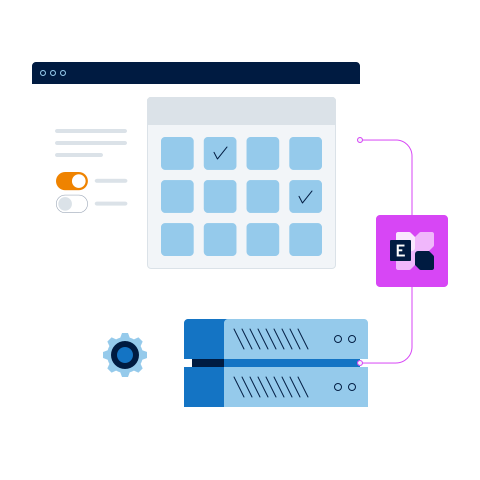
Simply integrate HiDrive into your existing system infrastructure via WebDAV. HiDrive Pro also supports the following protocols:
- SFTP/FTPS: Fast transfer with resume option if data transfer is interrupted
- Rsync: The transmission standard for syncing data
- SMB/CIFS: Drive integration for your operating system
- SCP: Secure data transmission with SSH
- Git: Secure Git repository for developers
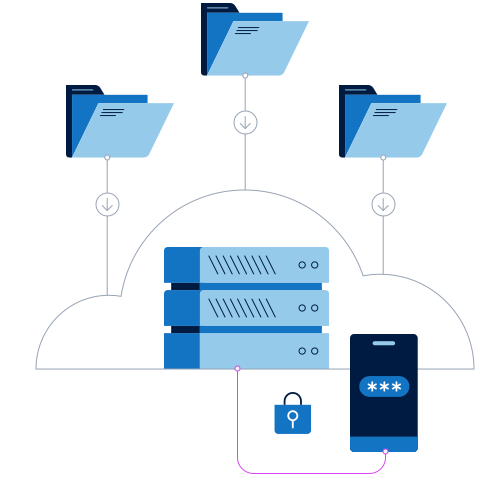
Encryption and two-factor authentication
Activate two-factor authentication for higher access security in HiDrive. As well as your password, you'll get a code generated by an authentication app which you can install on your smartphone.
With HiDrive Pro or as an add-on to other plans, you can activate end-to-end encryption. This means that nobody but you can access your HiDrive data. Encryption is done on Windows HiDrive software and can be transferred to your apps simply by scanning a QR code.
What do you want to do with your HiDrive?
Store your data more securely than on a hard drive
Share large files with your team or your clients
Stay flexible with extended access via protocols
Back up your smartphone, tablet or PC to avoid data loss
HiDrive cloud storage — FAQs
What are some use case examples of HiDrive Cloud for business and private usage?
There are often many precious documents and photos saved on your devices. Losing any of this data due to theft or damage is never a nice thought. For employees, you might have PowerPoint presentations and digital assets like photos and videos on a laptop for a project, which is why cloud storage for a business is so important. With HiDrive you can back up all your work-related data and access it easily from any other device.
For private users, the online storage of photos with HiDrive allows you to save all the multimedia files that matter the most to you. This could be videos of your child’s first steps, your family’s vacation photos, or even your extensive music collection. Use cloud storage for music, photos, or any type of media that you want to keep safe.
The great thing about HiDrive is that your data is not only stored safely in the cloud, but other people can access it with your permission. For an entire team collaborating important project, it’s easy for everyone to organize and access the same documents using one business account. Even with other team members working on different devices around the world, ensure your team is on the same page with HiDrive data storage and rely less on emailing each other large documents.
On which devices does the HiDrive cloud storage work?
HiDrive cloud storage works on several different devices and operating systems. It is possible to use HiDrive as a storage app, desktop software or directly in your web browser. Your stored data can be accessed by you on the online server whenever and wherever you need it, and across many different devices – from home, work or on the go. Here's a quick overview of the availability of HiDrive cloud storage on different devices:
- Apps: The HiDrive storage app is available for iOS, Android. For iOS, version 13 or newer is required, as these versions have updated security features. The iOS app is compatible with iPhone and iPad.
- Desktops: The desktop software for HiDrive cloud storage is compatible with Windows operating systems (Windows 10 and newer). HiDrive software is also available for MacOS. Easily sync your files from your desktop to the cloud.
- Web browsers: You can also access everything you've backed up on a web browser in case you don't have your mobile device or computer at hand – this is possible from any web browser, and is ideal in case you're working for or with an important client and your laptop or desktop computer fails. In this case, the web browser provides the ideal solution.
What kind of data can I store with HiDrive? What are the limits?
With HiDrive, you will be able to save all kinds of files, including Word or Excel documents, PDFs, video or XML files, various types of image files, or Photoshop and PSD files, HiDrive can store all of them, as well as many other formats. This means that you can use different programs, even on different operating systems and devices, and still store them all in the same place for secure, easy access whenever and wherever you need.
Storing large files is no problem with HiDrive. There is no set limit for file sizes — depending on your storage plan, you may have more space. The only actual restriction on possible space is the technically determined limits, but these are really very seldom reached. For example, if you have an Adobe Premiere Video project that you want to back up that is 10 GB, or even bigger, HiDrive can back up this large file without any problems. Extraordinarily large Photoshop files can also be uploaded, saved and shared on the online file server. This makes HiDrive one of the best cloud storage options, with the possibility to expand when you reach your file limit.
There is also no limit on the number of files and folders you have uploaded and saved to the cloud. There are of course some technical limits, but these are, again, hard to exceed. Furthermore, it is possible to store thousands of login files in one folder, meaning organizing and managing your online file storage is easy and workable.
How can I integrate HiDrive into my existing infrastructure?
It's very simple to integrate HiDrive into your current infrastructure. HiDrive Pro, especially, simplifies the process because it supports so many protocols. If you use a Windows operating system, automatic software distribution services like Baramundi are also supported, and can be configured for a proxy infrastructure.
HiDrive Pro supports these protocols:
- (S)FTP/FTPS: fast data transfer with an option to pause and resume
- WebDAV: folder integration on HTTP-basis
- SMB/CIFS drive integration into your operating system
- rSync: the standard for data synchronization
- SCP: secure data transmission via SSH
- Git: secure Git repository for developers
Can I secure all my devices using one account?
There is a current technical limitation of 10 devices per operating system per account. Simply put: 10 Android, 10 Windows and 10 iOS devices are allowed per account. This makes it one of the cheaper cloud storage options, because it allows for so many devices on one plan. Note that if you register an 11th Windows device, for example, the first one on the list is removed. So it depends on your personal needs — but it is possible to register all your devices!
If you wish, you can allow each of your users to back up five computers and three mobile devices using just one account — HiDrive is one of the best cloud storage providers due to its flexibility. It also offers highly secure smartphone backups, as well as PC and laptop backups, meaning that you can store all your personal or professional securely.
What kind of internet connection do I need to use cloud storage?
Cloud storage works with every kind of internet connection. Whether you have WiFi or LAN internet, you'll be able to make an online backup onto a cloud storage provider without any problems. It is good to note, however, that if you're planning to back up large video files, a quicker internet connection is better. Lots of big image files will also take longer to upload, regardless of the internet connection, but a slow connection will take longer. If you're also using the cloud storage for multiple devices at the same time, a reliable and fast internet connection will mean your cloud storage will work better.
In short, cloud storage works with all internet connections, but your usage will determine the internet connection speed you'll require.
Is HiDrive cloud storage end-to-end encrypted?
Yes, HiDrive gives you the option to encrypt all your files with end-to-end encryption.
HiDrive cloud storage is extremely secure. All data is encrypted during transfer using AES-256 encryption via SSL and with AES-128, when it is stored. You can additionally secure your files with end-to-end encryption (E2EE), which ensures robust data protection. Thanks to zero-knowledge encryption, potential hackers don’t have any chance of opening your files, even if they have your HiDrive login credentials.
While other cloud storage providers rely on third-party services like Boxcryptor for end-to-end encryption, IONOS has directly integrated E2EE into HiDrive cloud storage. With HiDrive Pro, you can secure everything from work documents to family photos in just a few clicks and at no extra charge. If you have one of the other HiDrive plans, you can add end-to-end encryption by purchasing an add-on.
If you are interested in additional measures for keeping your files safe, you can also opt for two-factor authentication for your HiDrive login.
How does HiDrive secure my data?
This is an important question. Data privacy is paramount, and because of this, HiDrive offers secure data transfer through SSL256, and AES128 encrypted data storage. These measures are taken to ensure that your data is uploaded, transferred and stored using professional levels of security and to protect you against cyber criminals. Cloud storage is much safer than having a local backup laying in an office drawer.
On top of this, each user has their own private and public folders. This ensures that there is not only a high level of security in terms of the stored data, but also enough privacy, so each user can manage their own projects and files. Each user has the potential to keep sensitive information, like personnel files, in their own private folders and choose which files can be accessed by everyone.