Booting Dedicated Servers and Bare Metal Servers into the Linux rescue system
Valid for Dedicated Servers and Bare Metal Servers managed in the Cloud Panel.
With the Linux rescue system, you can log in to your server even if it is no longer accessible via the network. The Linux rescue system is a Debian minimal system. After you have booted your server into the Linux rescue system, you can back up important data, for example.
- Log in to your IONOS account.
Click Menu > Server & Cloud in the title bar.
Optional: Select the desired Server & Cloud contract.The Cloud Panel opens.
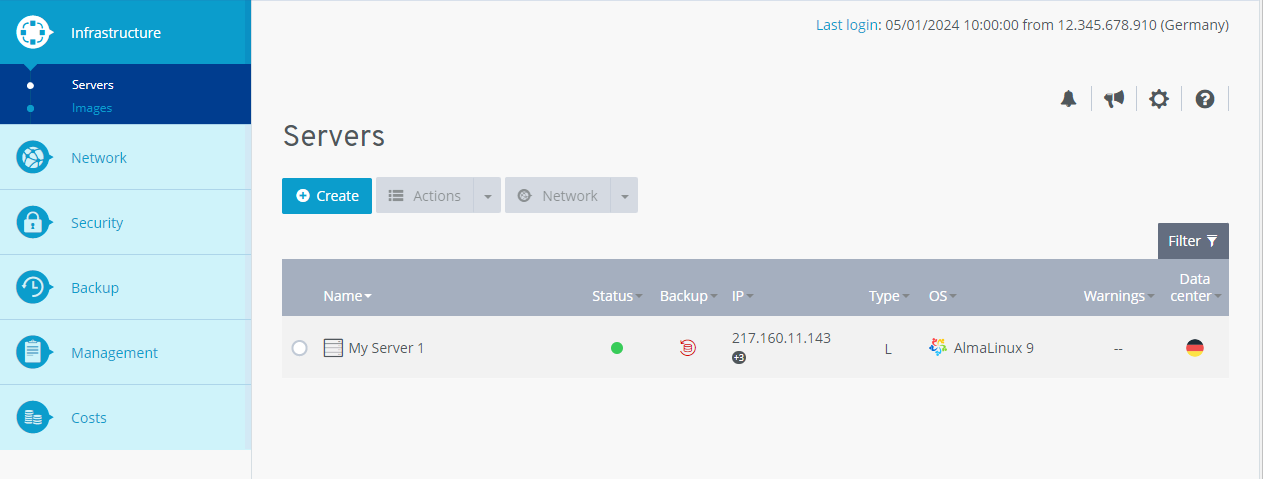
Click on the desired server in the Infrastructure > Server area.
Click on Actions > Restart.
Activate the Rescue System method.
- If you have installed the netboot.xyz image, select the Netboot.xyz latest rescue system. If you have installed a different image, select the Rescue system (Linux) rescue system.
Click Yes.
The server will be booted into the rescue system.To log in to the Linux rescue system on your server, establish an encrypted network connection to your server via SSH using the displayed access data.
Additional information
Further information on the Linux Rescue System can be found here: