Block storage: Overview
Valid for Cloud Servers, migrated Cloud Servers, and VPS+.
This article explains how the block storage area in Cloud Panel is organized, and what information is displayed there for your block storages.
In the IONOS Cloud Panel, all the block storages you have created are listed in a table in the Infrastructure > Block Storage area. This table contains the most important information on the individual block storages:
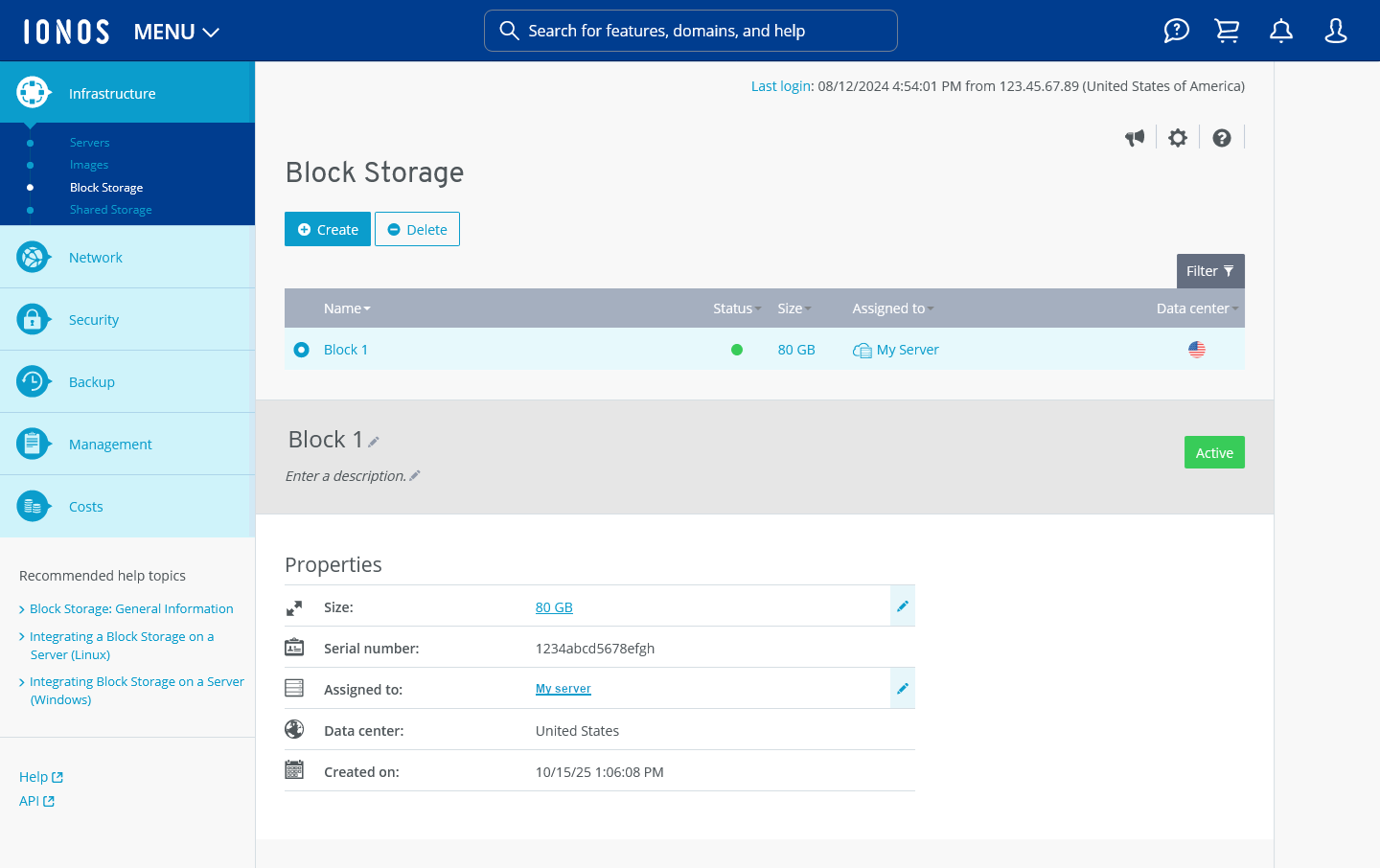
Name: Name assigned to the block storage. You can change the name of the block storage at any time.
Status: Current status of the block storage.
Active: The block storage is in operation.
Being deleted: The block storage is being deleted.
Size: Storage capacity of the block storage.
Assigned to: Server to which the block storage is assigned.
Data center: IONOS Data center in which the block storage is hosted.
Description: Description of the block storage. You can change the description at any time.
Created on: Date on which the block storage was created.